Manage voters
Manage Voters and Subscribers to track engagement, control notifications, and maintain your user base. View individual Voter details, adjust board access and subscriptions, add new Voters, perform bulk actions, and export your complete Voter list.
View Voter details
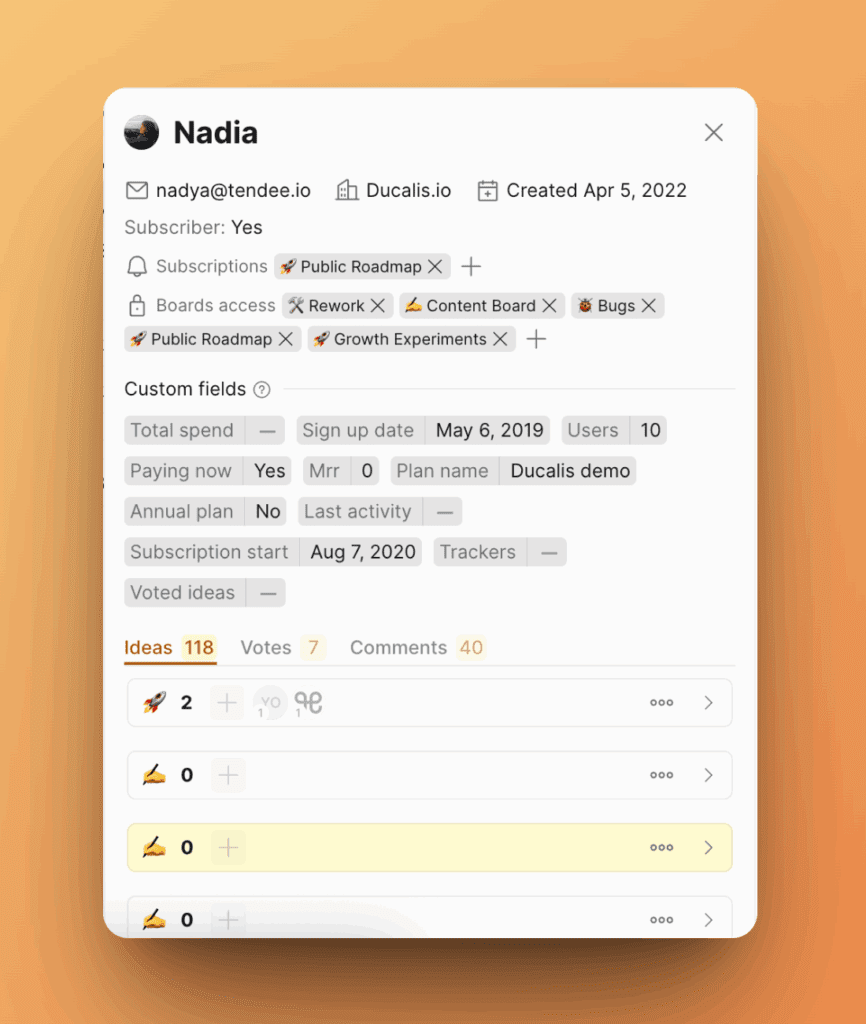
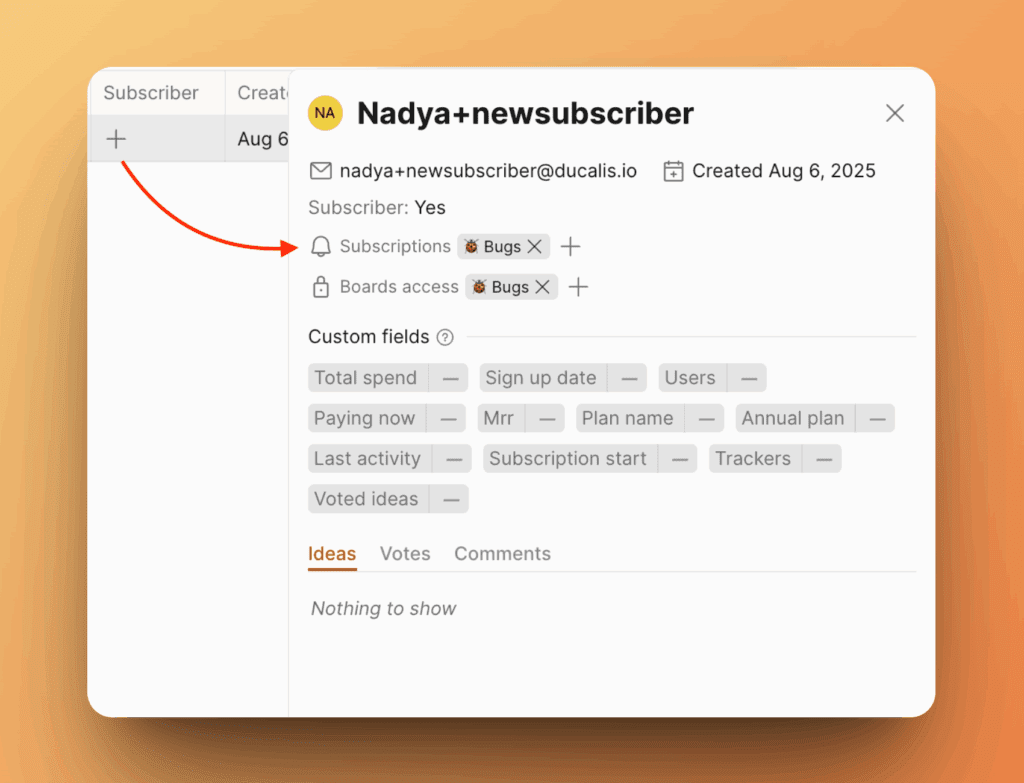
View detailed information about any Voter or Subscriber by clicking their name. The Voter card shows:
- Email address
- Organization
- Number of votes, comments, and Ideas submitted
- Subscription status
- Accessible and subscribed boards
- Date of first activity
Subscribe Voters to Voting Boards
Subscribe existing Voters to additional Voting Boards to send them notifications about updates.
- Open the Voter's card by clicking their name.
- Click + next to Subscriptions.
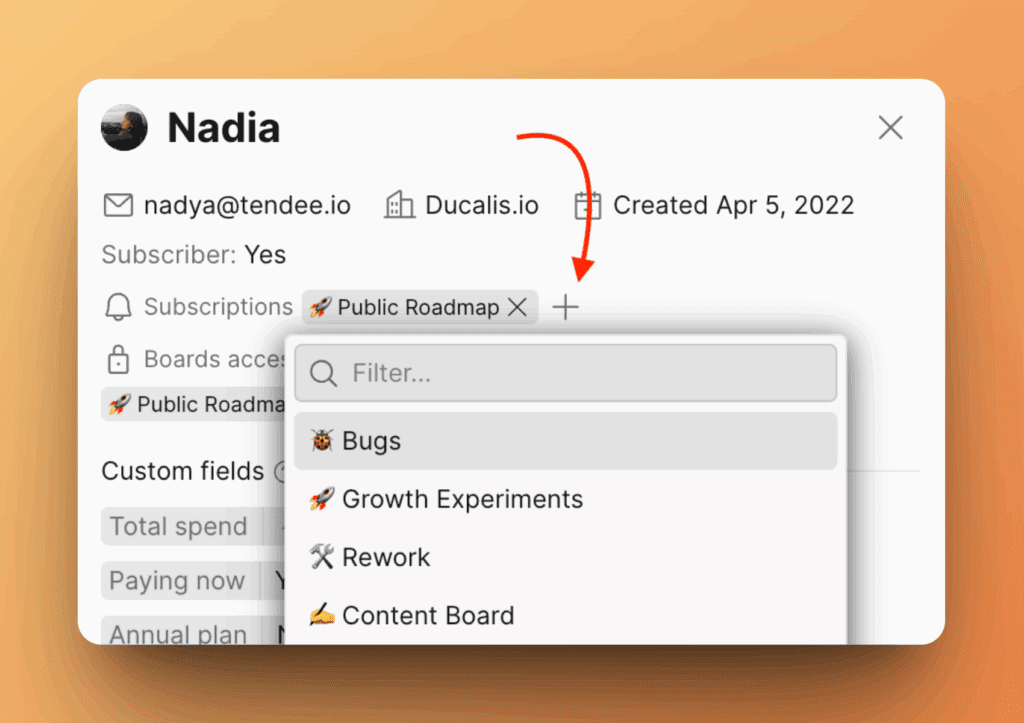
- Select the Voting Board.
The Voter will now receive notifications from that board.
Grant or revoke board access
Control which Voting Boards a Voter can see by managing their access permissions.
- Open the Voter's card.
- Locate the Access section.
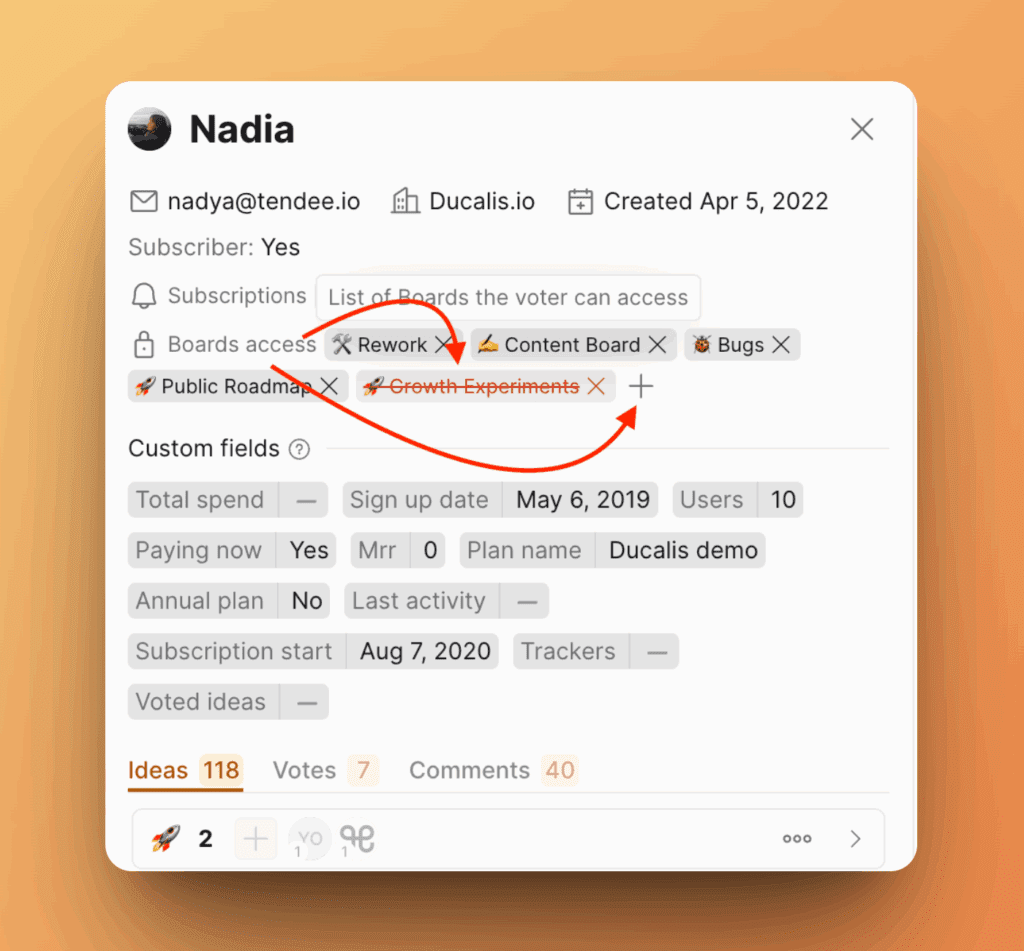
- Add or remove boards from the Voter's access list.
This option works with the Voting Board privacy setting that restricts board visibility to users on the Voters list.
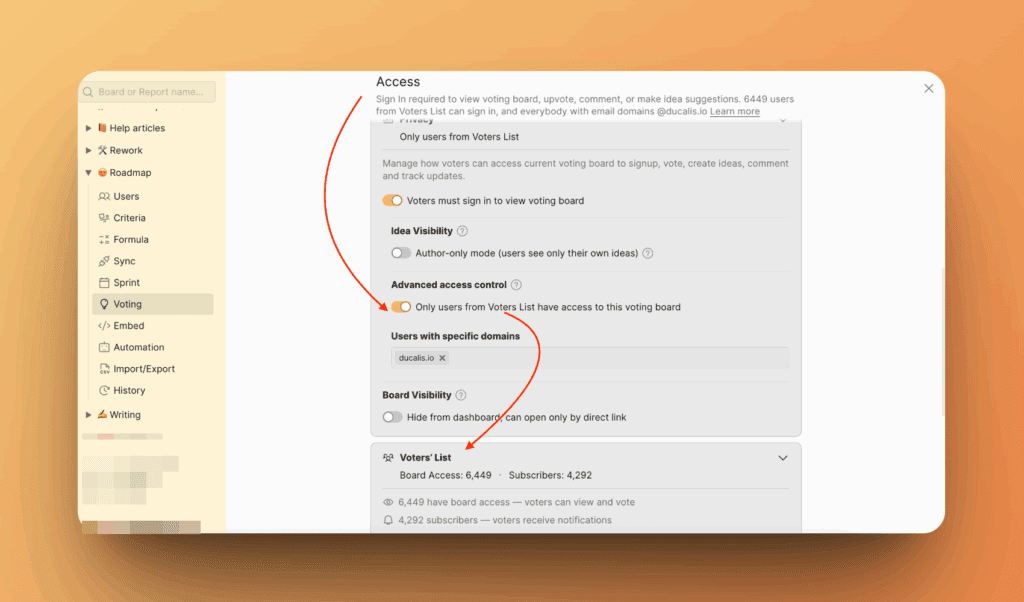
Add new Voters
Add Voters to your list by importing from CSV or entering them manually.
- Click Import Voters.
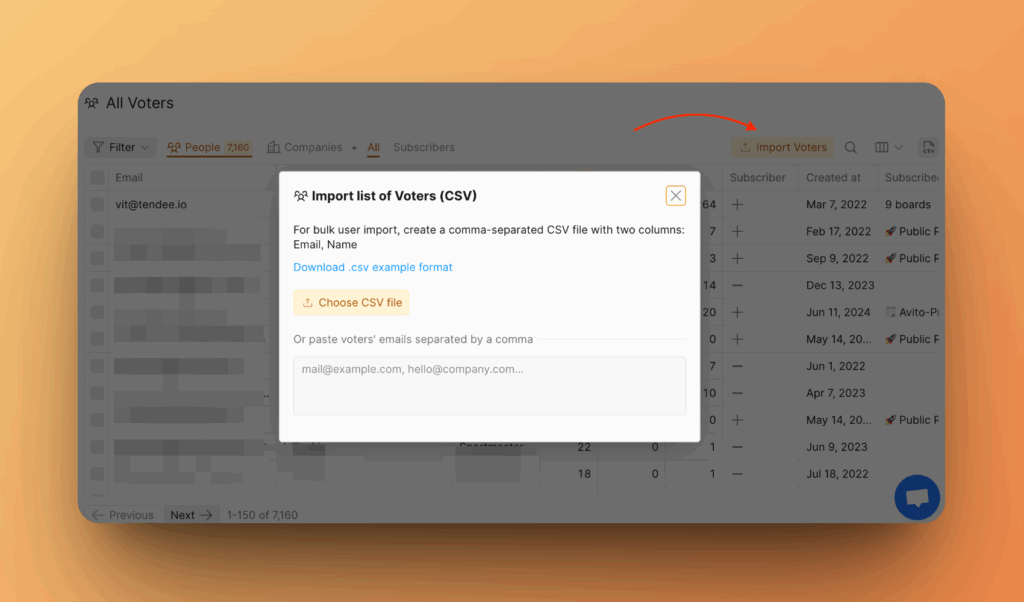
- Choose CSV file or enter manually.
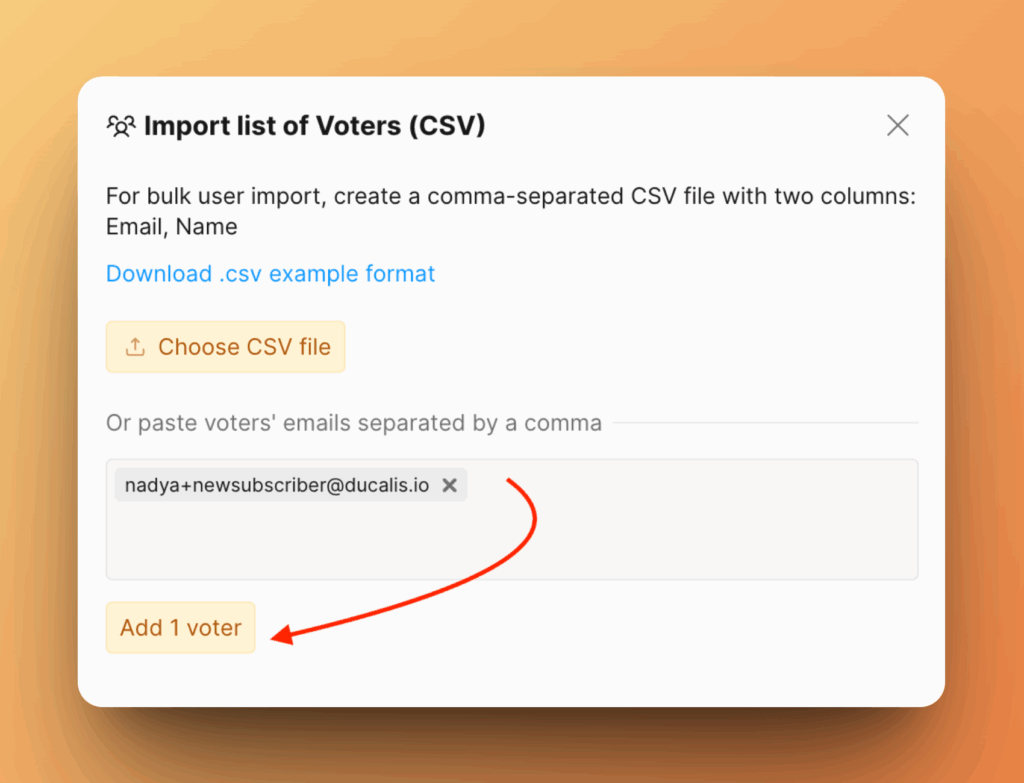
- Subscribe the new Voter to a Voting Board.
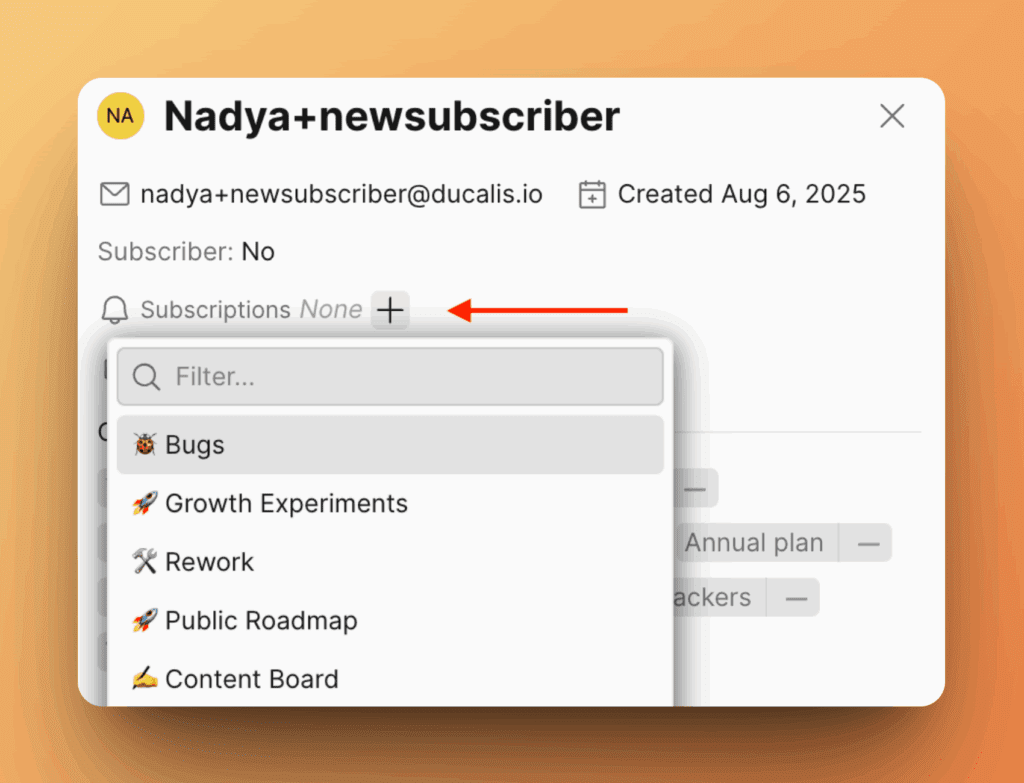
The Voter is now subscribed to receive notifications. You'll be charged for subscribed Voters.
Perform bulk actions
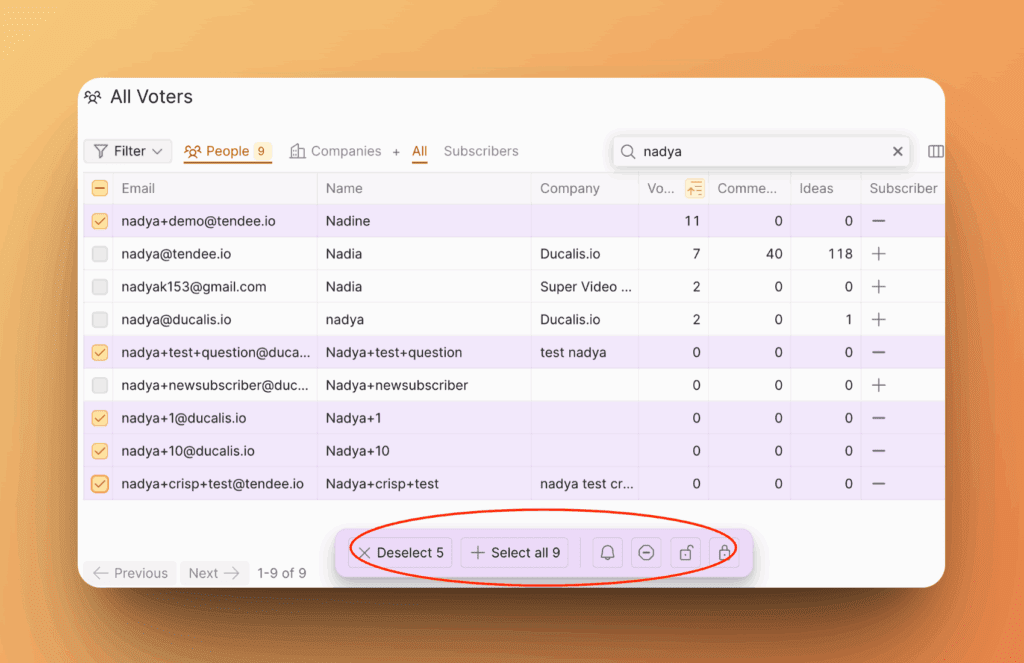
Manage multiple Voters at once by selecting them and applying bulk actions:
- Subscribe to Voting Boards
- Unsubscribe from Voting Boards
- Grant access to Voting Boards
- Revoke access to Voting Boards
Export Voter list
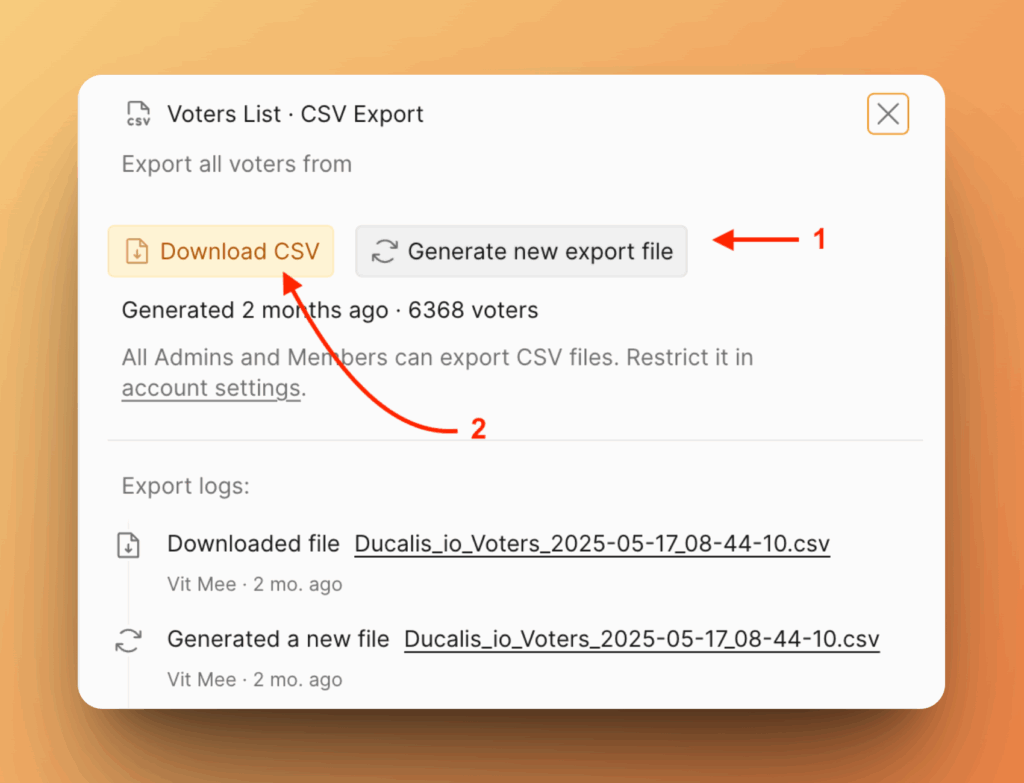
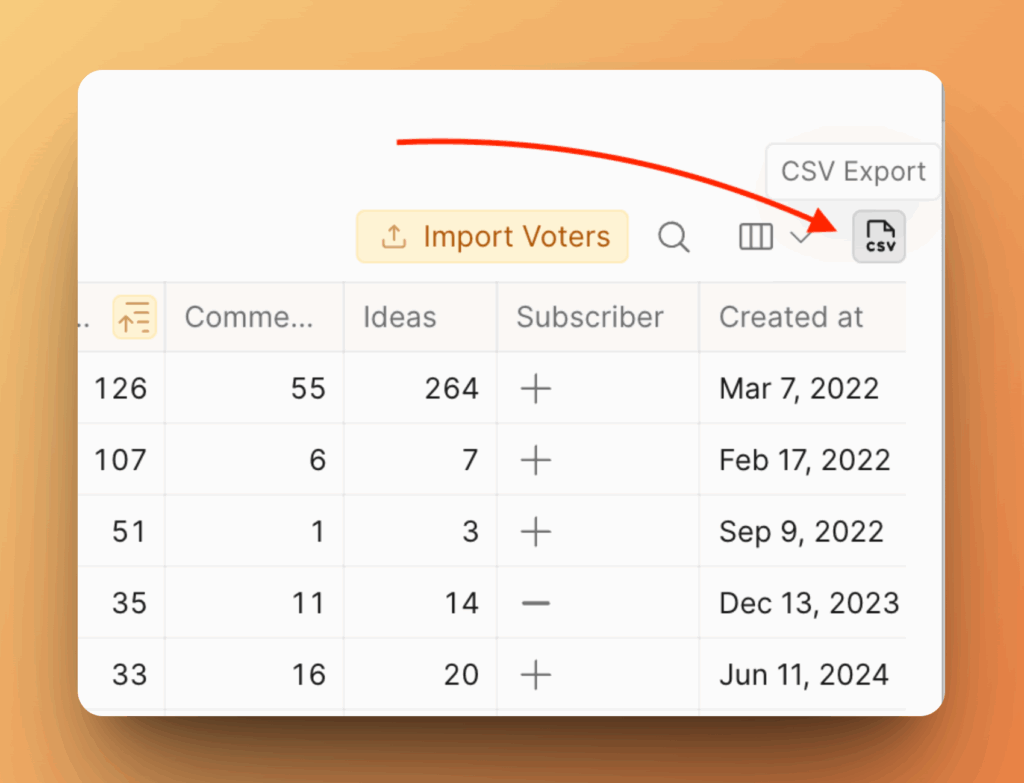
Export your complete Voter list to CSV for analysis or backup.
- Click the CSV icon.
- Generate a new file if the last export is outdated.
- Download the CSV file.