Notification timing
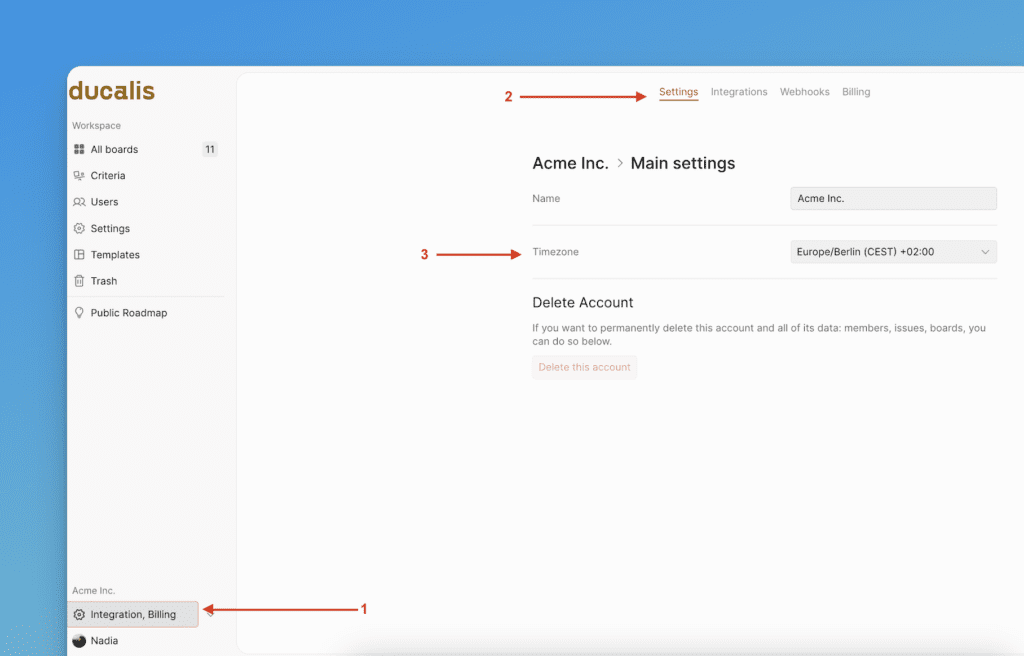
Notifications arrive at the wrong time when your timezone is set incorrectly.
Check your timezone
-
Click the Organization menu in the top right.
-
Find the Timezone field.
-
Select the correct timezone from the dropdown menu.
If your timezone is correct but notifications still arrive at the wrong time, contact us in the chat (bottom right).