Questions and comments
Ask clarifying questions when you can't evaluate an Issue because it's unclear, poorly described, or raises doubts. Direct your question to specific teammates who can help clarify. Other Board Users can join the discussion to resolve the question collaboratively.
This improves Evaluation accuracy and ensures your team prioritizes with complete information.
Ask a question
While evaluating on the Evaluation page:
-
Click the question icon.
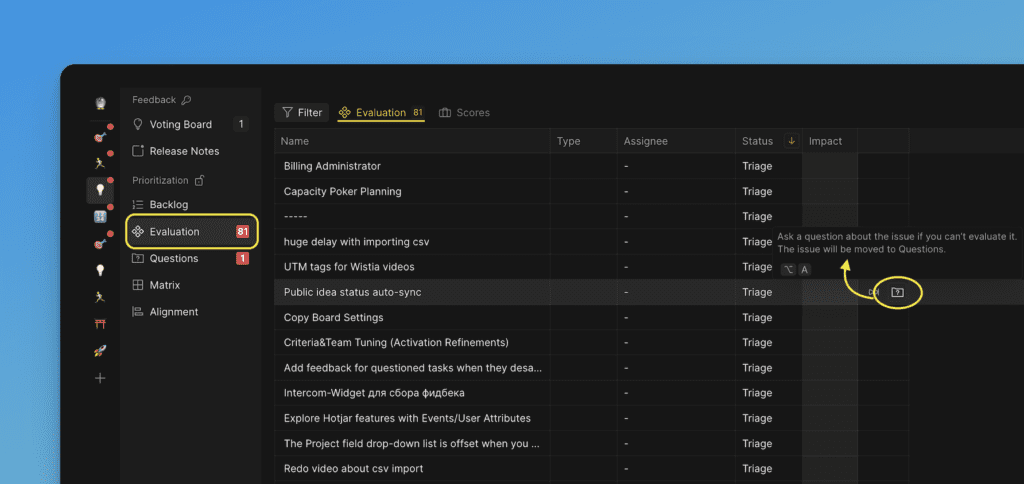
-
Select the person you want to direct the question to.
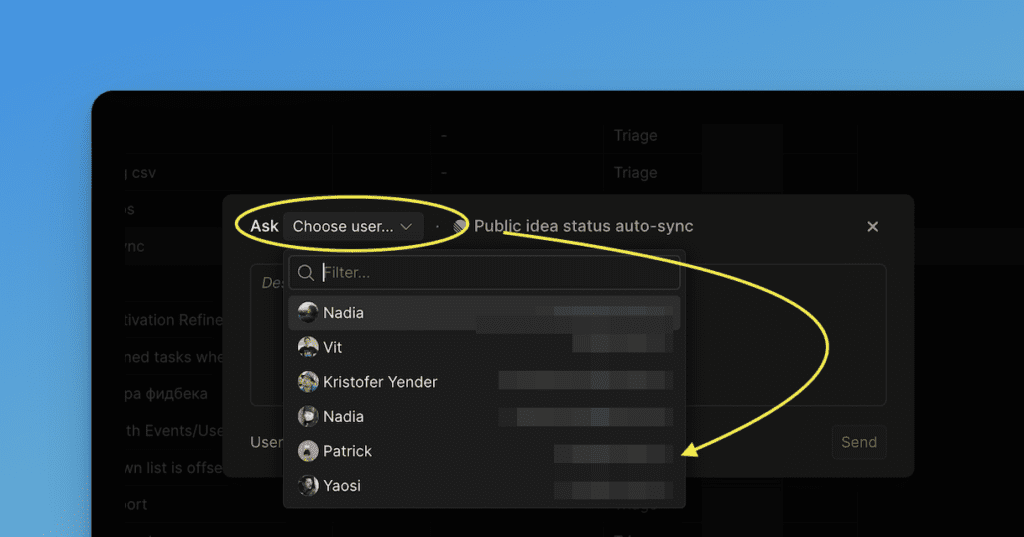
-
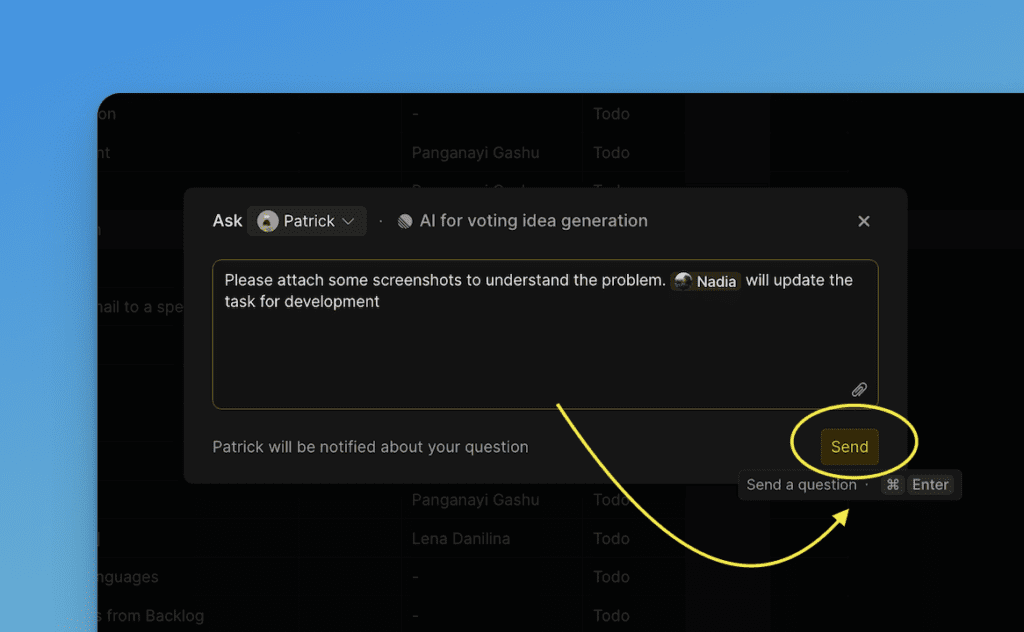
Type your question in the text field.
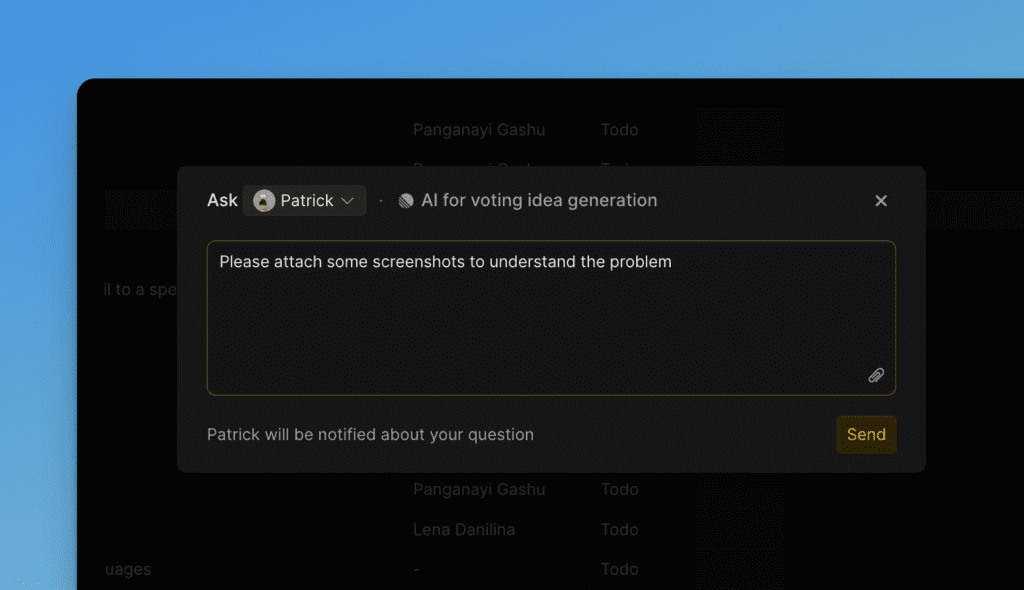
-
Optionally, mention another person using @ to notify them as well.
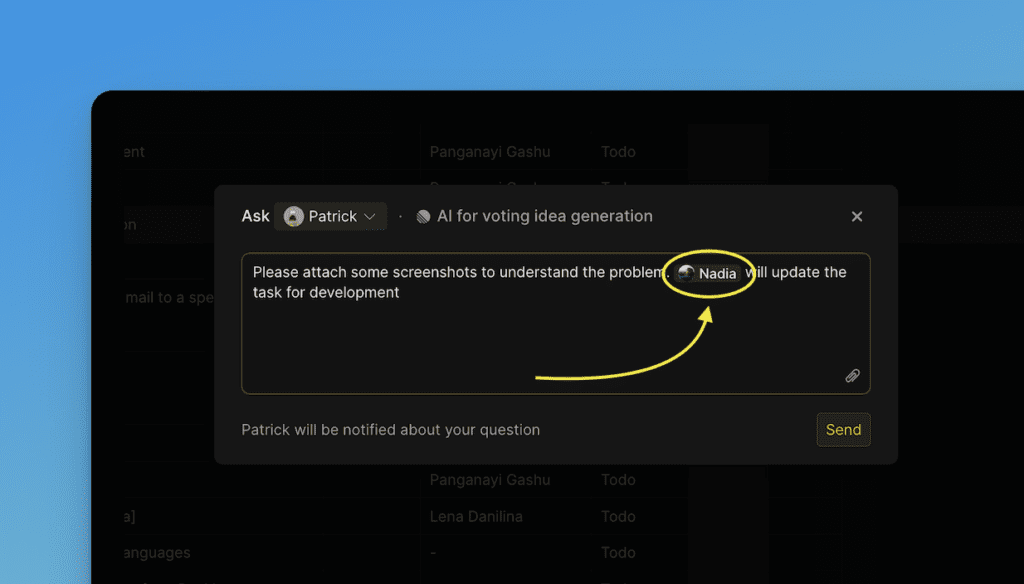
-
Click Send or use the hotkey.
-
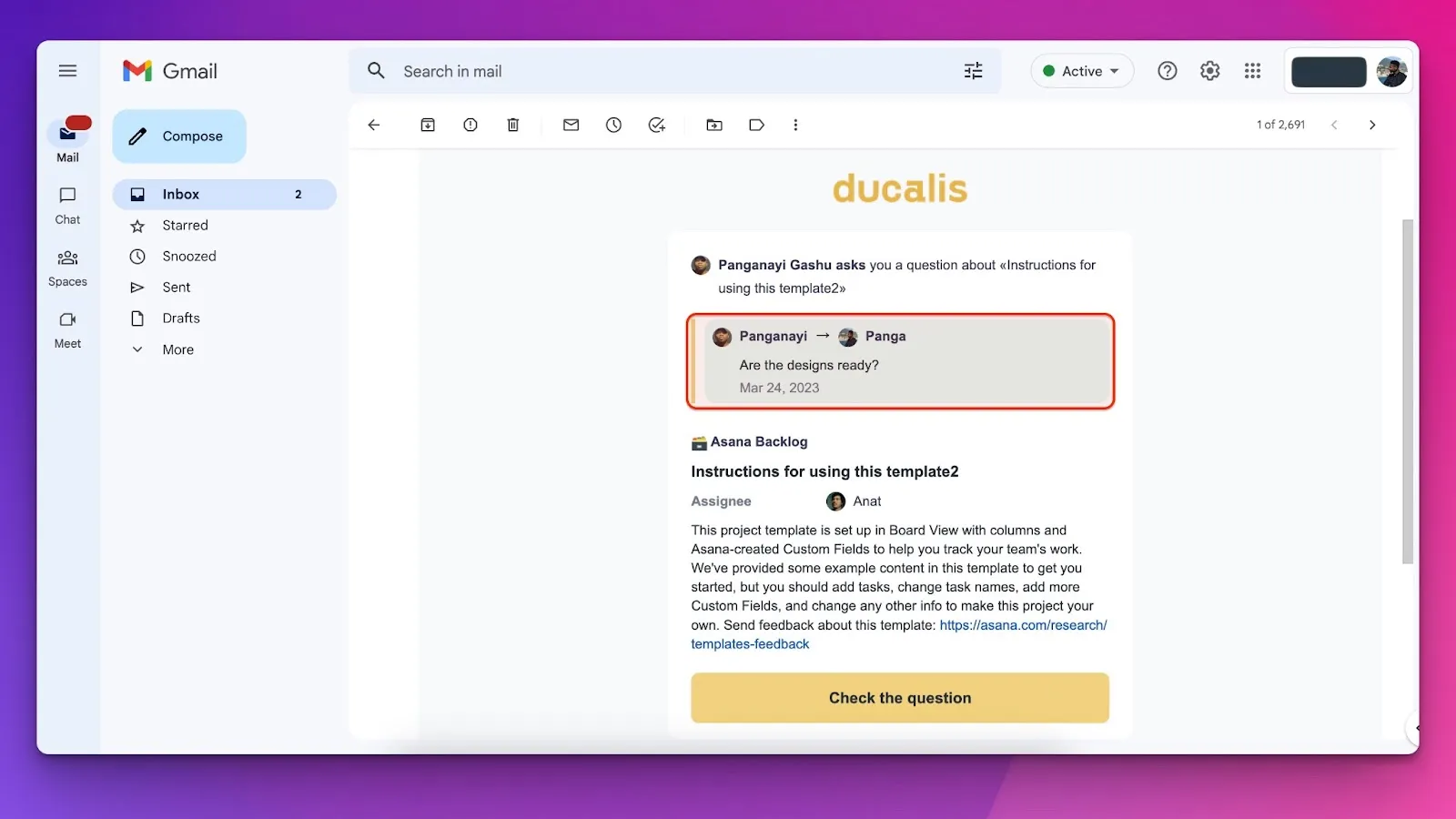
The recipient receives an email notification.
View all questions
Find all Board questions under the Questions page:
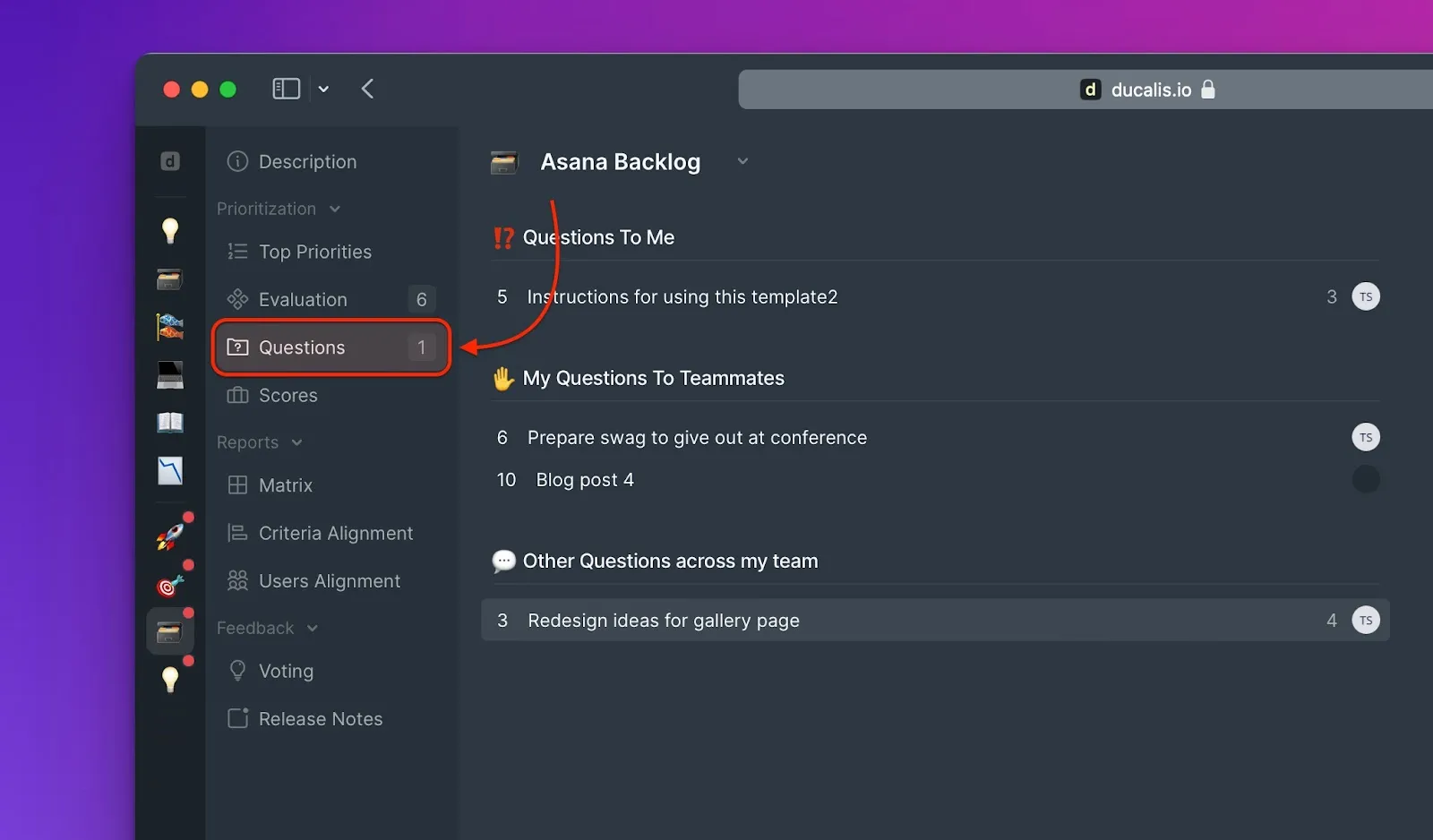
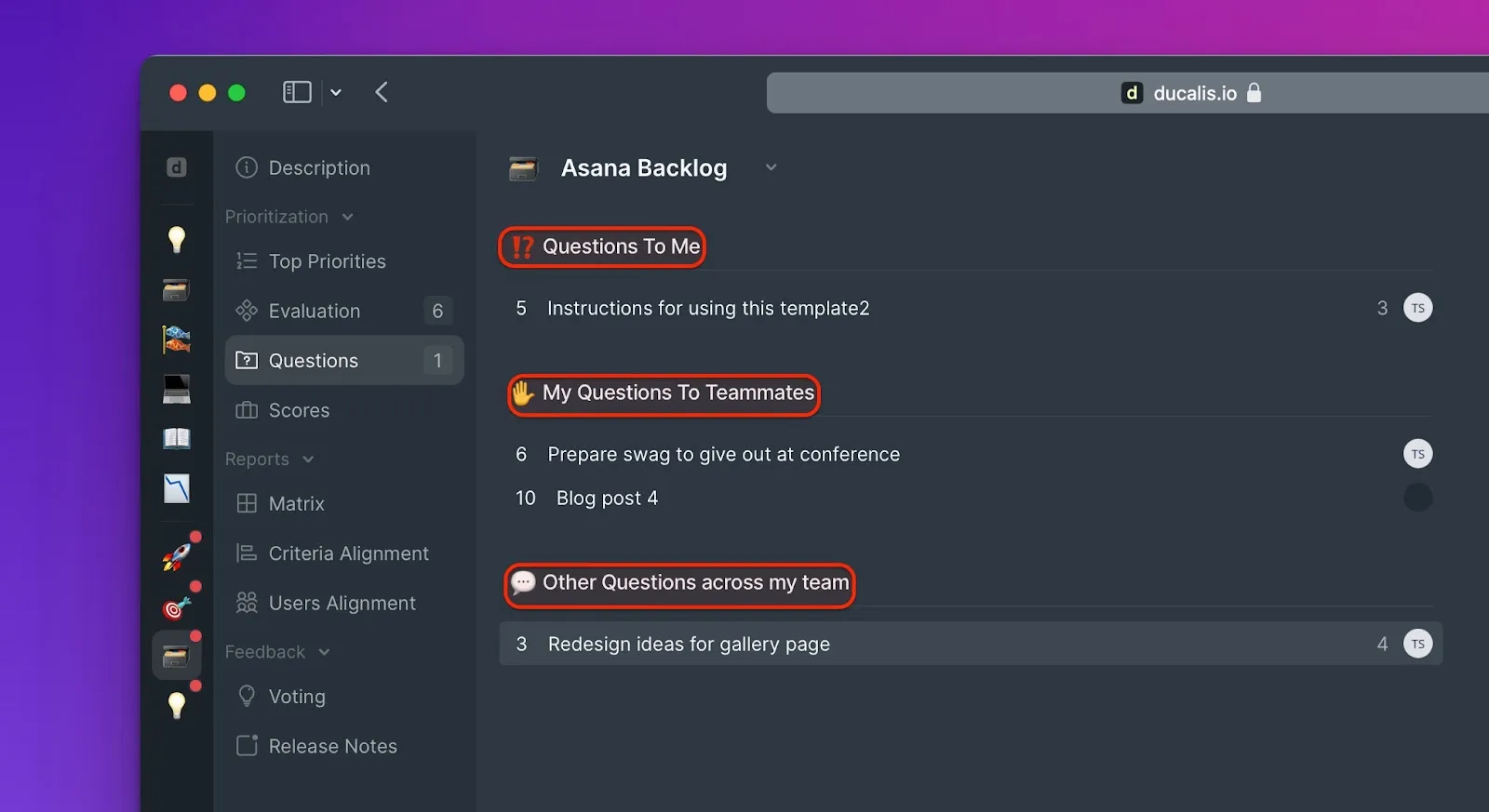
The Questions page shows:
- Questions directed to you (Questions To Me)
- Questions you asked (My Questions To Teammates)
- All team questions (Team Questions)
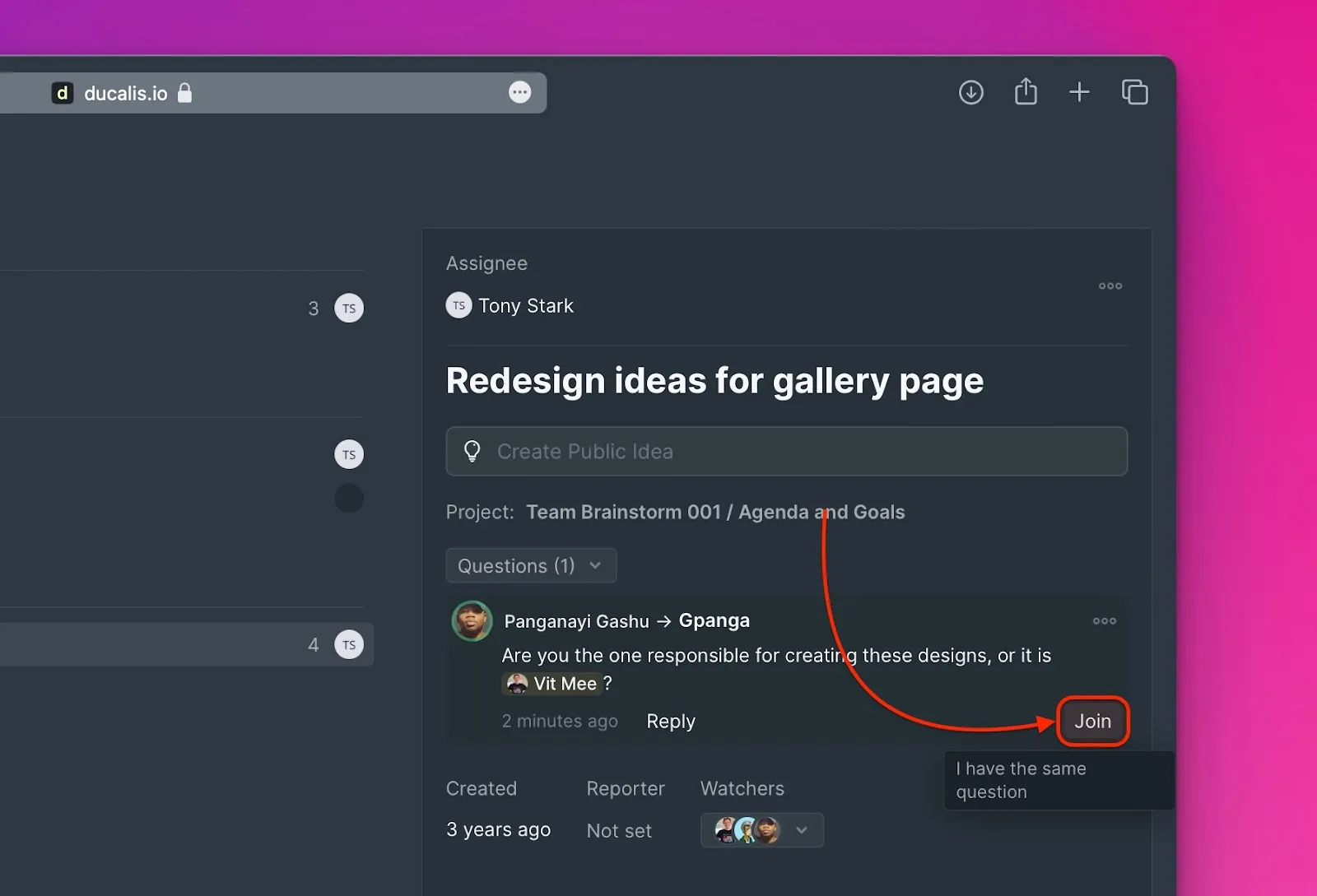
Join a discussion
If you have the same question another user asked, join the existing discussion:
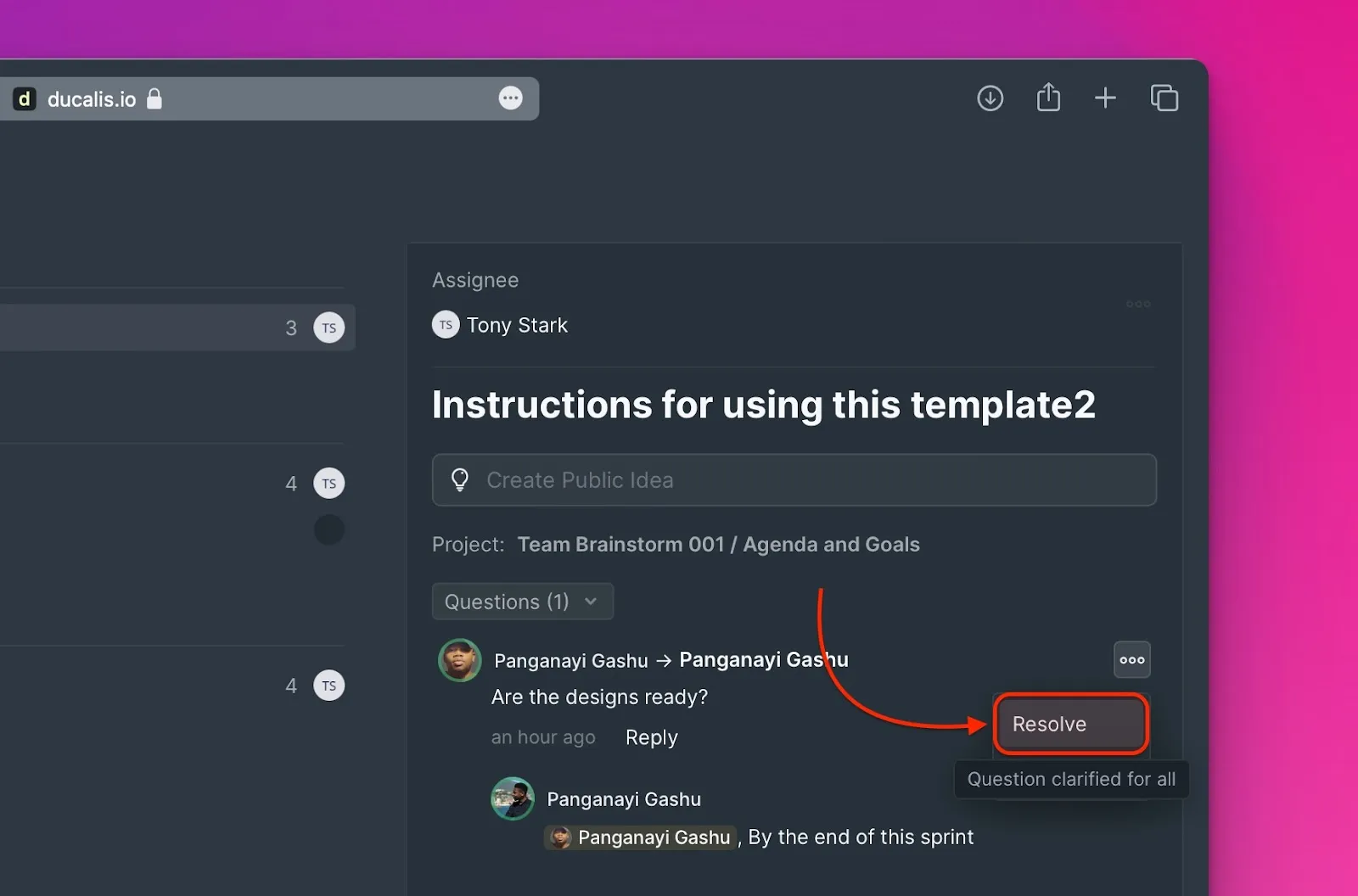
Mark as resolved
After a question is answered and clarified, mark it as Resolved:
Related articles
- Notifications - How notifications work in Ducalis
- Evaluation - Learn about the Evaluation process
- Alignment - Review team agreement on scores