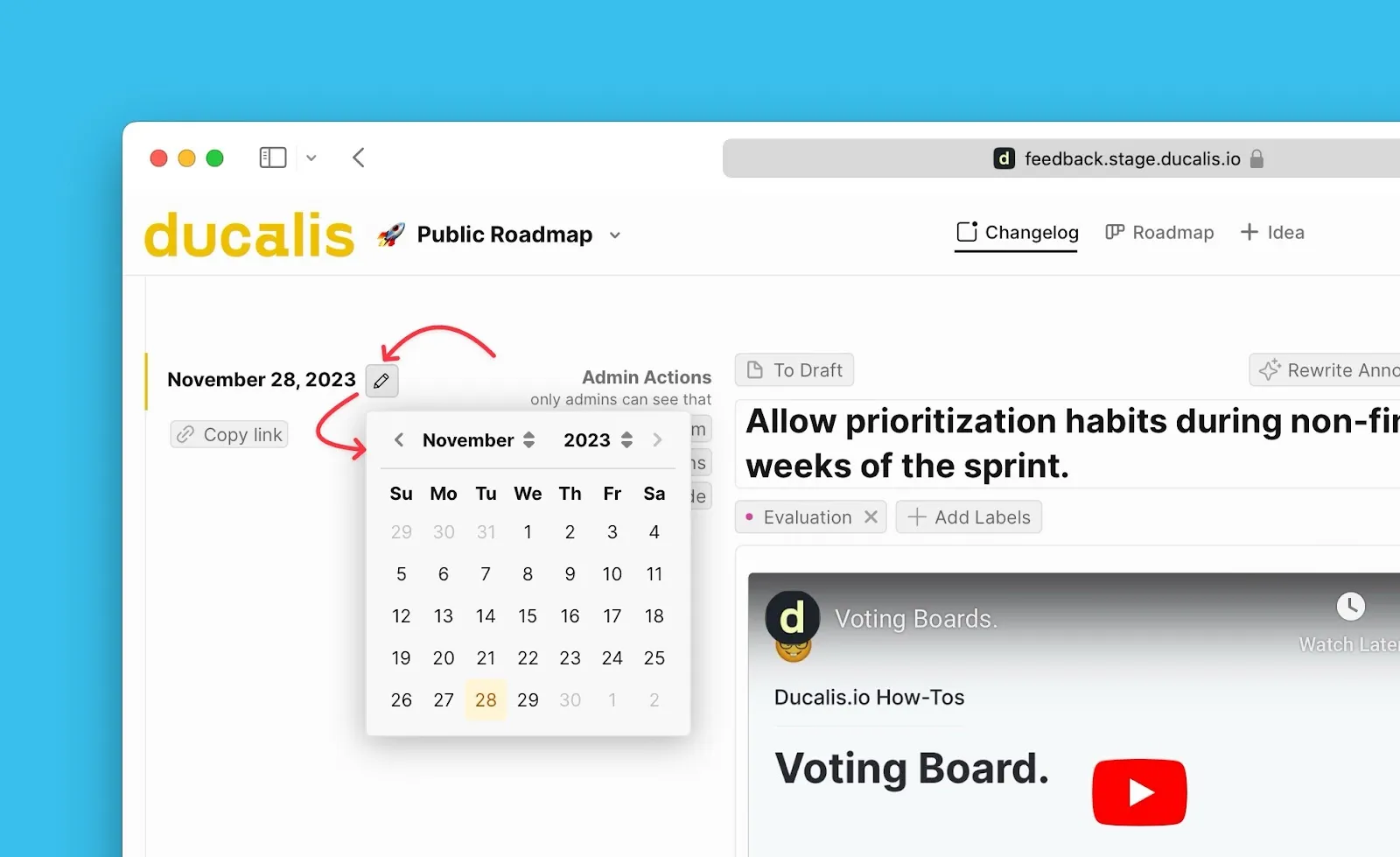
Edit release dates
You can edit the release date of announcements on the Changelog page. This determines when a feature appears as released, since announcements are sorted by their publish date.
Edit release dates from:
- Voting Board admin view
- Changelog page
From Voting Board admin view
-
Open the Voting Board admin view.
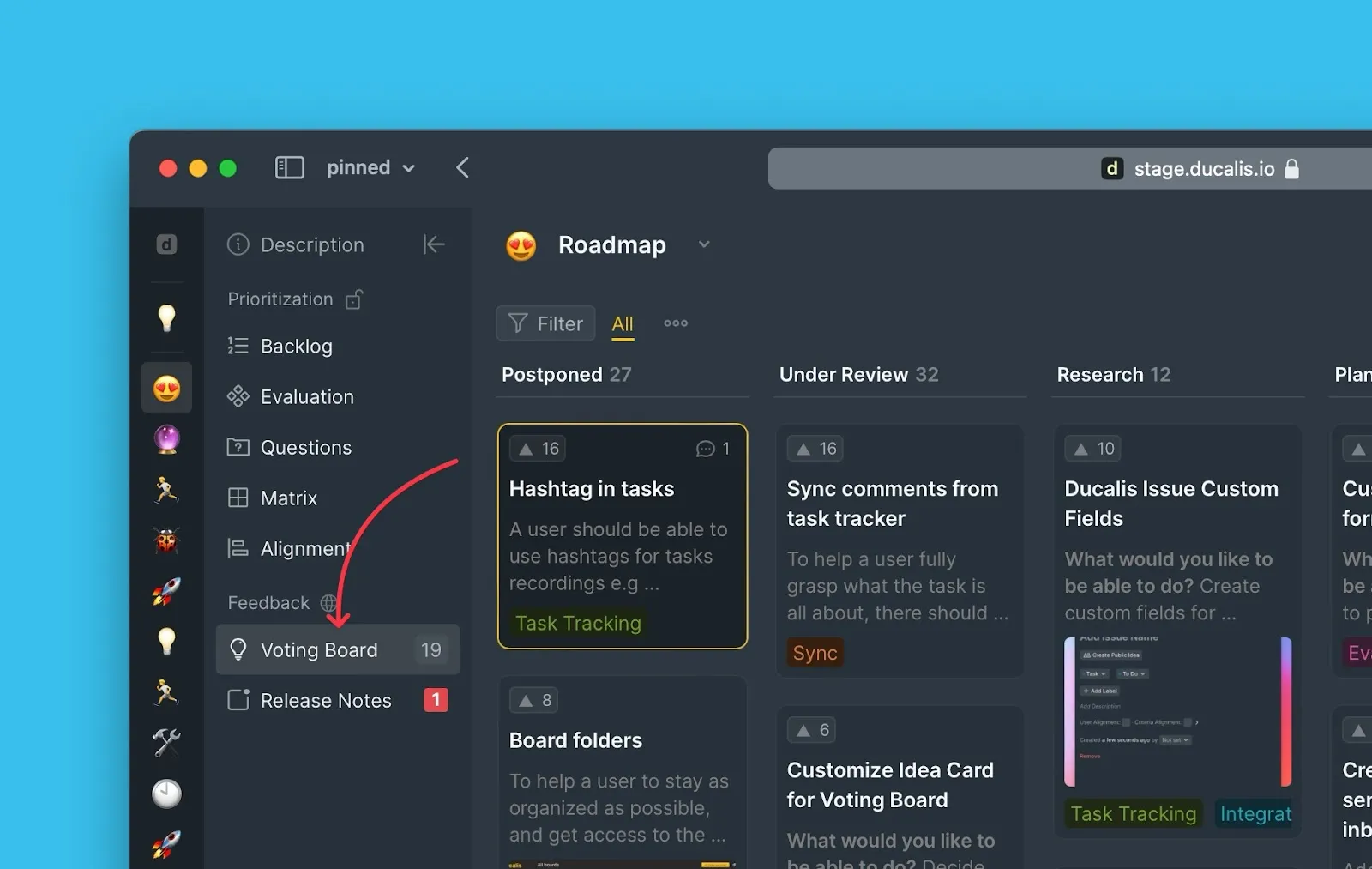
-
Go to the Done column and select the Idea whose release date you want to change.
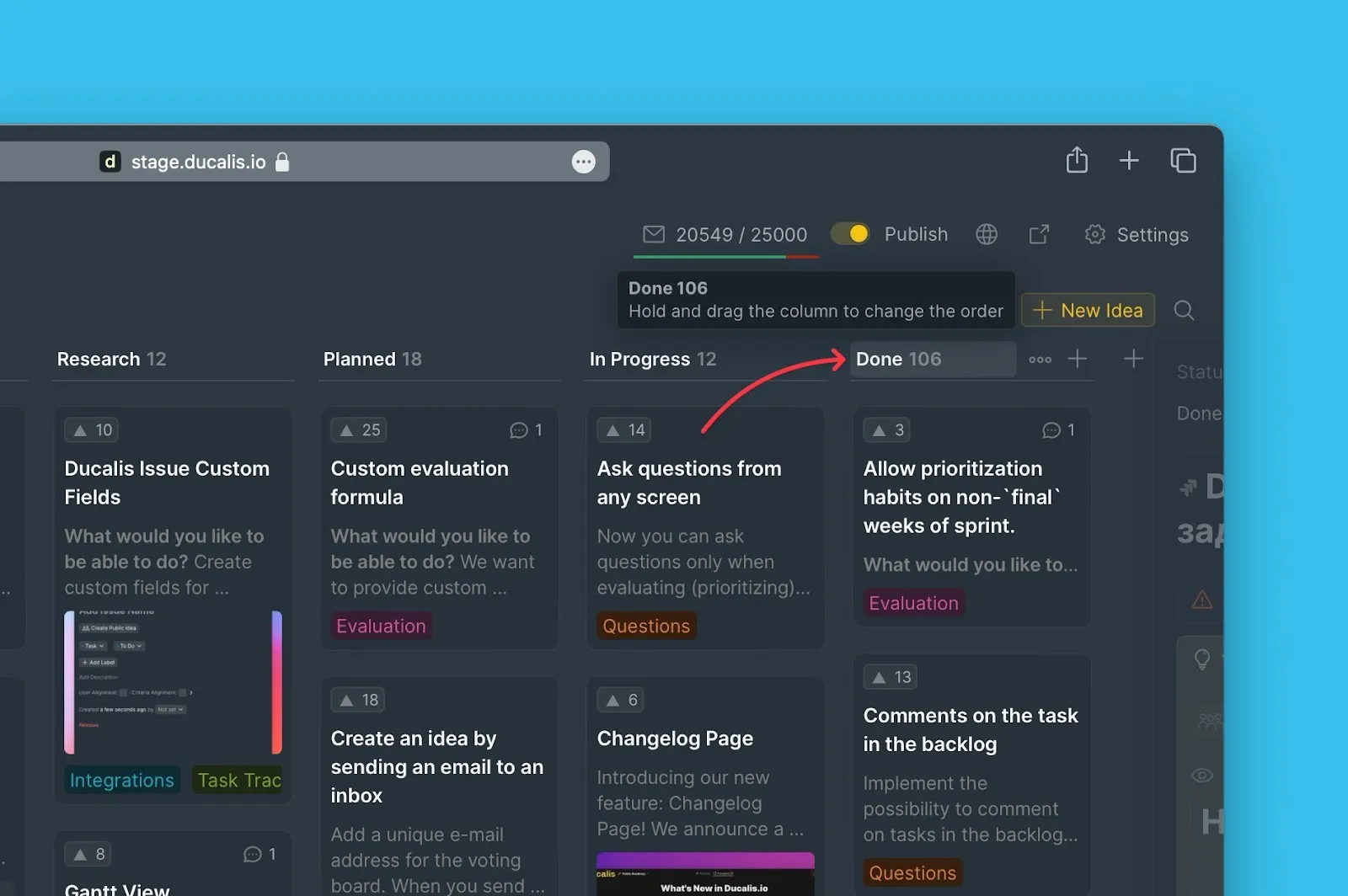
-
In the Idea card, open the Announcement block.
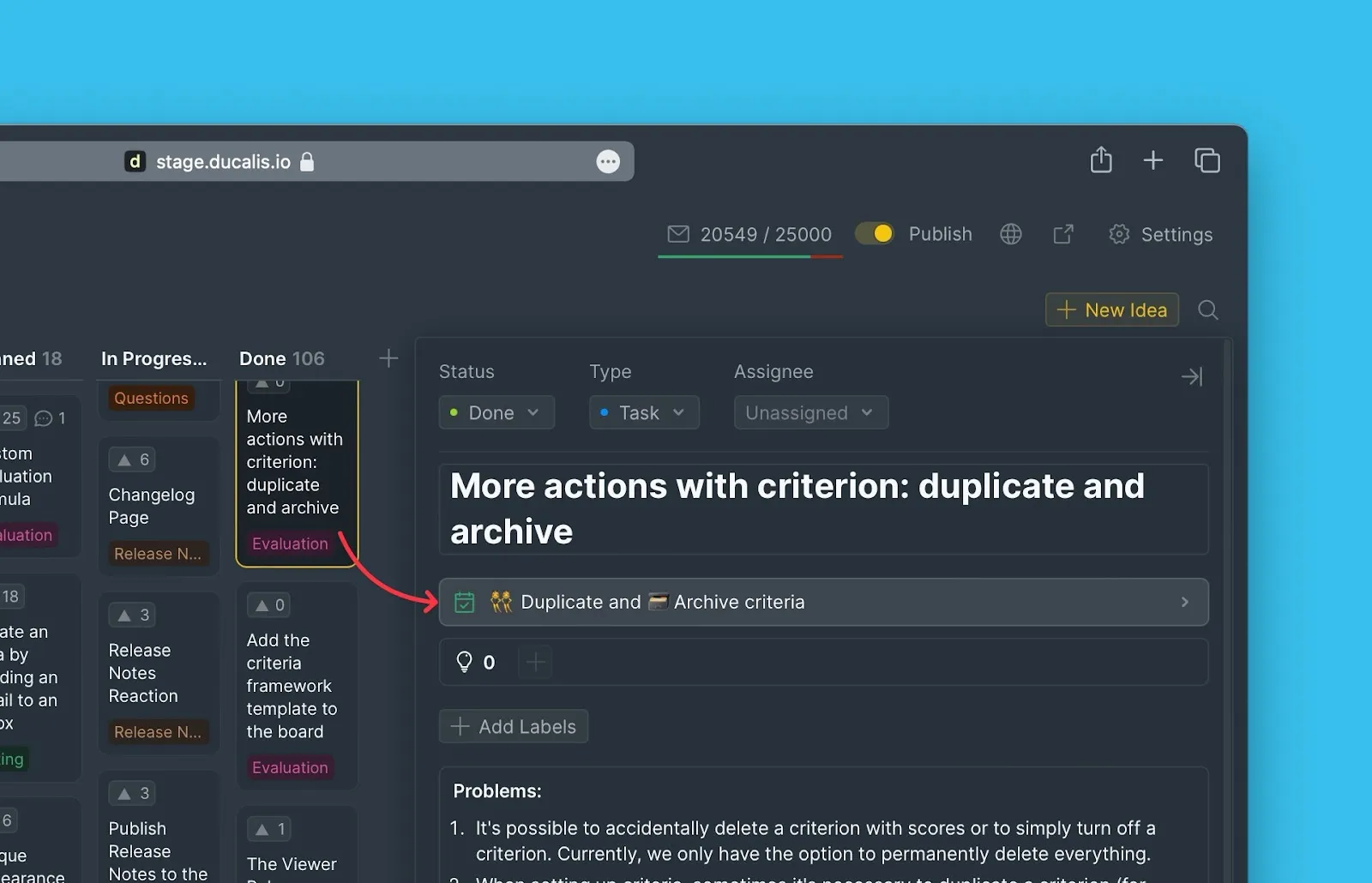
-
Scroll to the bottom of the block to find the current release date.
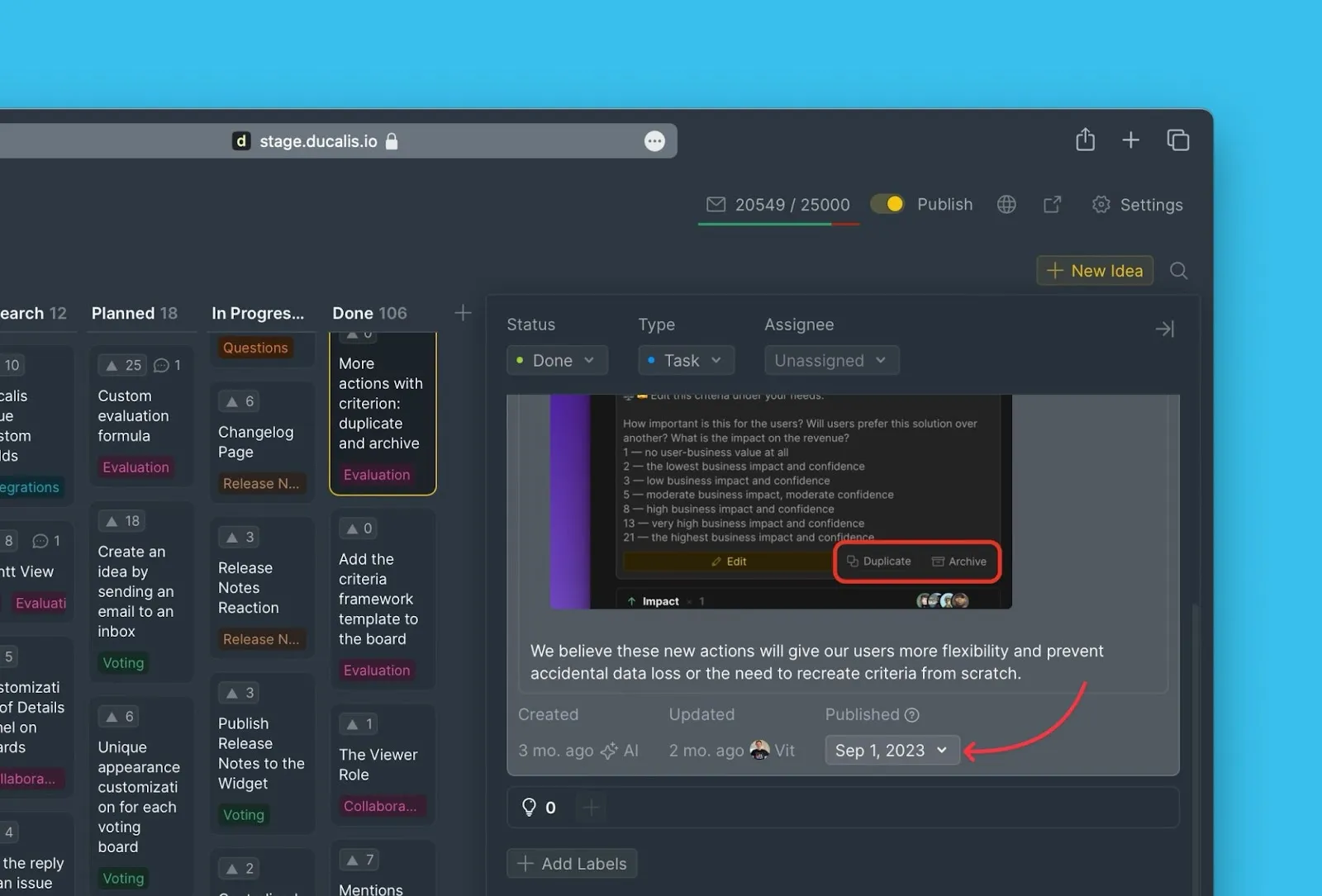
-
Click the date to open the calendar and select a new date.
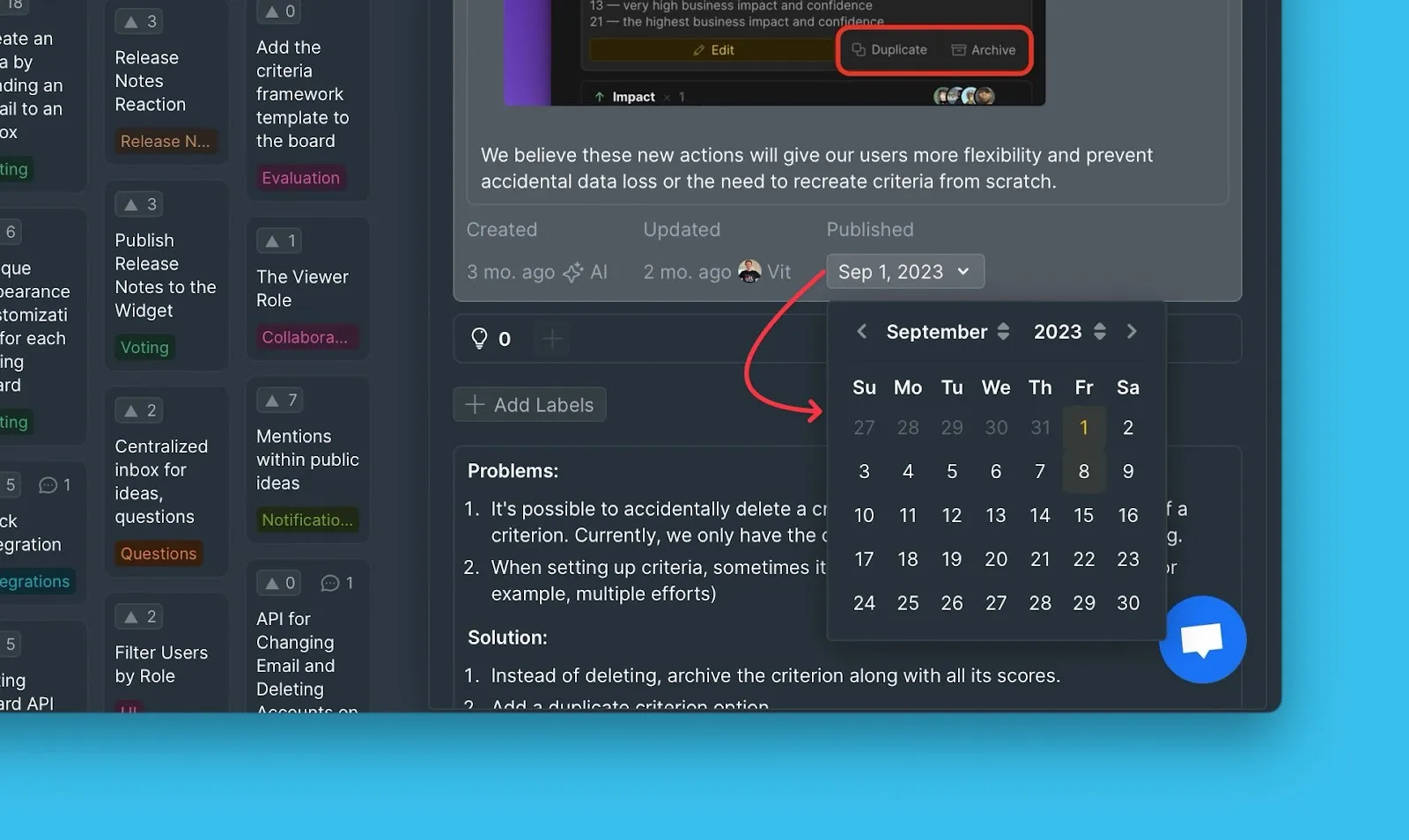
Alternative: Move Idea to update date
Instead of using the calendar, you can move the Idea from Done to the previous status, then back to Done. The release date updates automatically.
This method only works if you haven't previously edited the release date manually.
From Changelog page
-
Go to the Changelog page.
-
Select the announcement whose release date you want to change.
-
Click Edit to enter editing mode.
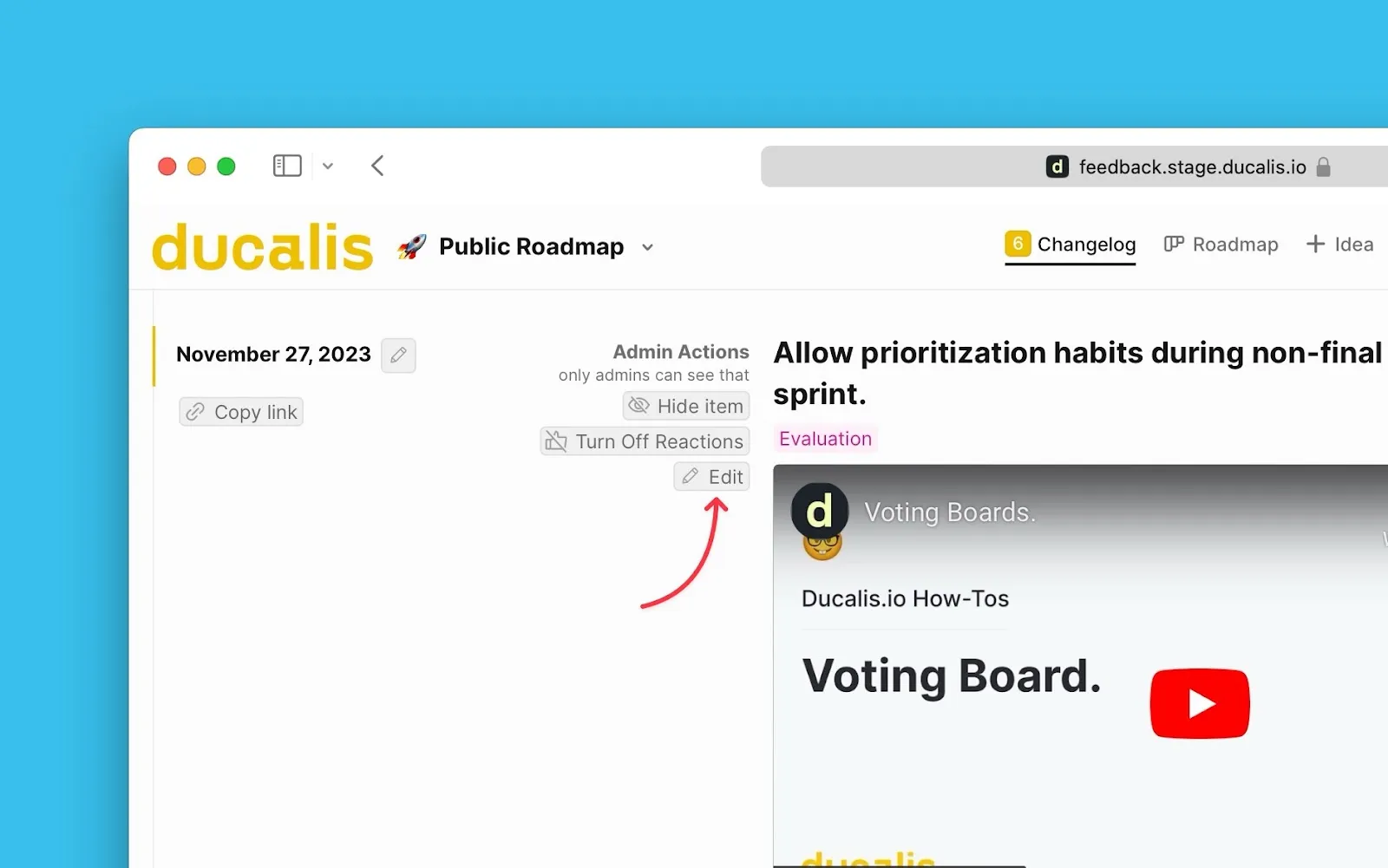
-
Click the editing icon next to the release date.
-
Change the date and save.