Send
Preview and send Release Notes to your Subscribers via email. Schedule delivery or send immediately.
Preview before sending
Send a test email to yourself before sending to Subscribers. Verify the content and formatting look correct.
Click Send test email.
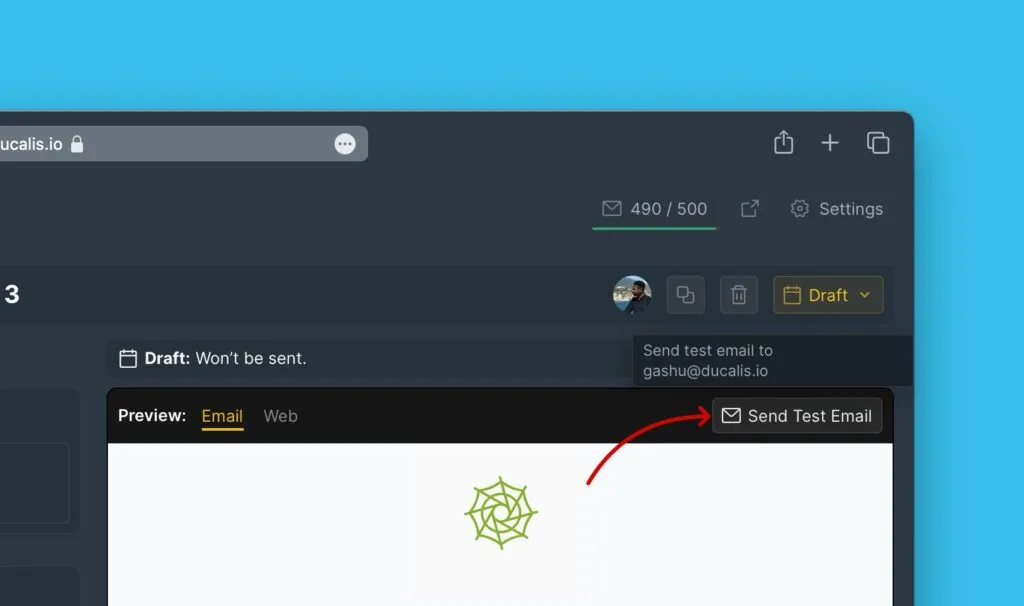
The preview email shows exactly what Subscribers will receive.
Schedule delivery
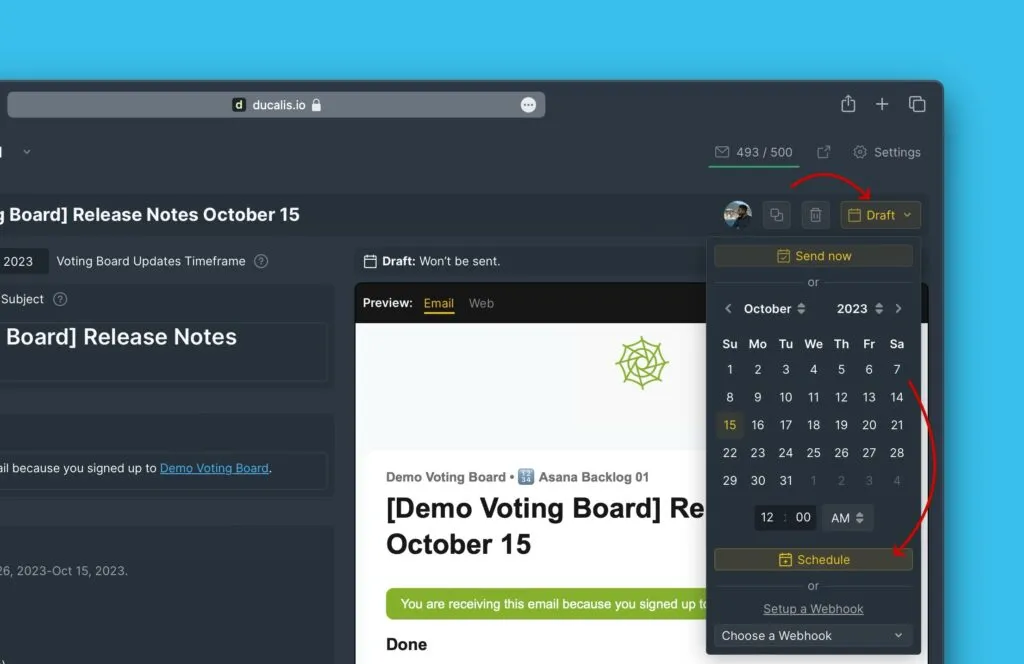
Choose when to send the Release Note to Subscribers.
-
Select the date and time.
-
Click Schedule.
The Release Note will send automatically at the scheduled time.
Send immediately
Send the Release Note right away instead of scheduling.
Click Send now.
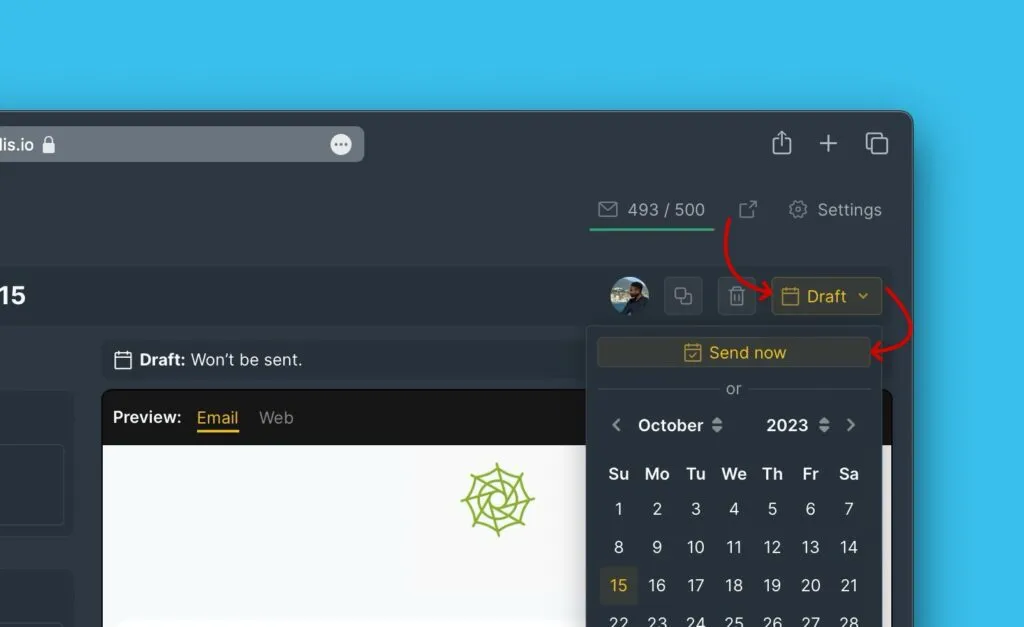
The Release Note sends to all Subscribers immediately.
Automate with webhooks
Configure webhooks to automatically send Release Notes when features reach Done status.
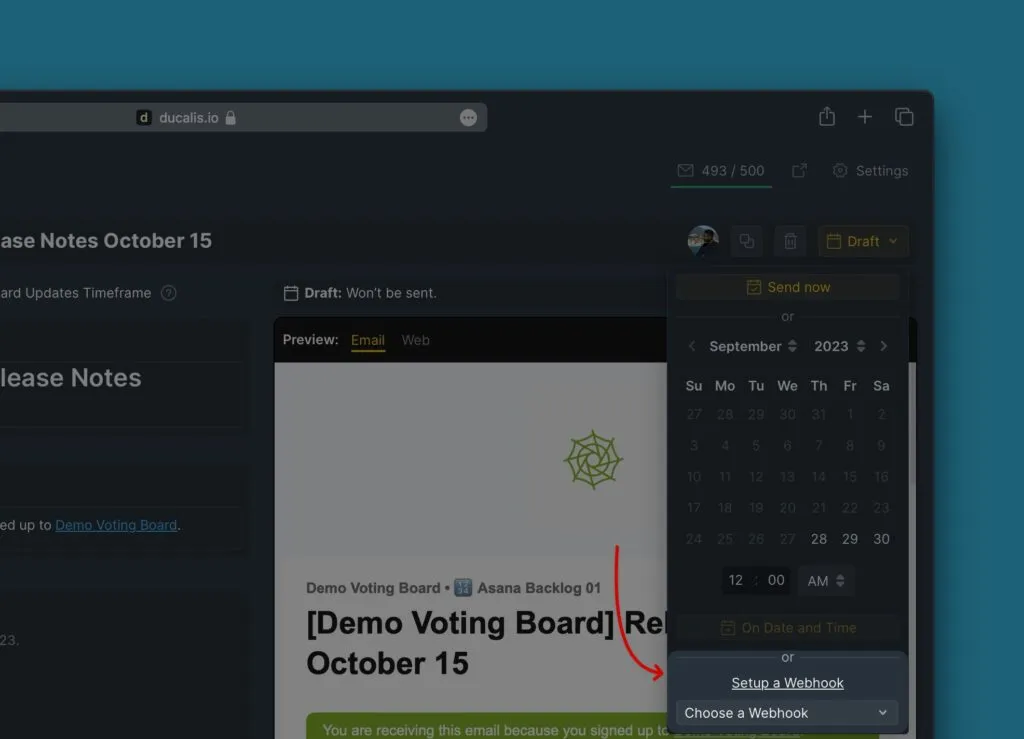
See Setup webhooks to automate Voting Board events for configuration details.
Cancel scheduled delivery
Cancel a scheduled Release Note before it sends.
Click Cancel schedule.
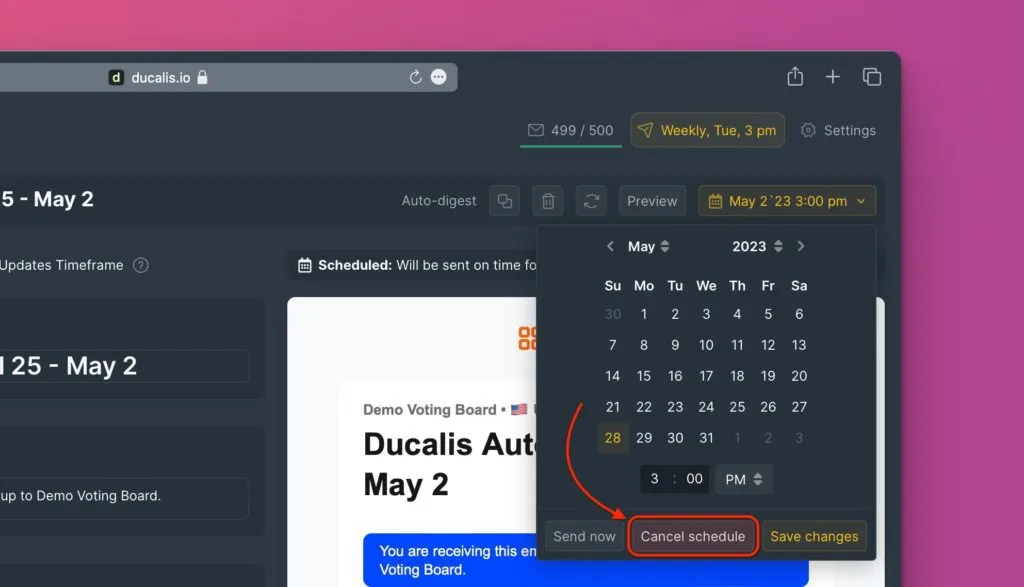
The Release Note moves back to draft status.