Voice messages
Convert voice feedback from messaging apps into formatted Ideas using AI transcription.

Forward voice message
You can forward voice feedback to Ducalis from different channels:
- Telegram - Forward voice messages directly
- Slack - Share voice messages to your workspace
- Discord - Send voice messages to your server
Alternatively, attach a voice file directly to the Idea draft.
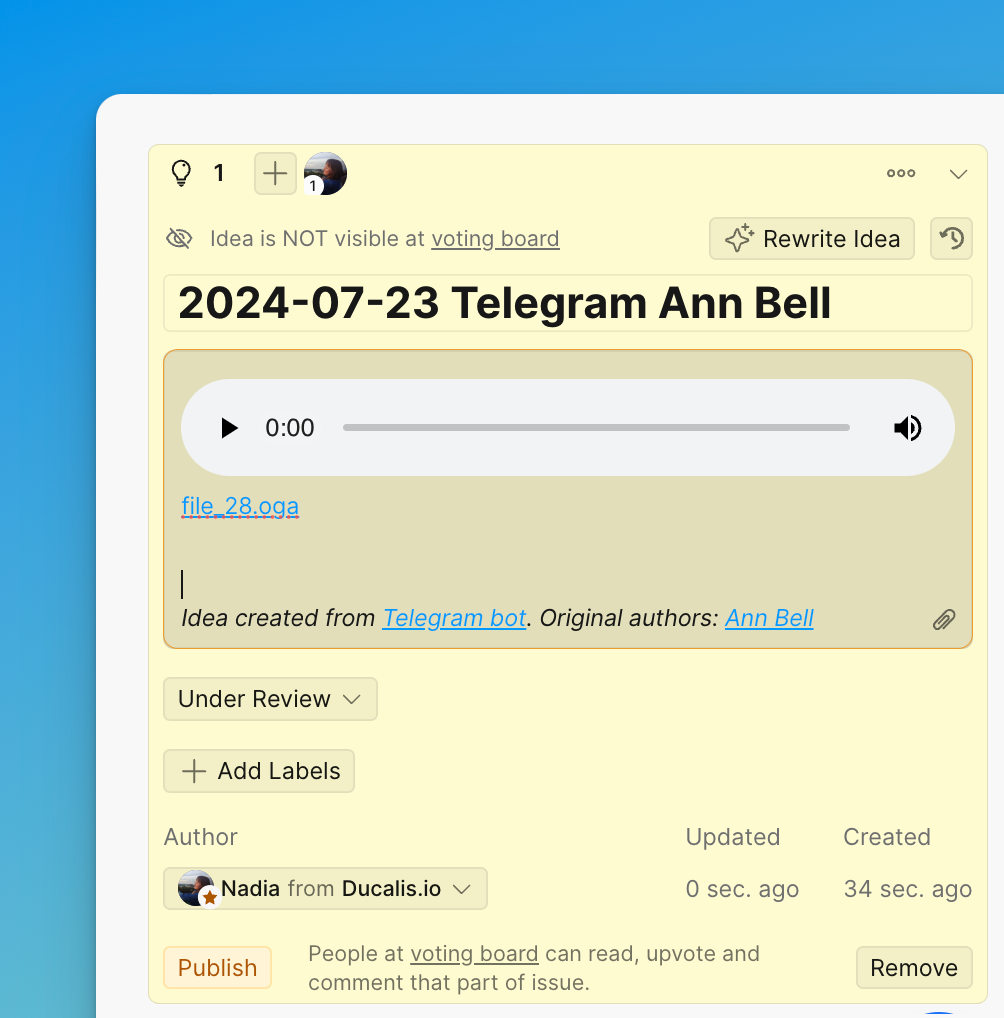
Convert to Idea
-
Click Rewrite Idea to convert the voice message into formatted text.

-
Review the AI-generated description:
- Click Replace to accept the description
- Click Rewrite to generate a new version
- Edit the text manually if needed
-
Click Publish to make the Idea visible on the Voting Board.
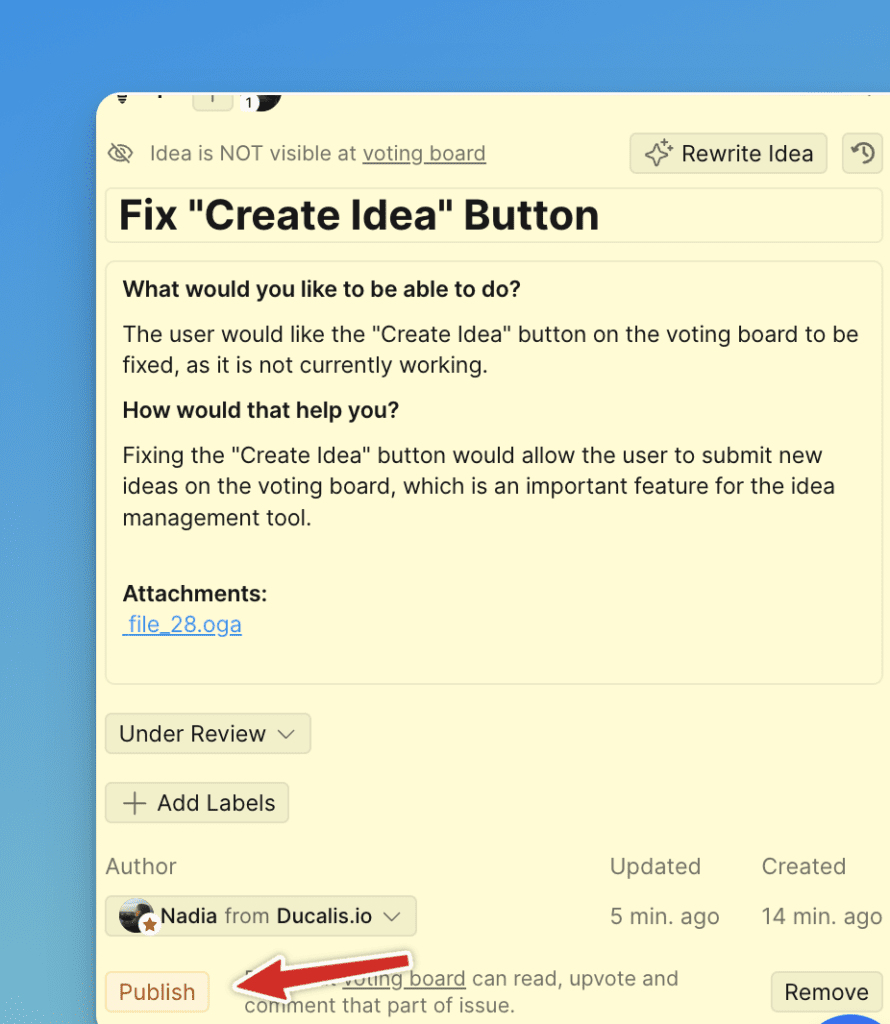
Your voice feedback is now a published Idea—no feedback gets lost.