All Voters
The All Voters section lets you view, manage, and control your external users—everyone who interacts with your Voting Boards.
Voter vs Subscriber
A Voter is anyone with an attributed Idea, vote, or comment. Voters may receive notifications from a Voting Board, but not necessarily.
A Subscriber is also someone with an attributed Idea, vote, or comment—but they do receive notifications from the Voting Board.
The All Voters list includes both users who receive notifications (Subscribers) and those who don't.
What this section includes
This section has three filters:
Voters
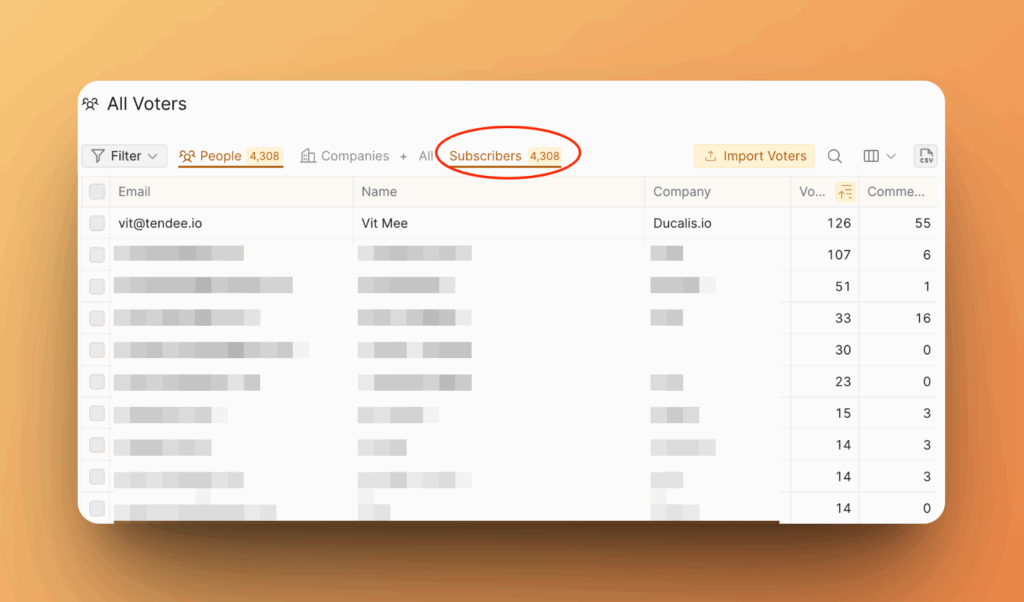
All users who vote, submit Ideas, and comment—whether or not they receive notifications.
Companies
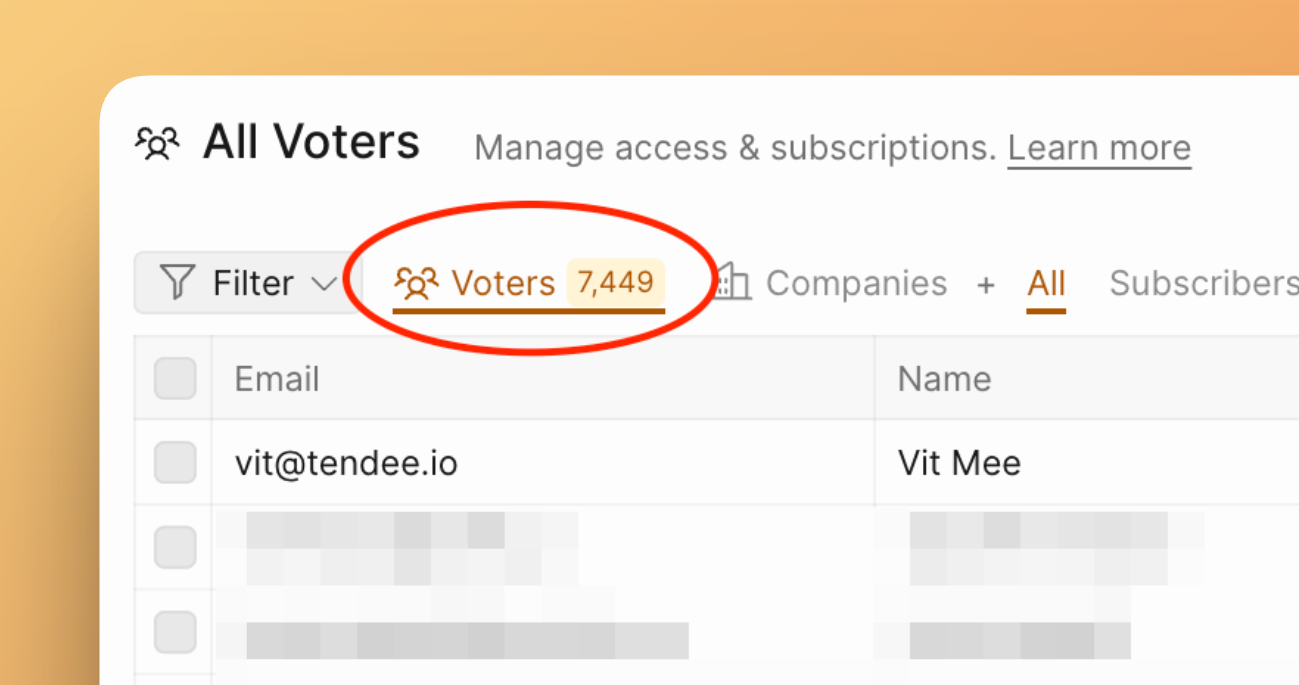
Aggregated data grouped by organization, showing combined activity from all Voters belonging to each company.
Subscribers
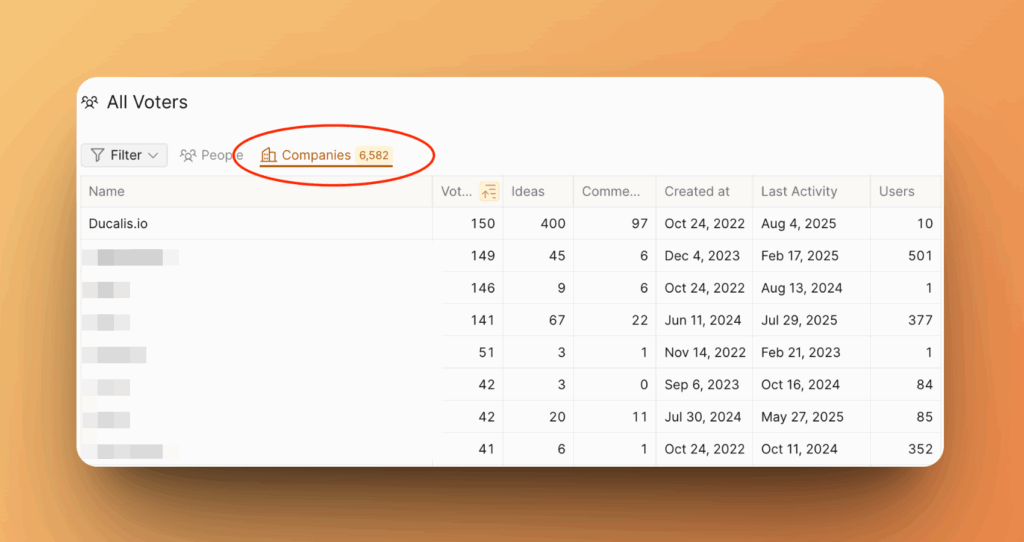
Users who receive notifications from the Voting Board. You pay only for Subscribers, not all Voters.
Voters Filter
The Voters filter shows individual Voter details:
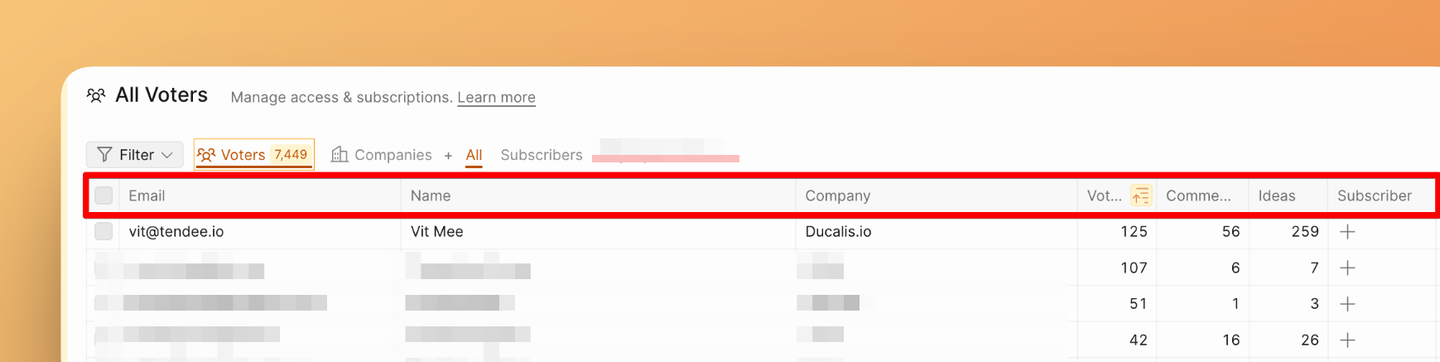
Email – The Voter's email address provided when voting, subscribing, creating an Idea, or commenting.
Name – The Voter's name.
Company – The organization the Voter belongs to.
Automatically sync your users and their data to Ducalis with:
Votes – Number of votes cast by this Voter.
Comments – Number of comments submitted by this Voter.
Ideas – Number of Ideas submitted by this Voter.
Subscriber – Indicates if the Voter is a Subscriber and receives notifications. Learn more in What is a subscriber?.
Created at – Date when this Voter first took an action: submitted an Idea, left a comment, voted, or subscribed.
Subscribed Boards – If the Voter is a Subscriber, this shows the boards they've subscribed to.
Accessible Boards – List of Voting Boards this Voter can access (view, vote, submit Ideas, etc.).
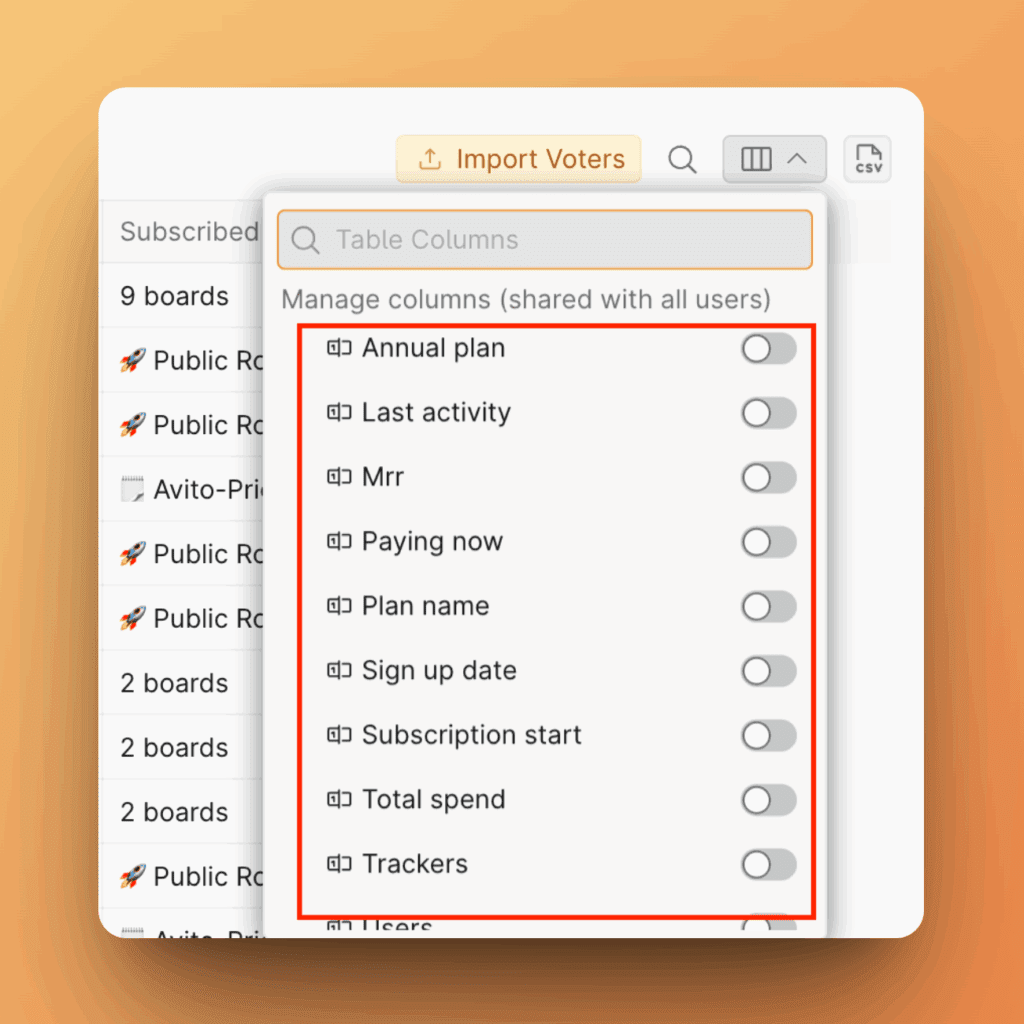
If you send custom properties via Single Sign-On (SSO) or Ducalis API, you can add custom columns.
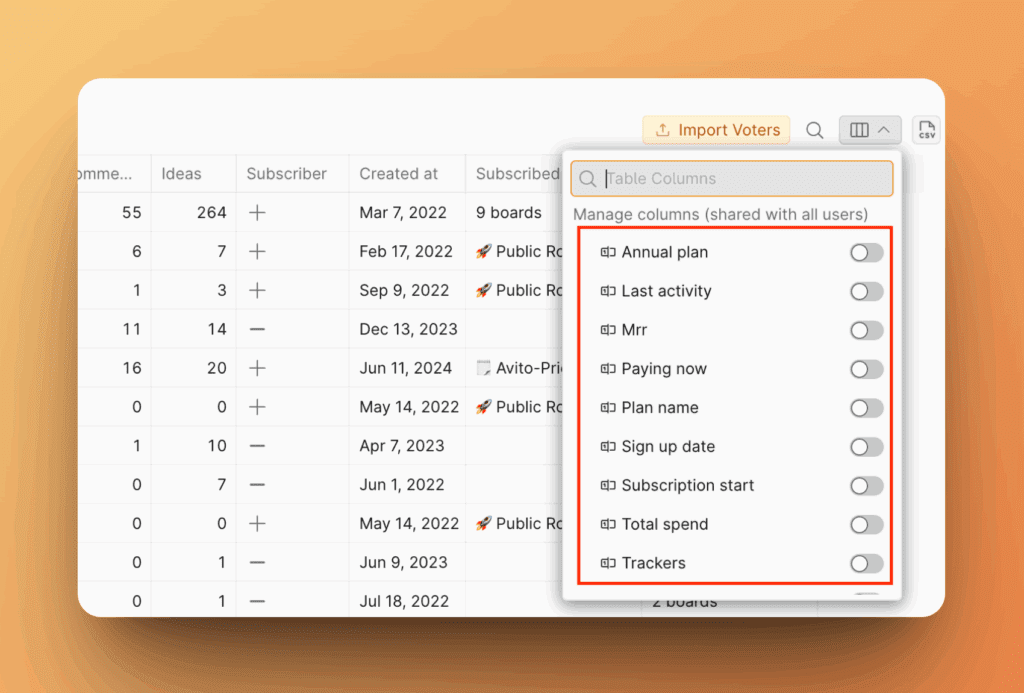
Companies Filter
The Companies filter shows organization-level data:
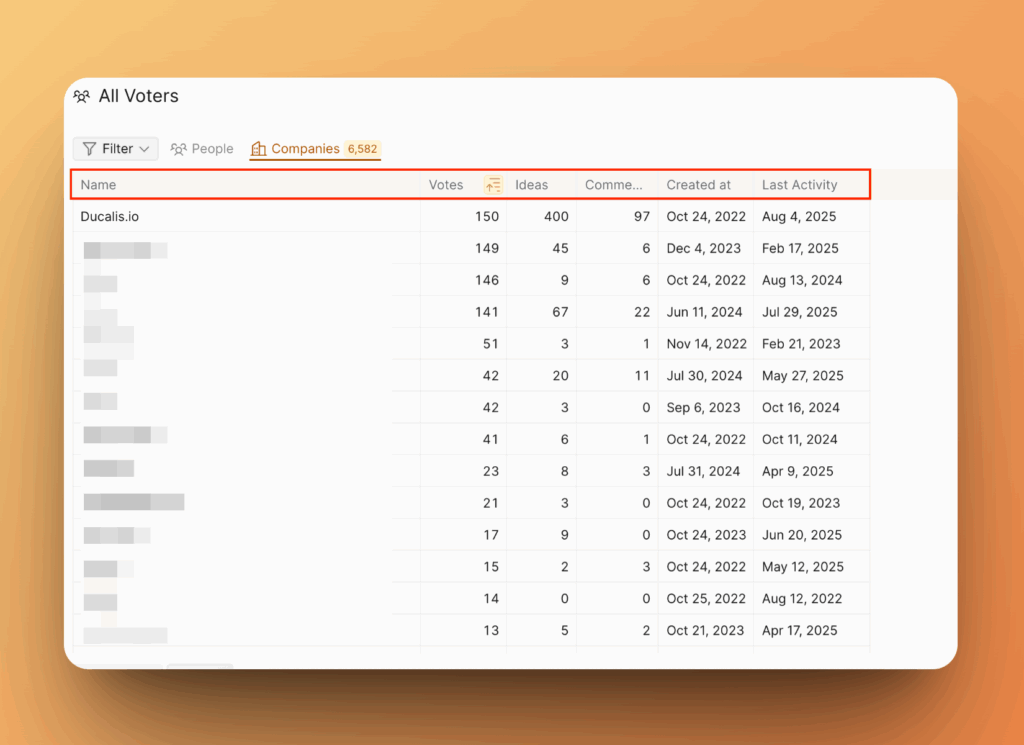
Name – Names of organizations whose Voters have submitted feedback.
Votes – Total number of votes cast by all Voters from this organization.
Ideas – Total number of Ideas submitted by Voters from this organization.
Comments – Total number of comments made by Voters from this organization.
Created at – Date when any Voter from this organization first submitted feedback, voted, or left a comment.
Last Activity – Date when any Voter from this organization last submitted feedback, voted, or left a comment.
If you send custom properties via Single Sign-On (SSO) or Ducalis API, you can add custom columns.
Subscribers Filter
The Subscribers filter shows details for users who receive notifications:
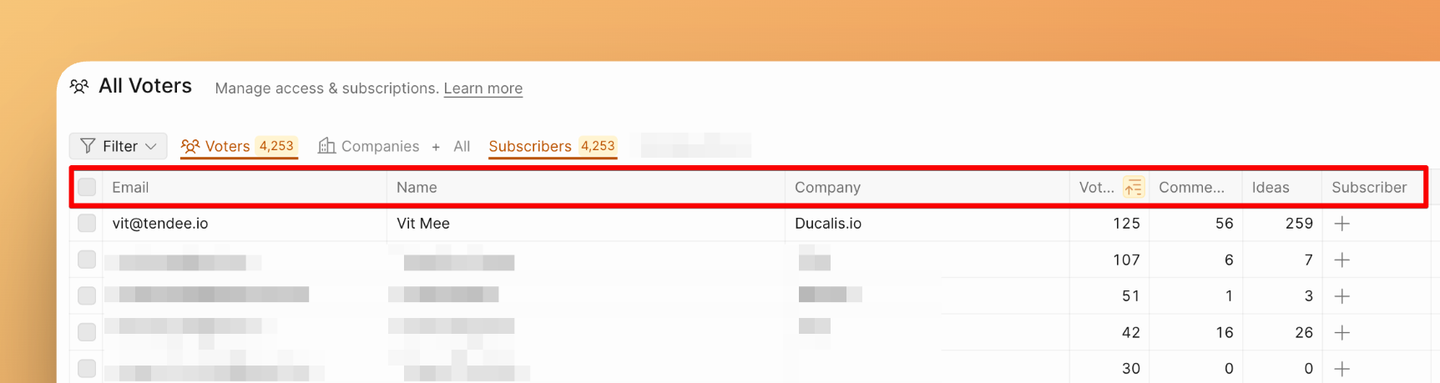
Email – The Subscriber's email address provided when voting, subscribing, creating an Idea, or commenting.
Name – The Subscriber's name.
Company – The organization the Subscriber belongs to.
Automatically sync your users and their data to Ducalis with:
Votes – Number of votes cast by this Subscriber.
Comments – Number of comments submitted by this Subscriber.
Ideas – Number of Ideas submitted by this Subscriber.
Subscriber – Indicates if the Voter is a Subscriber and receives notifications. Learn more in What is a subscriber?.
Created at – Date when this Subscriber first took an action: submitted an Idea, left a comment, voted, or subscribed.
Subscribed Boards – Shows the boards the Subscriber has subscribed to.
Accessible Boards – List of Voting Boards this Subscriber can access (view, vote, submit Ideas, etc.).
If you send custom properties via Single Sign-On (SSO) or Ducalis API, you can add custom columns.