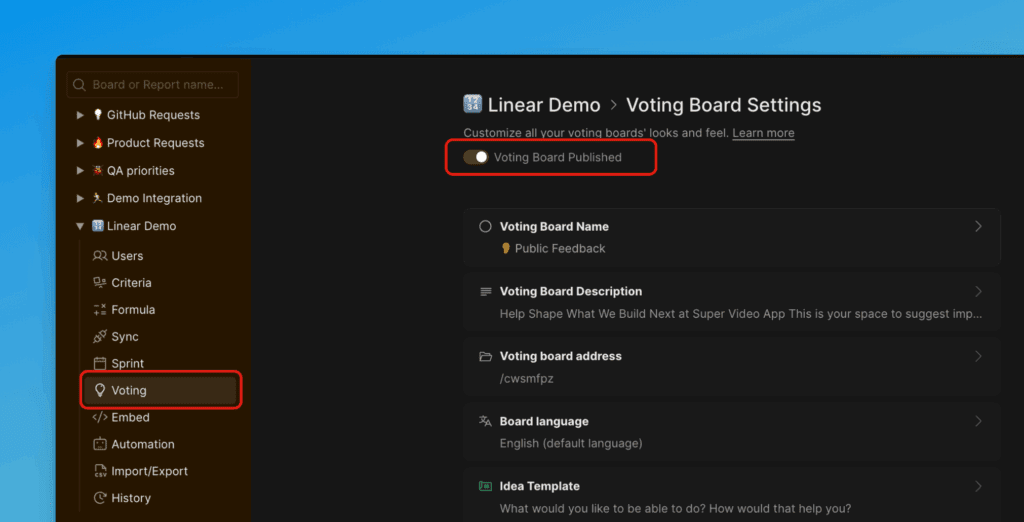
Voting Board
Voting Board is a customer feedback management tool that lets customers share their ideas while helping you gather that feedback in one place.
You can check Ducalis Public Voting Board.
Learn how to start collecting feedback on Voting Board.
Structure of the Voting Board
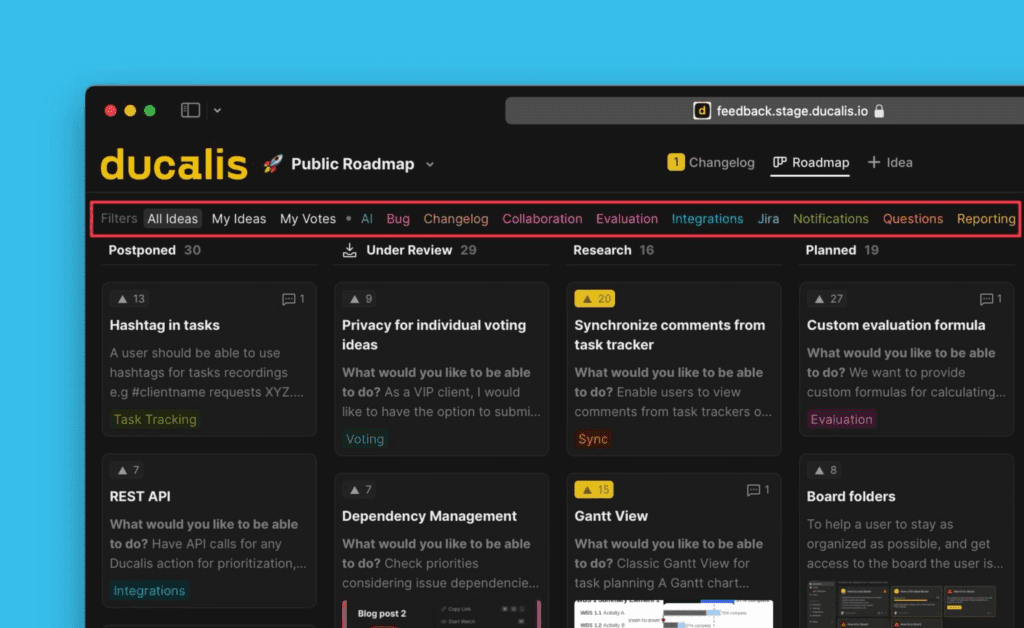
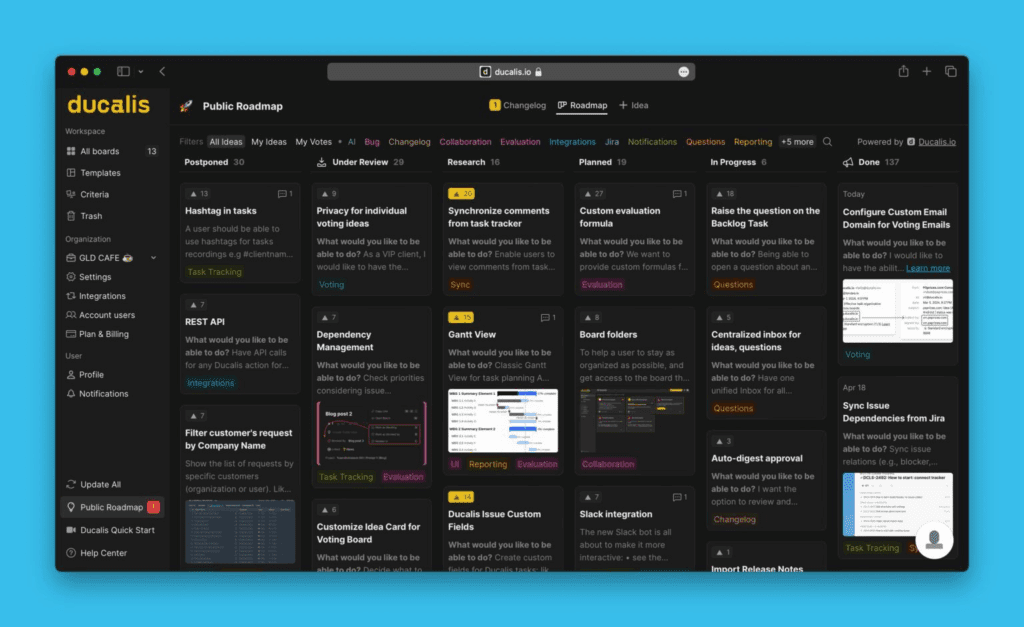
Voting Board has two views: Public Roadmap (front-end) and Voting Board (back-end). The Public Roadmap is accessible to you and your customers. The Voting Board is accessible to you and your team.
On the Public Roadmap, customers can:
- Add new Ideas to your Voting Board
- Vote for Ideas already on the board
- Access Notifications settings
On the Voting Board, you and your team can manage feedback:
- Add new Ideas from your internal backlog
- Vote on behalf of customers
- Move Ideas from one status to another
- Access Voting Board settings to customize your board
Changes you make on the Voting Board are reflected on the Public Roadmap.
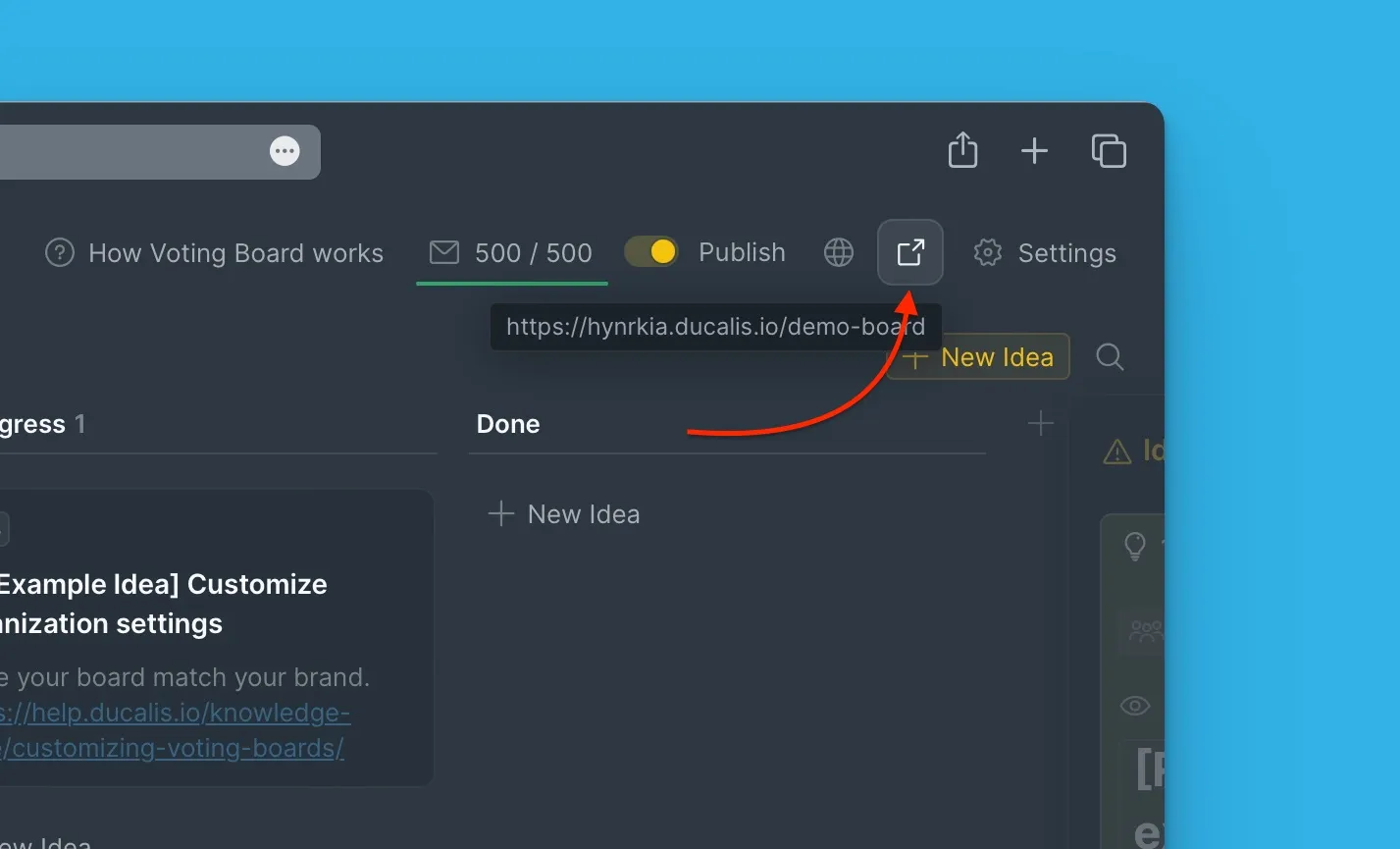
To access the Public Roadmap from the Voting Board:
Under Voting, click the Redirect button in the top right corner.
Create a Voting Board
Each prioritization Board in your Ducalis Organization can have its own Voting Board.
-
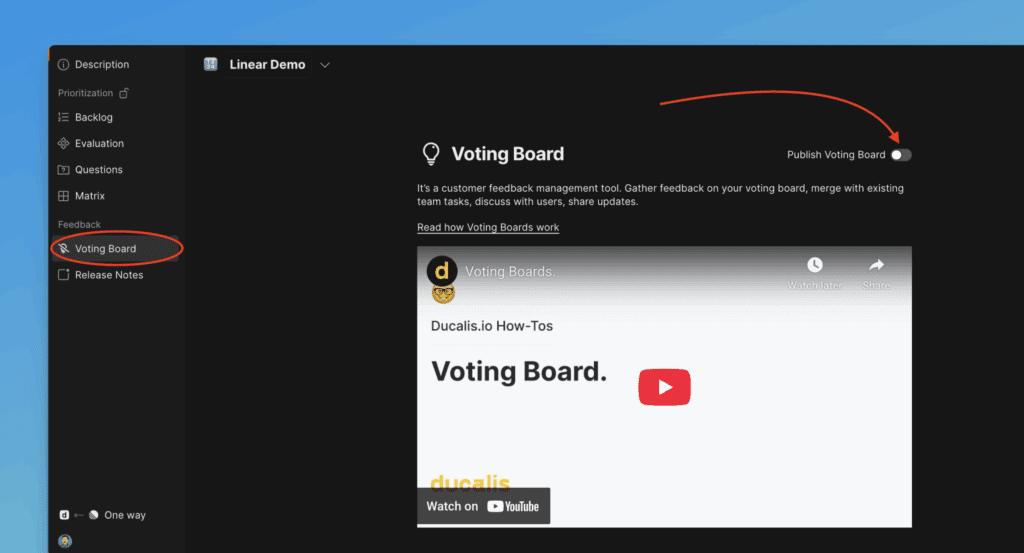
Go to the Voting Board page.
-
Toggle the switch to enable Voting Board.
-
Your Voting Board is created.
-
You can start creating Ideas.
Change Board Name, Description, and URL
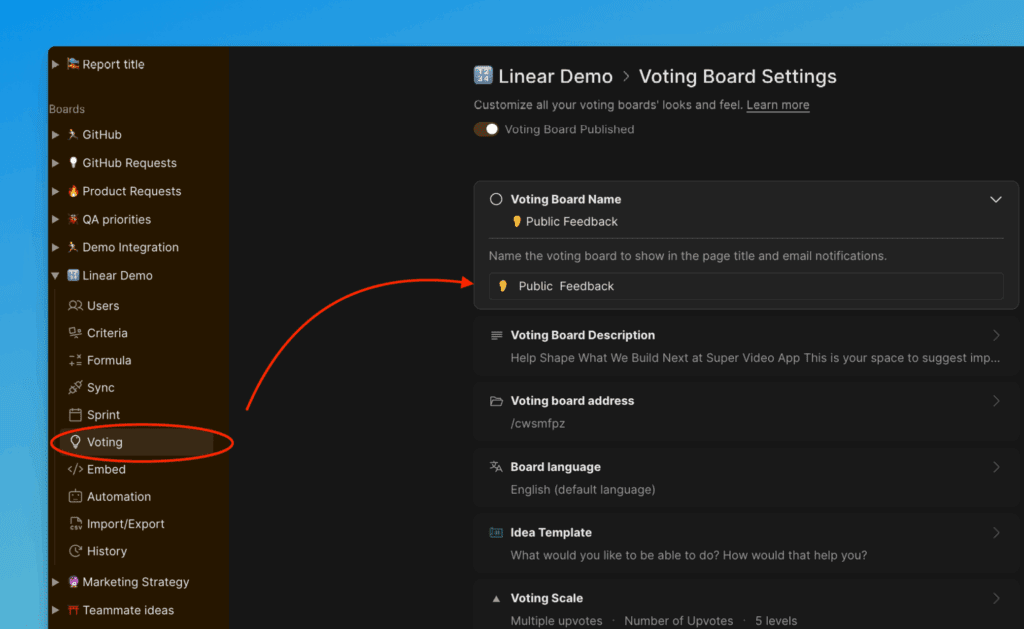
Name
The Name appears on the board list in the public view:
Description
Give your users context about what the board is for.
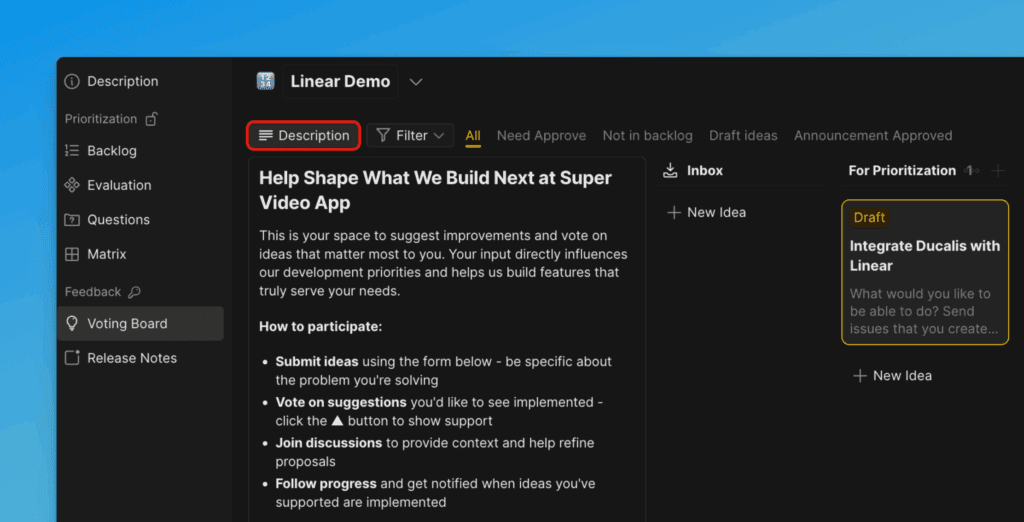
URL
This is the customized URL for your board.
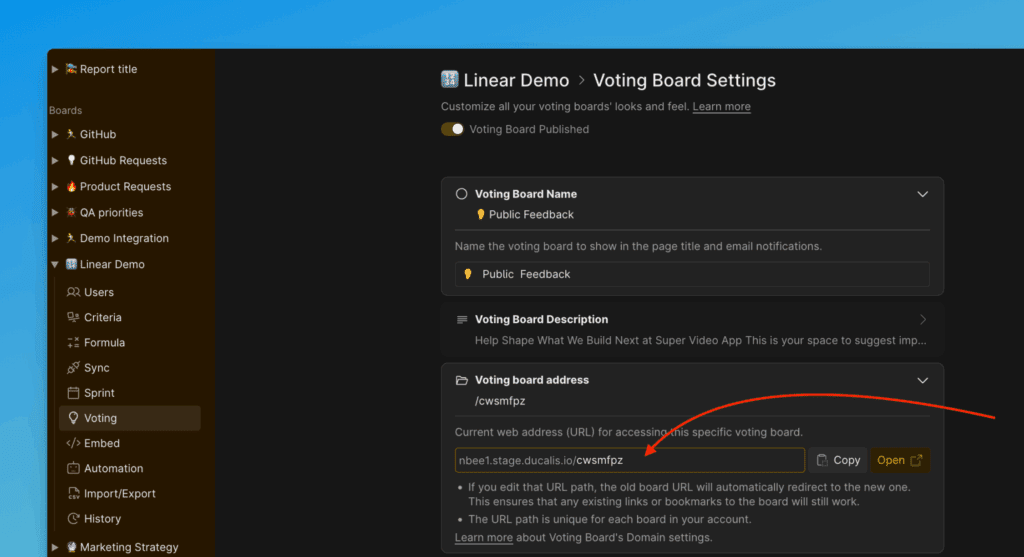
Updating the URL won't break existing links to Ideas. Ducalis automatically redirects posts if the URL changes.
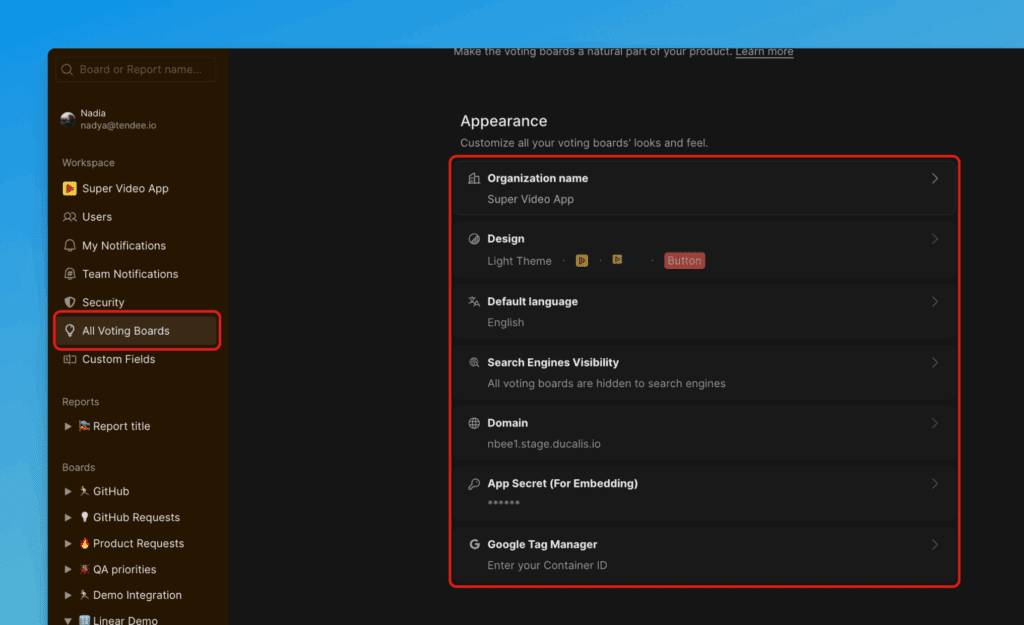
Customize Board Appearance
You can configure:
- Organization Name
- Logo
- Primary Color, Text Color
- Theme
- Language
- SEO visibility
- Domain
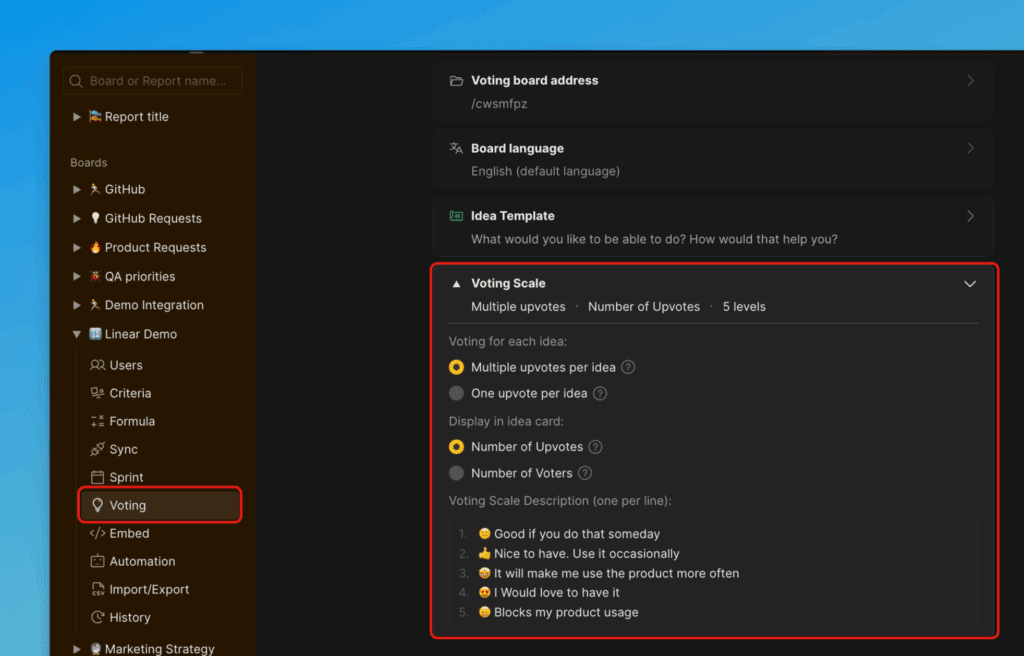
Choose Voting Scale
Decide which voting scale you want to use.
The "New Idea" Form
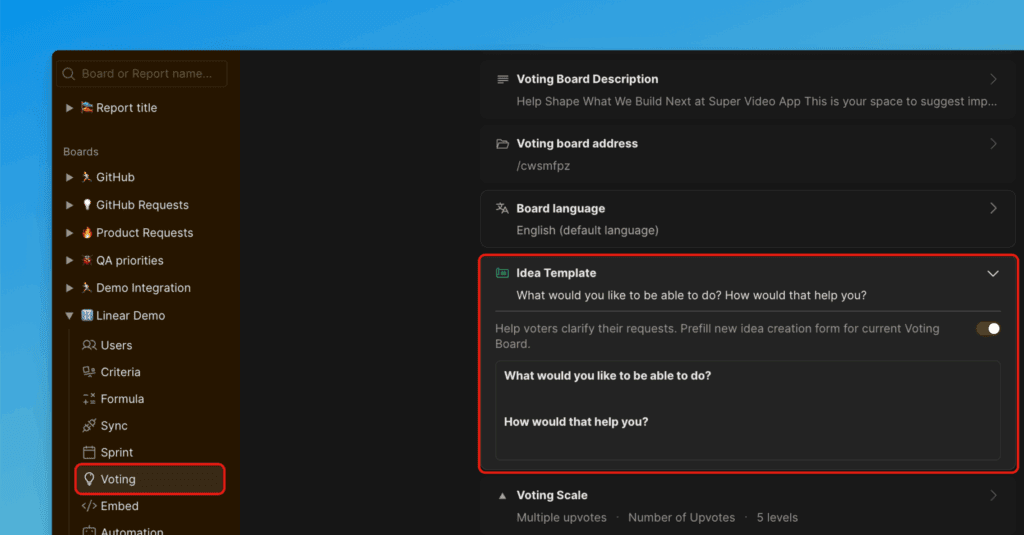
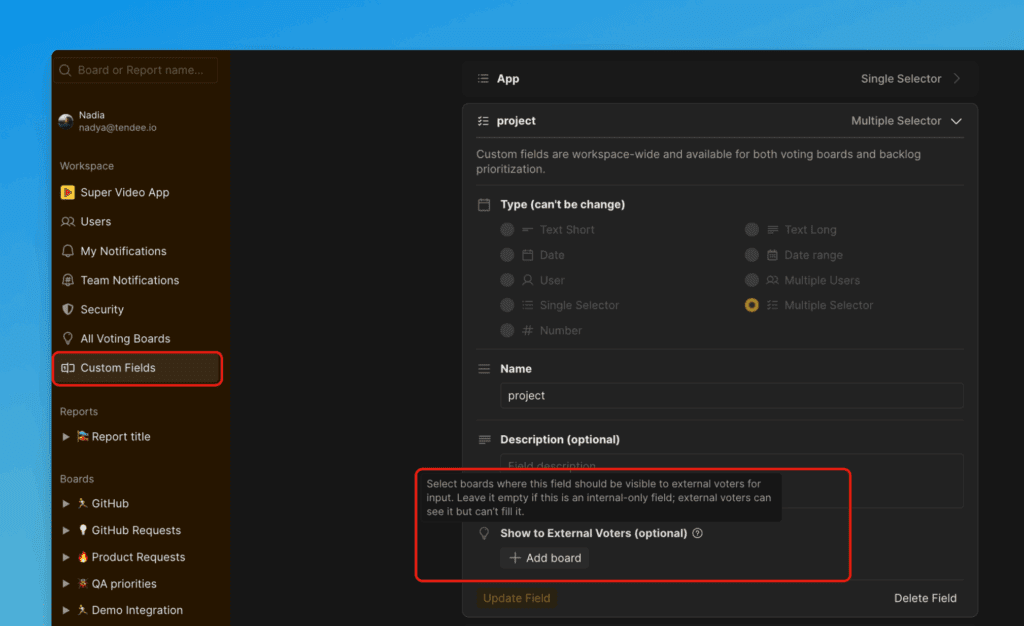
The New Idea Form section in board settings lets you customize the fields that users fill out when submitting an Idea or feedback, and set an Idea template.
Idea Template
Read more here.
Custom Fields
Read more here.
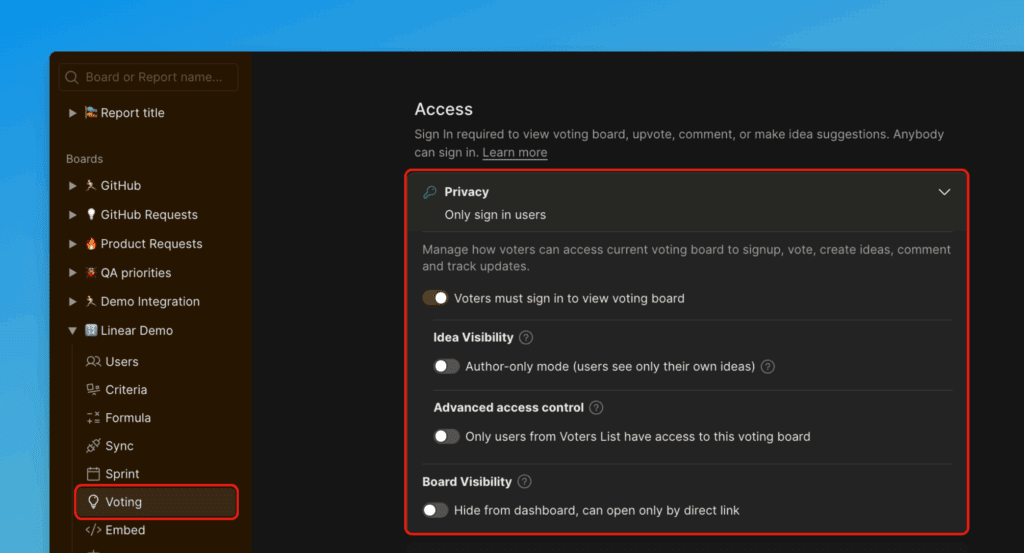
Set up Board Privacy
Ducalis offers different access options for your boards. You can choose between private, public, or custom access settings. Read more here.
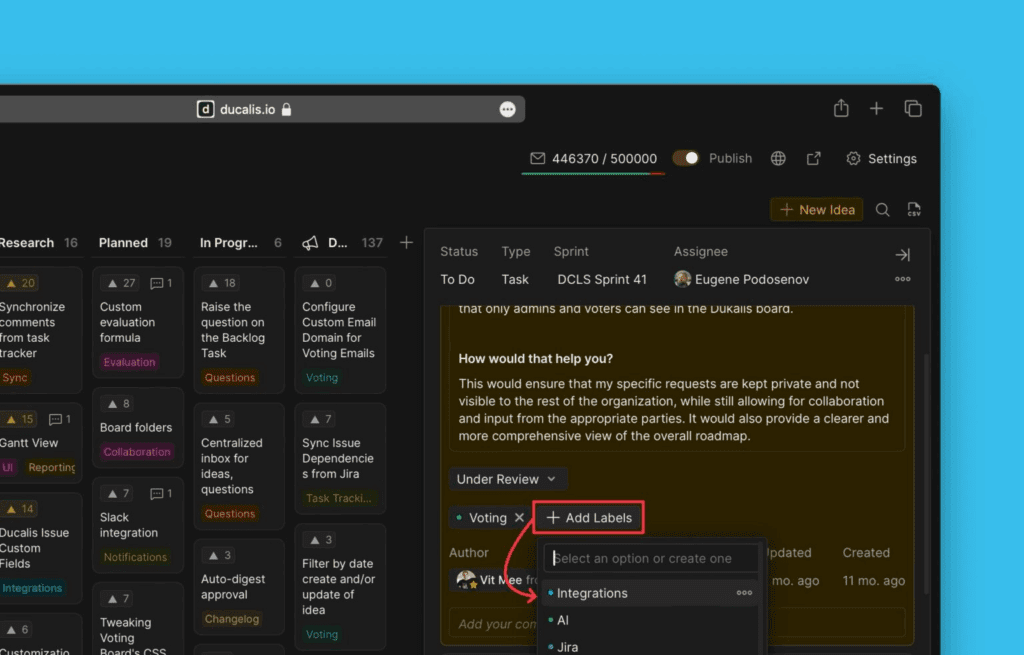
Labels and Filters
Labels and filters help organize feedback in Ducalis. Read more here.
Embed Voting Board
Ducalis offers a customizable widget for embedding feedback boards directly on your website, allowing you to gather user feedback without leaving your site. You can customize the widget to fit your website's design.
Read more here.
Turn Off a Board
When you need to disable a Voting Board, toggle the switch off in settings.