Connect
Connect Asana to Ducalis to import issues for prioritization. This integration syncs all your tasks and projects in real time.
Connect Asana
-
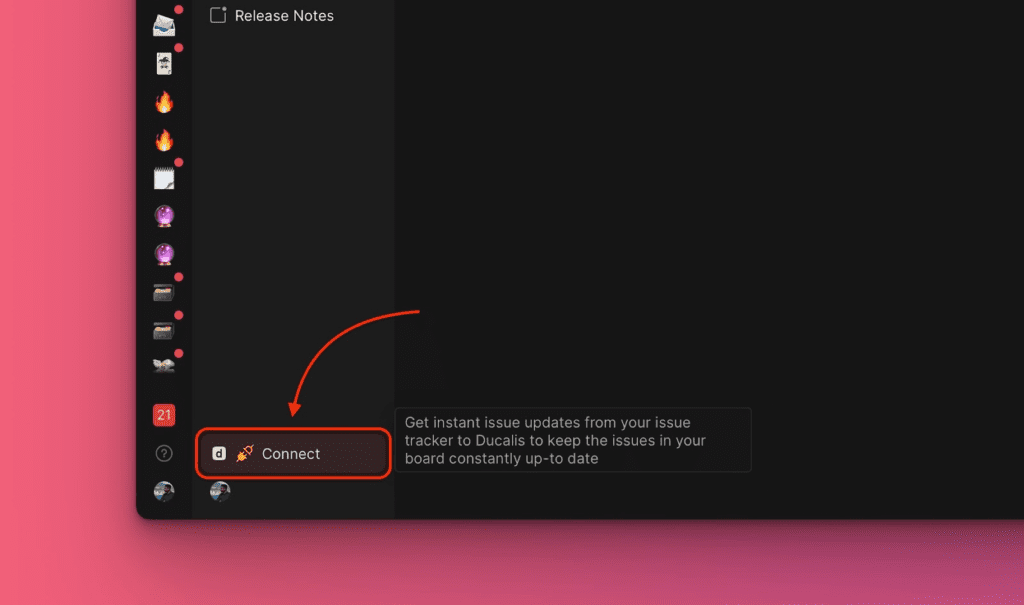
Open your Board and click Connect in the bottom left corner.
-
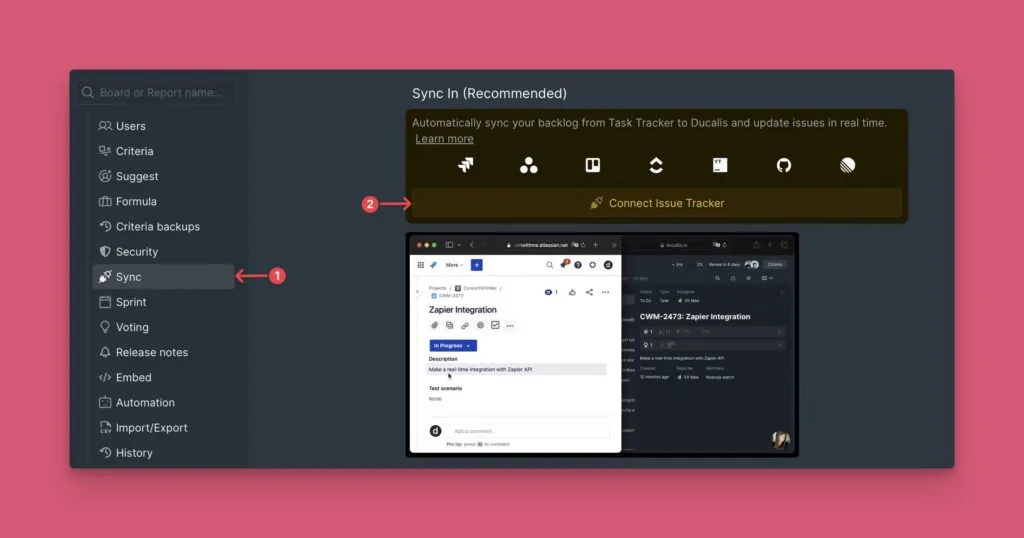
Navigate to Sync > Connect Issue Tracker.
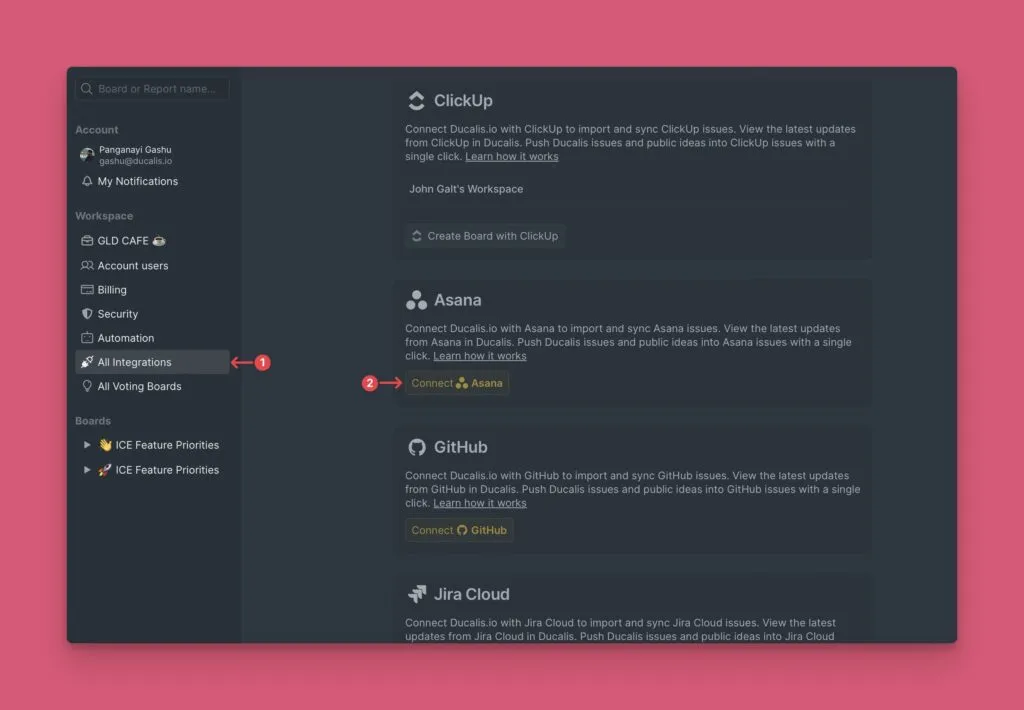
Alternatively, go to Organization Settings > All Integrations.
-
Under Source, select Asana from the list of task trackers.
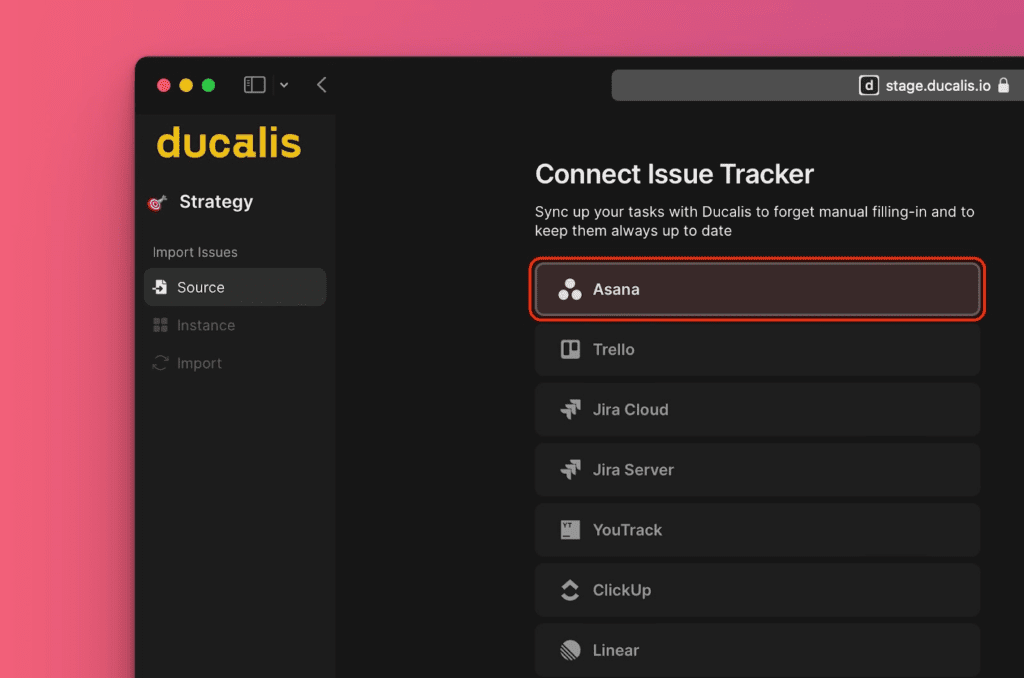
-
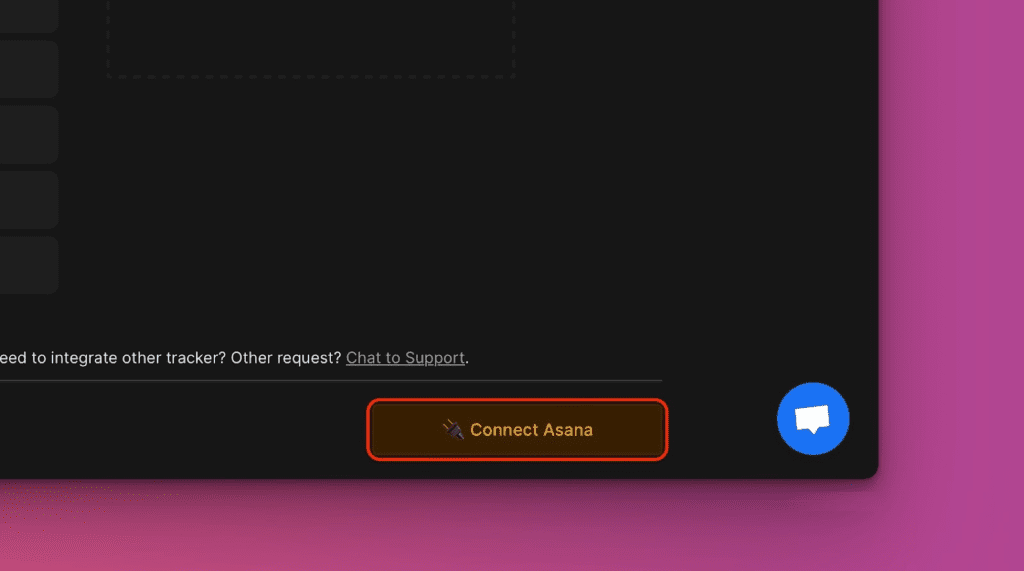
Click Connect Asana.
-
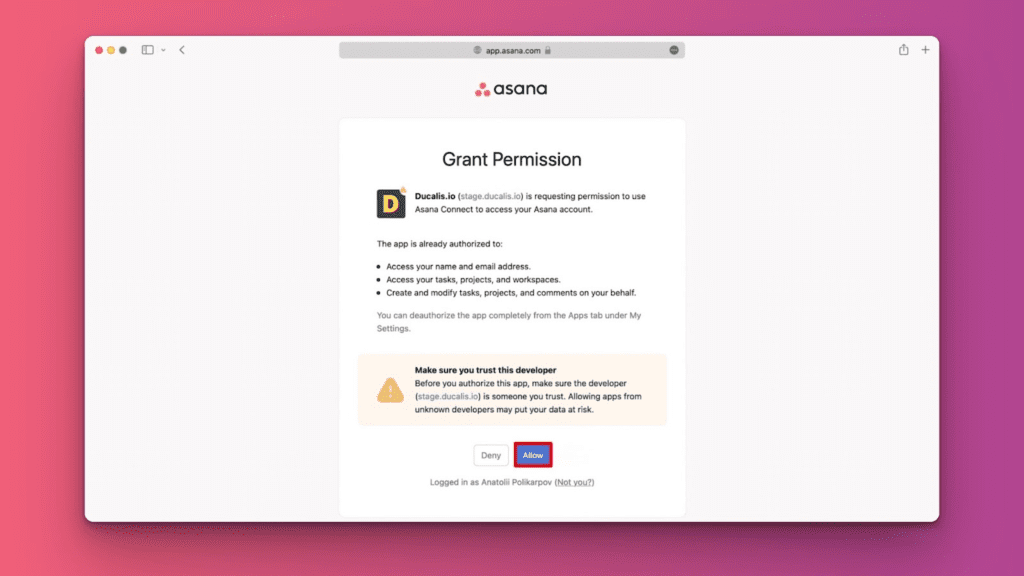
Authorize Ducalis to access your Asana account.
Import issues
-
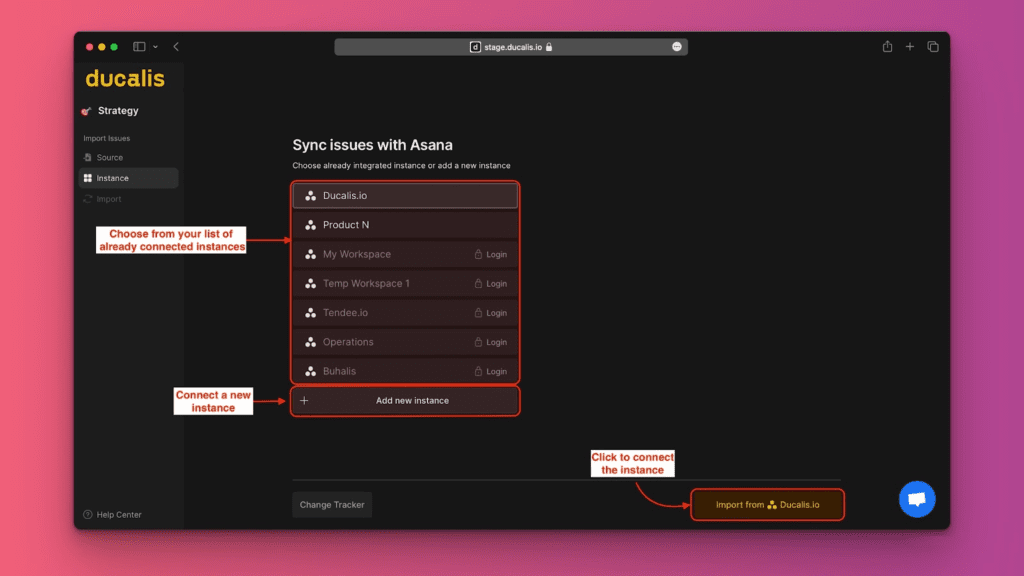
Select the Instance you want to import from, or click Add a new instance, then click Connect [Instance].
-
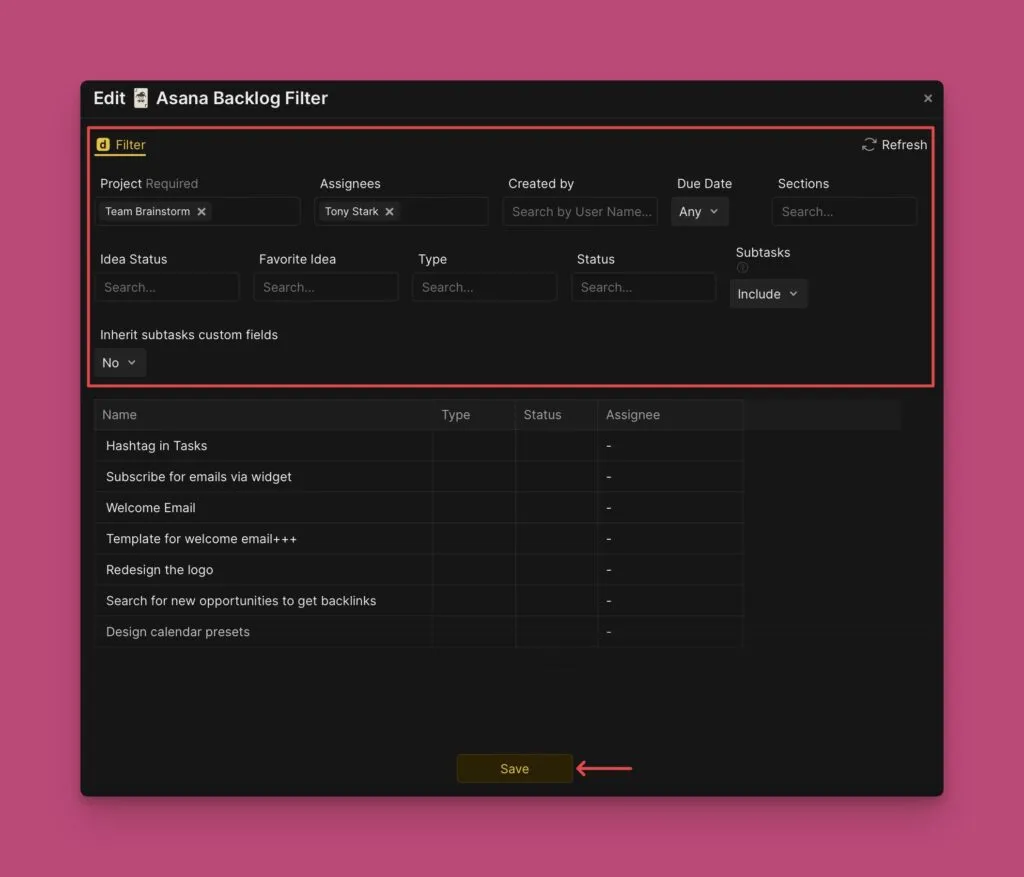
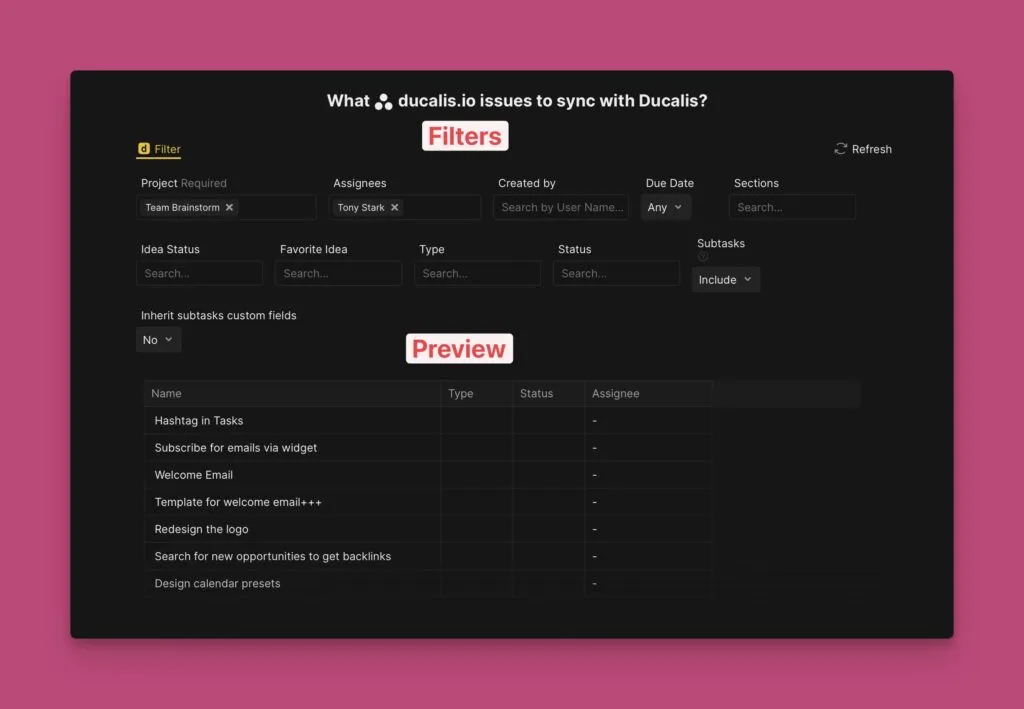
Apply filters to choose which issues to import.
-
Toggle Include subtasks if needed.
-
Click Start Import.
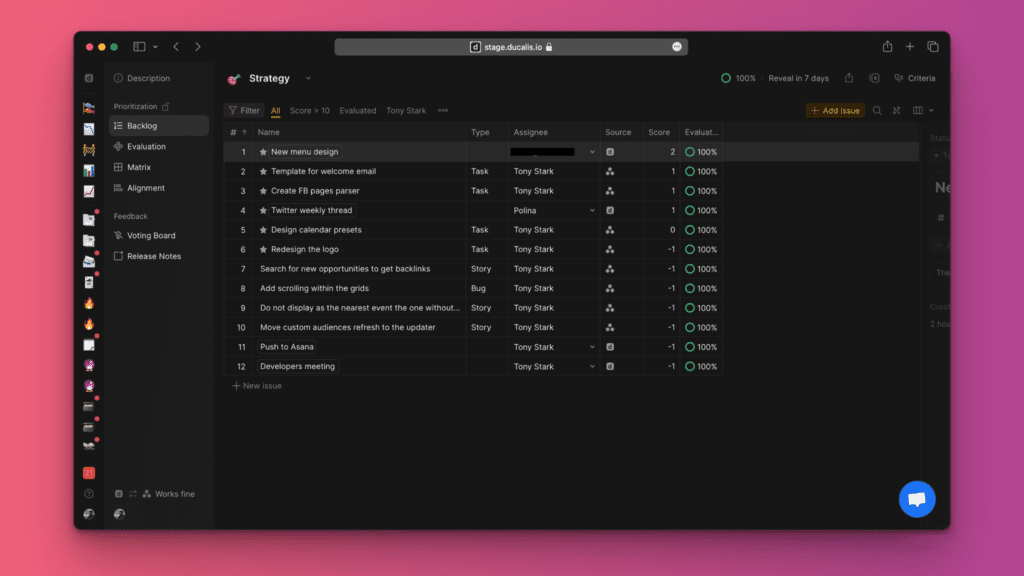
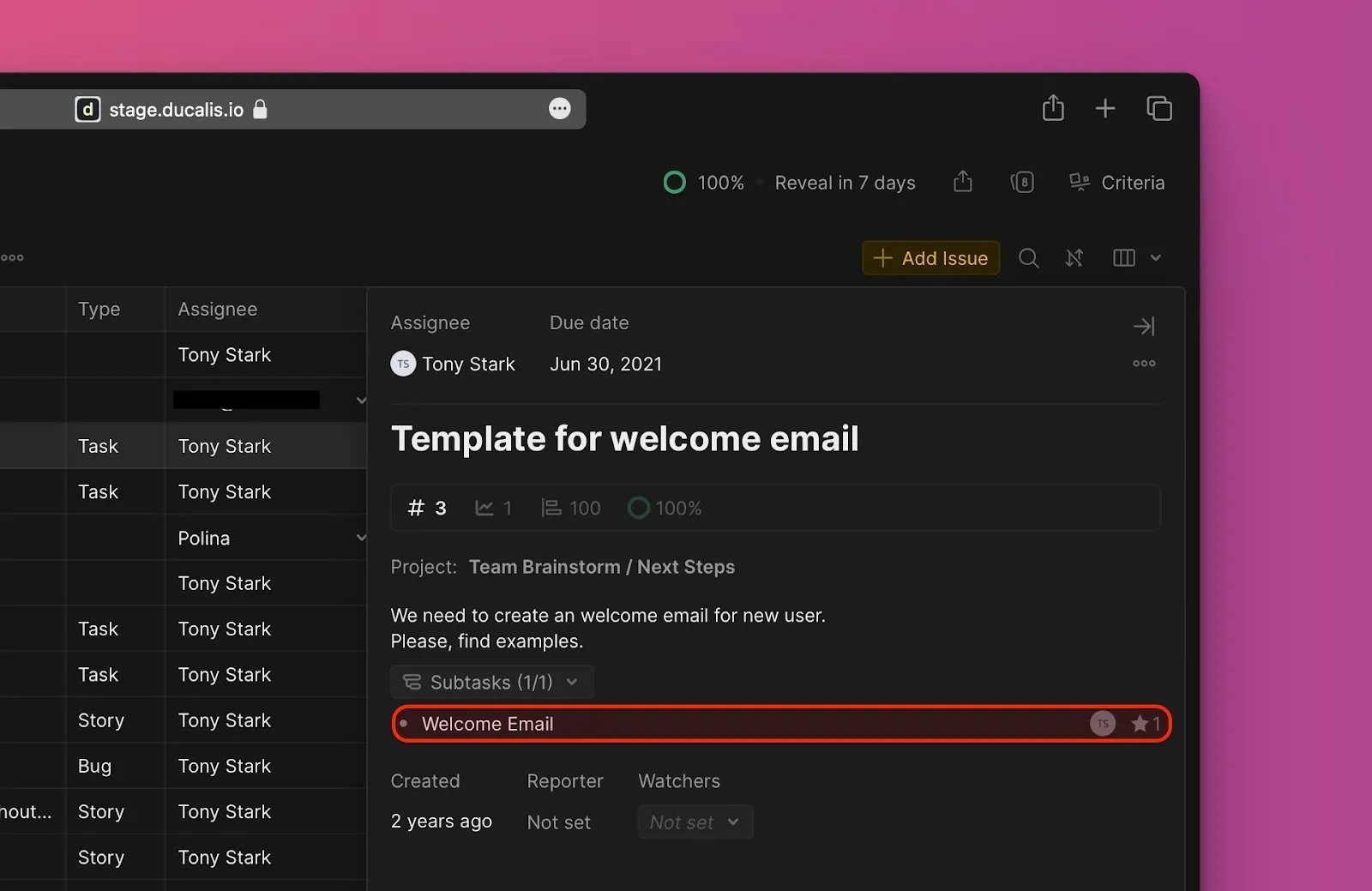
After import completes, your Board displays Asana issues. Subtasks appear with a subtask icon.
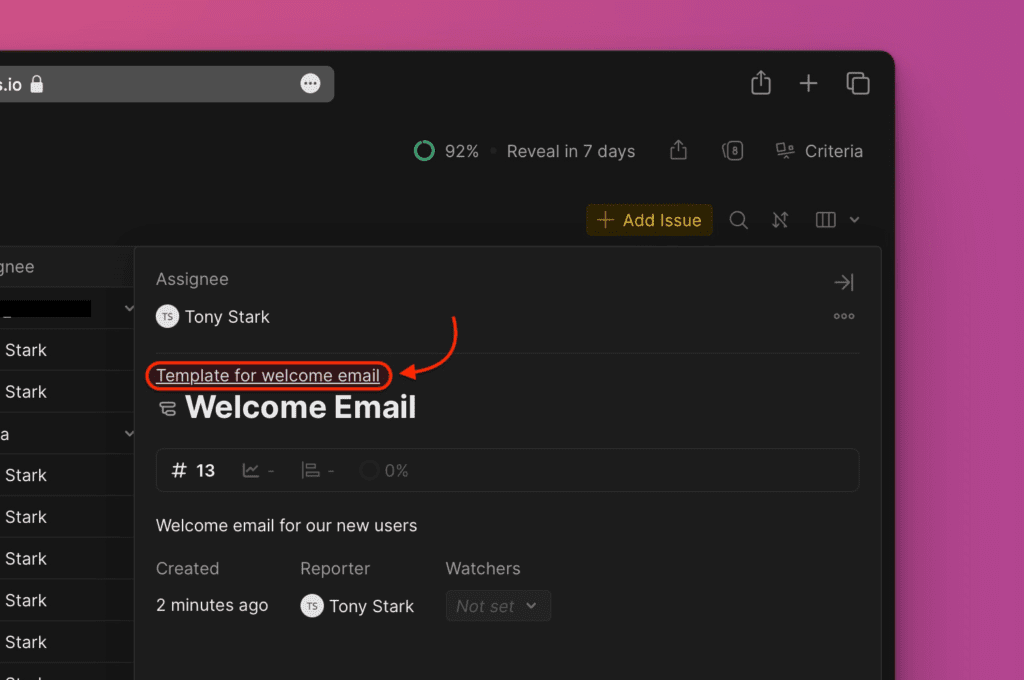
Subtask cards include a link to the parent task in Asana.
Parent task cards display all subtasks and their priority rankings.
Edit import filters
Edit import filters to add more issues or remove issues without disconnecting the integration.
-
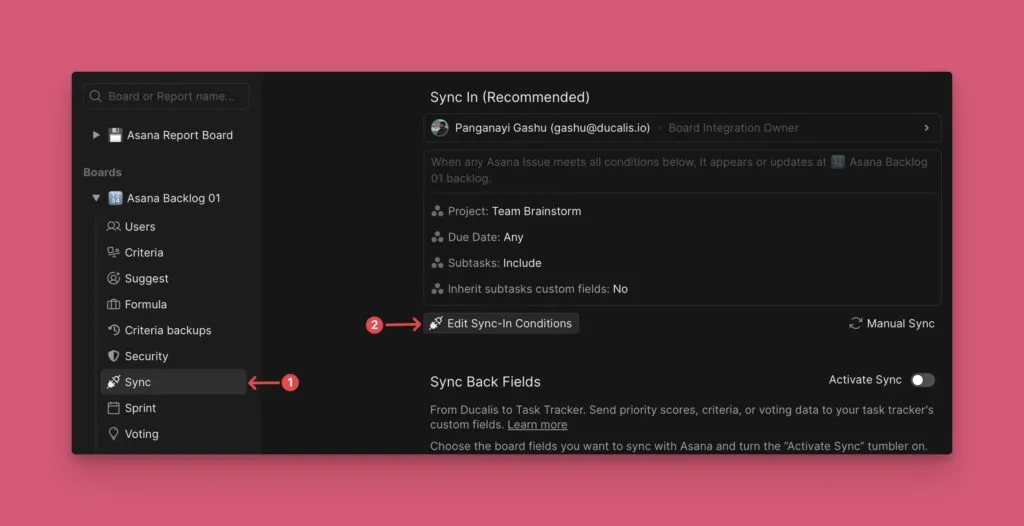
Go to Sync settings.
-
Scroll to Sync and click Edit Sync-In Conditions.
-
Add or remove filters to adjust which issues are imported.
-
Click Save.