Real-time updates
If you've imported issues, projects, or initiatives from private Linear teams, create a webhook to receive real-time updates between Ducalis and Linear.
Create the webhook
-
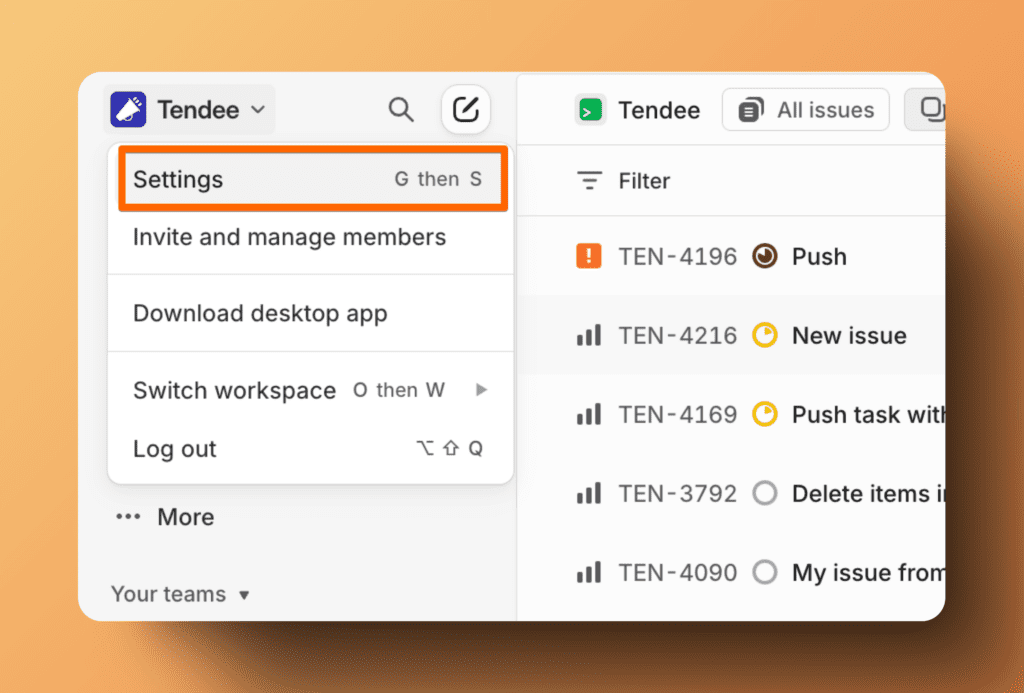
In Linear, go to Settings.
-
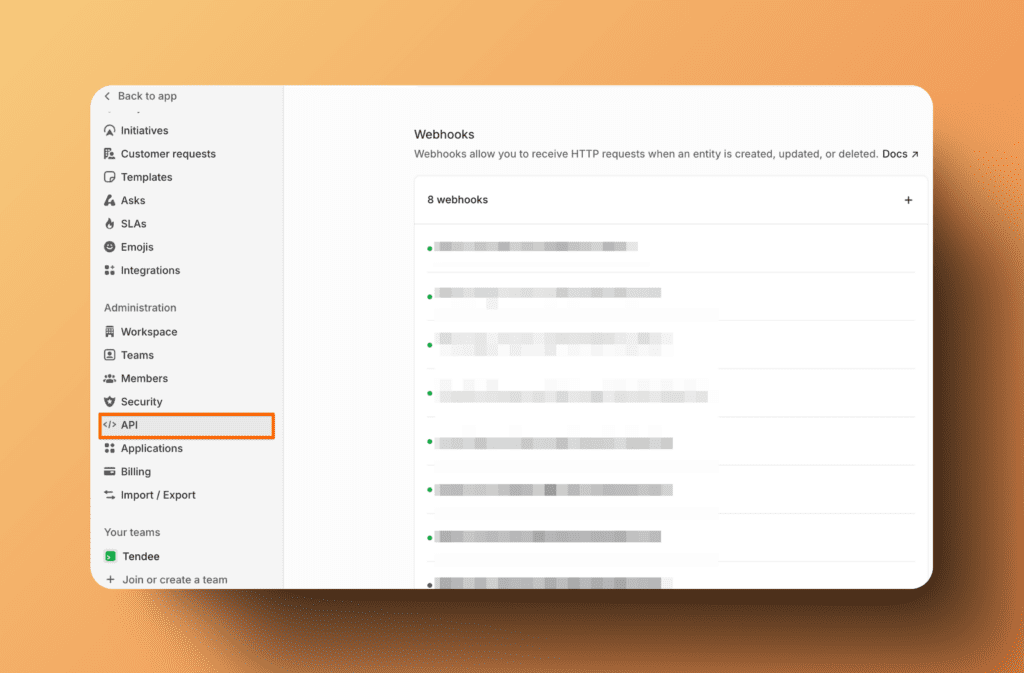
Scroll down to the API section and find Webhooks.
-
Click + to create a new webhook.
-
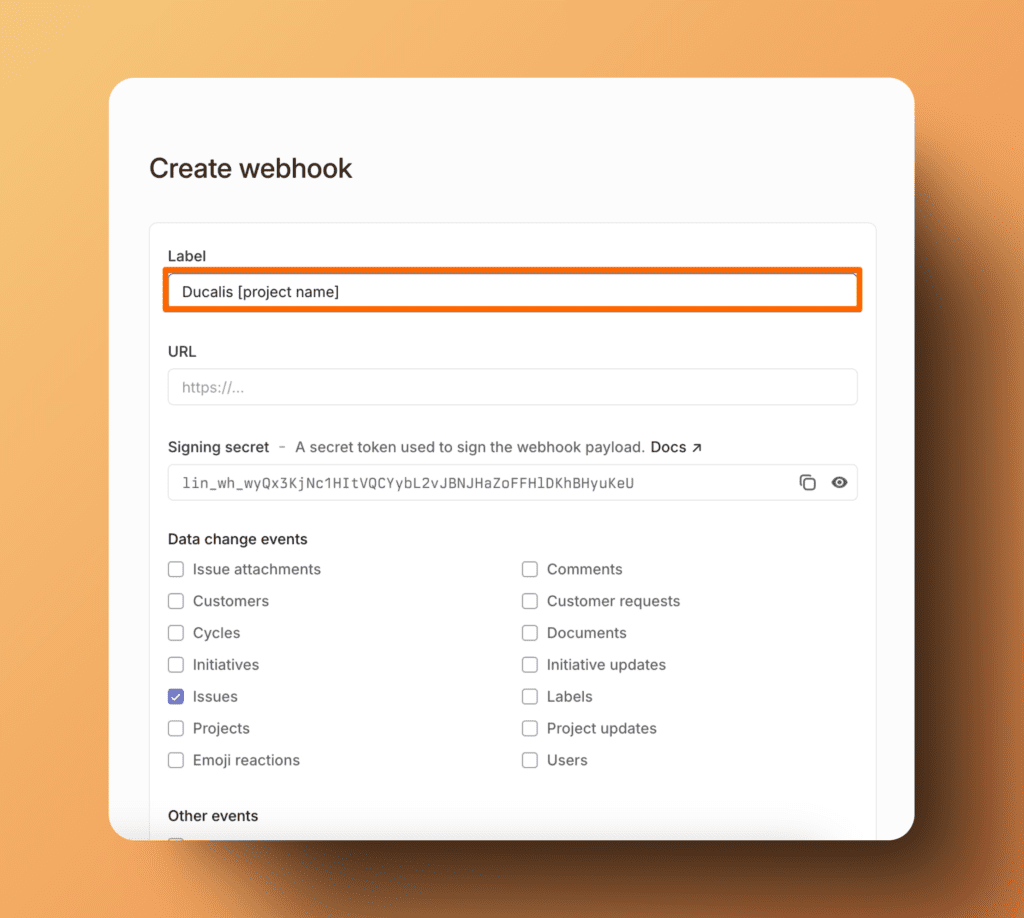
Fill in the Label field with "Ducalis" and the project name. Adding the project name is optional but helps with organization.
-
In the URL field, enter
https://hi.ducalis.io/rest/webhooks/linear?team=team_name, whereteam_nameis the name of the private team the imported projects belong to.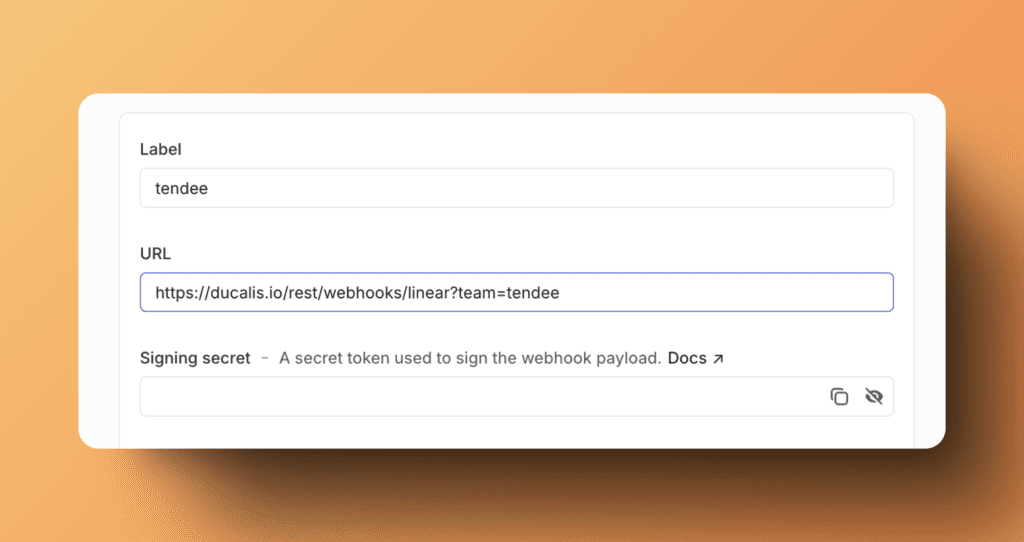
-
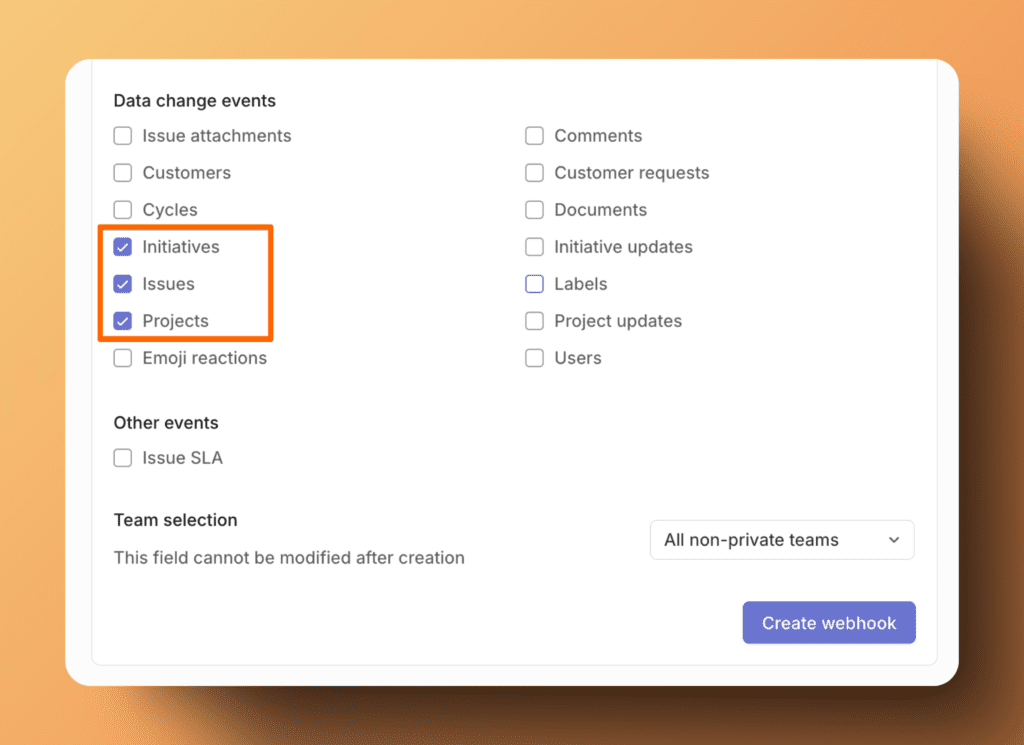
For Data Change Events, select Issues, Projects, and Initiatives.
-
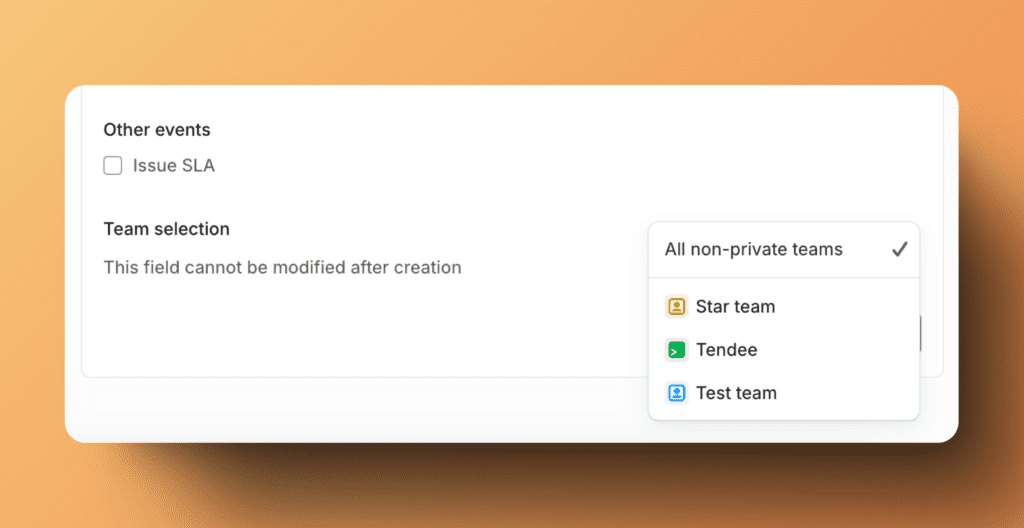
For Team Selection, choose the private team that the imported projects belong to.
-
Click Create Webhook.
Don't remove the previous webhook for "All non-private teams." Both webhooks are needed for proper synchronization.
You're all set! Your private team data now syncs in real time.