Push issues
Push issues from your board and ideas from your voting board directly to Jira Server. This lets you create issues in Jira without switching between Ducalis and Jira during prioritization.
Your board must be connected to Jira Server.
Understanding issue icons
On your board:
- Issues created in Ducalis have a Ducalis icon.
- Issues imported from or linked to Jira have a Jira icon.
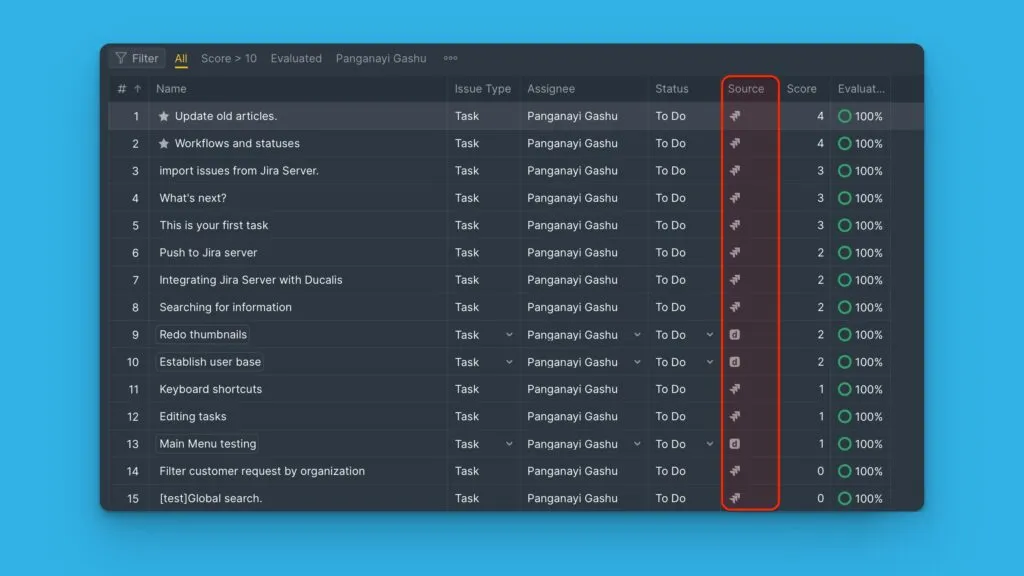
Push issues from backlog
-
Select the Ducalis issue you want to send to Jira and open its card.
-
Click the ellipsis button in the top right corner of the card, then select Push to Jira.
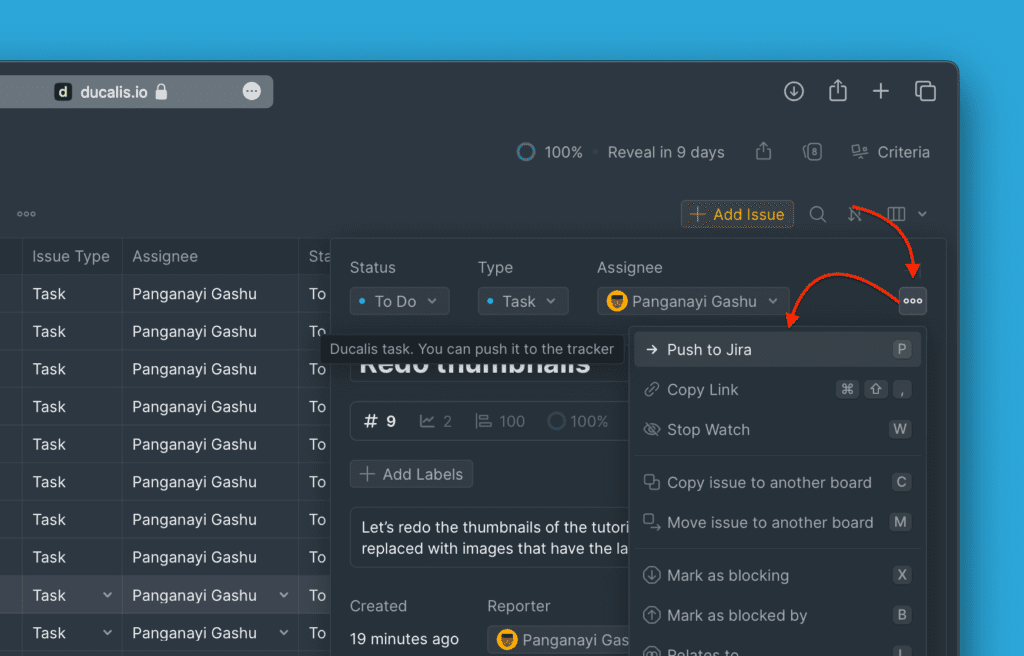
-
Fill in the required fields and edit as needed.
-
Click Create an issue.
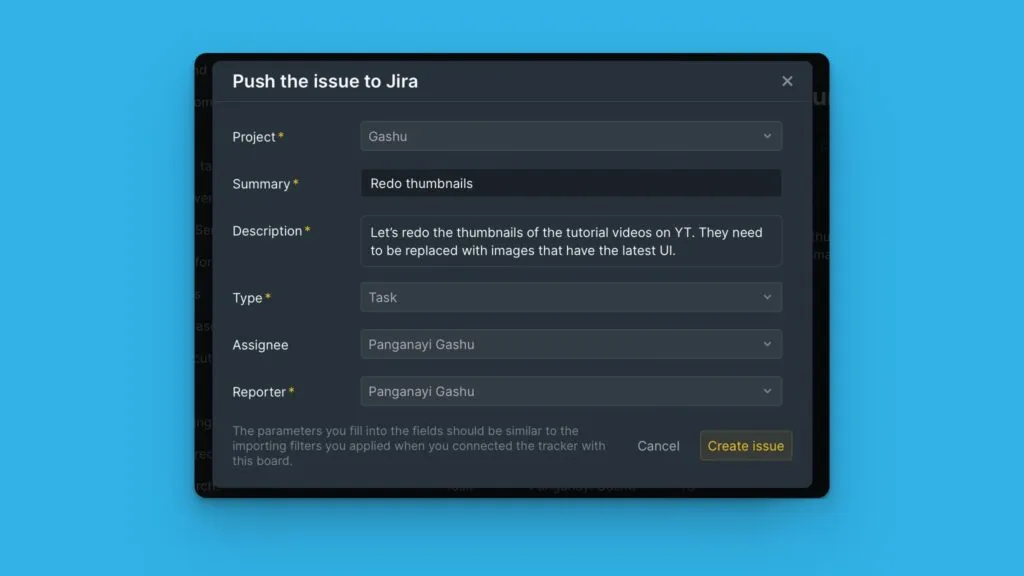
The issue parameters must match your board's import filters. If they don't match, the issue will be sent to Jira but won't appear in your board.
Push ideas from a voting board
Convert customer feedback from your voting board into Jira issues.
-
Go to the Voting Board page and select the idea you want to add to Jira.
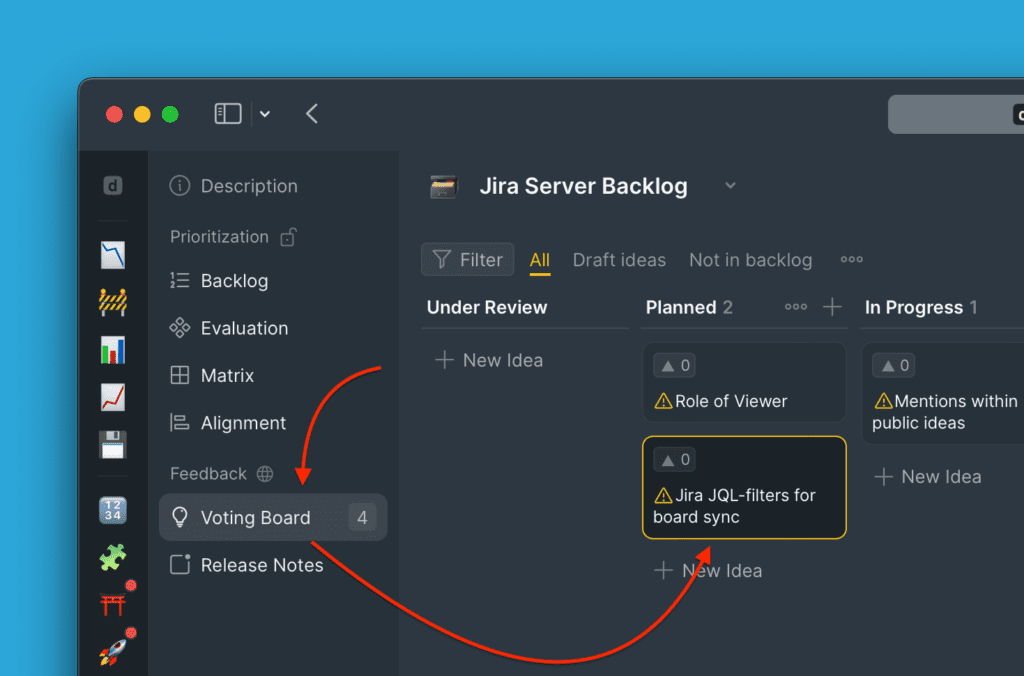
-
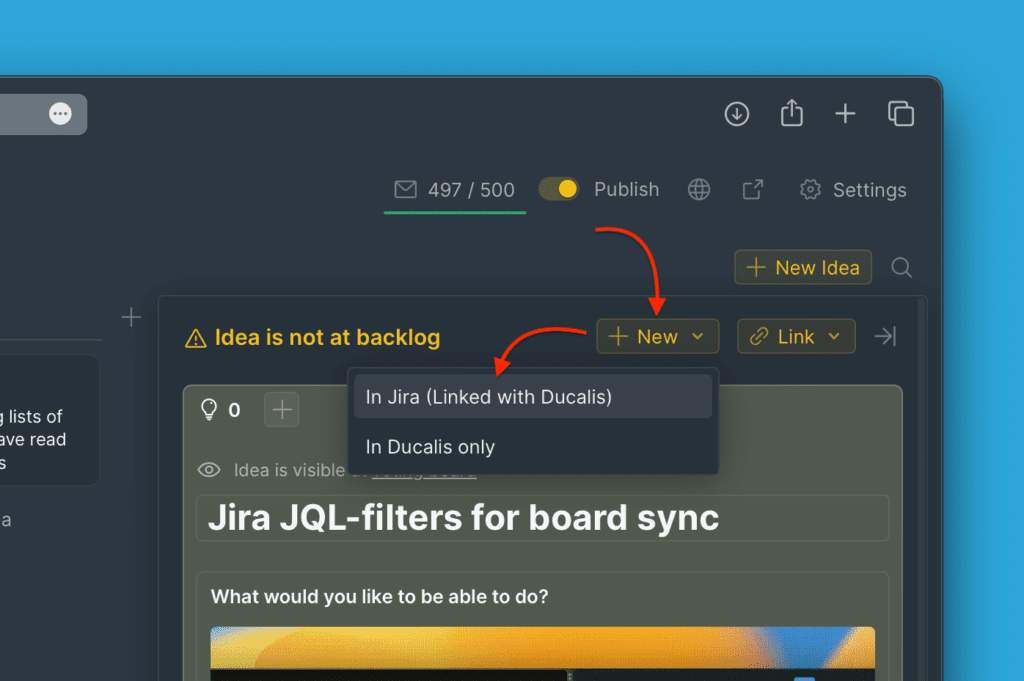
On the idea's card, click +New, then select In Jira (Linked with Ducalis).
-
Fill in the required fields and edit as needed.
-
Click Create Issue.
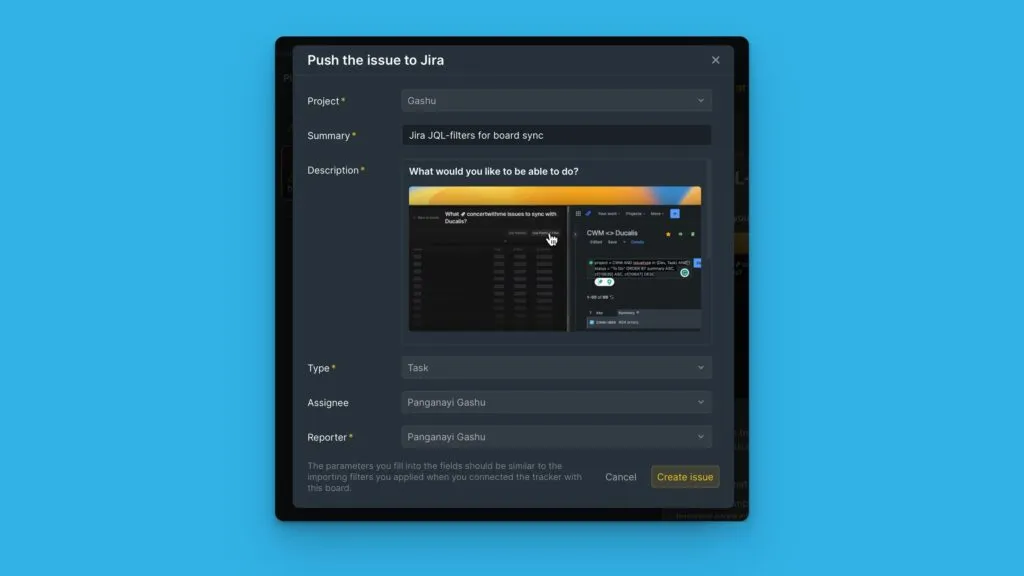
The issue parameters must match your board's import filters. If they don't match, the issue will be sent to Jira but won't appear in your board.