Token authentication
A permanent token is a secure electronic key that replaces password-based authentication for YouTrack. Token authentication offers several benefits:
- Secure authorization without complex OAuth 2.0 implementation
- Simple management - revoke and regenerate tokens instantly if compromised
- Granular access control - tokens only perform operations they're explicitly granted permission for
You must have an Admin role in YouTrack to create permanent tokens.
Create a permanent token in YouTrack
-
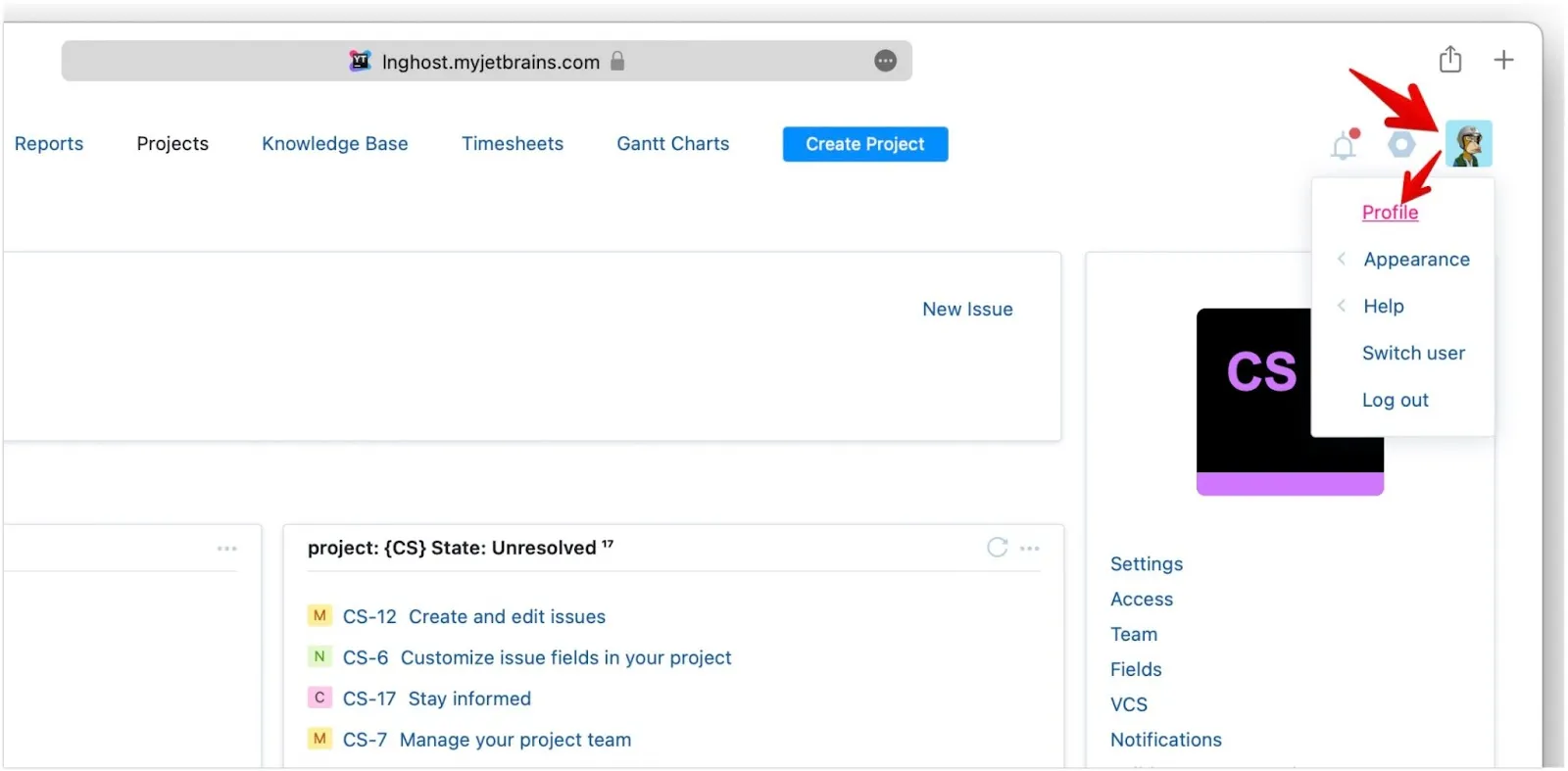
In your YouTrack account, click your avatar, then select Profile.
-
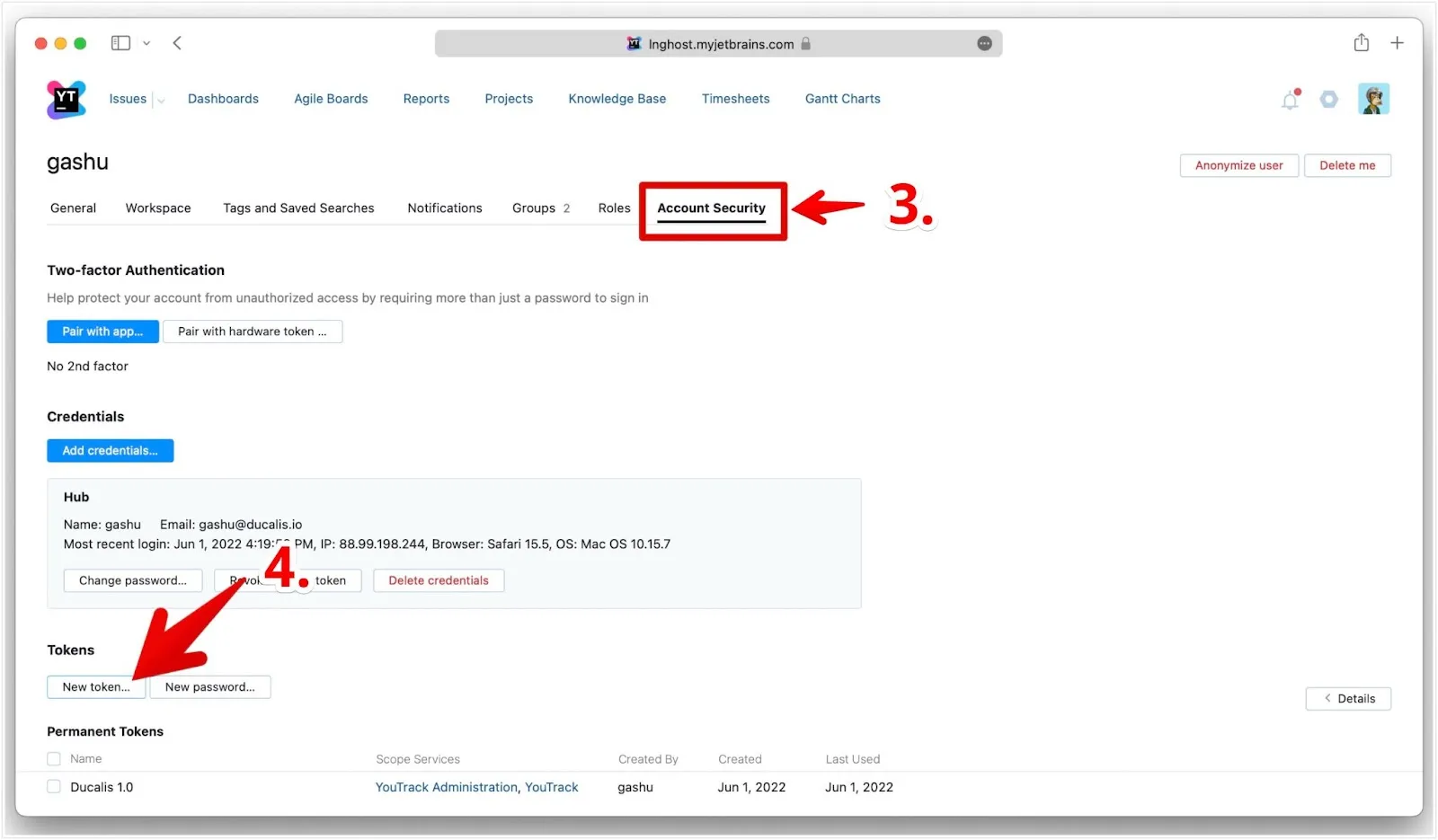
Go to the Account security tab.
-
Click New token.
-
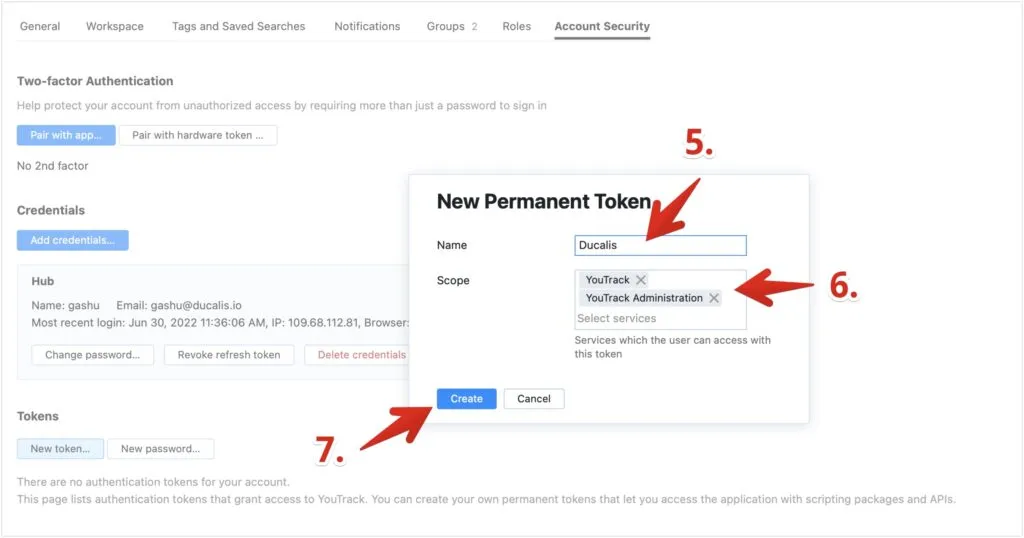
Name the token with a recognizable label (for example, ducalis.io).
-
In the Scope field, add YouTrack and YouTrack Administration. Remove any other services.
-
Click Create.
-
Click Copy token.
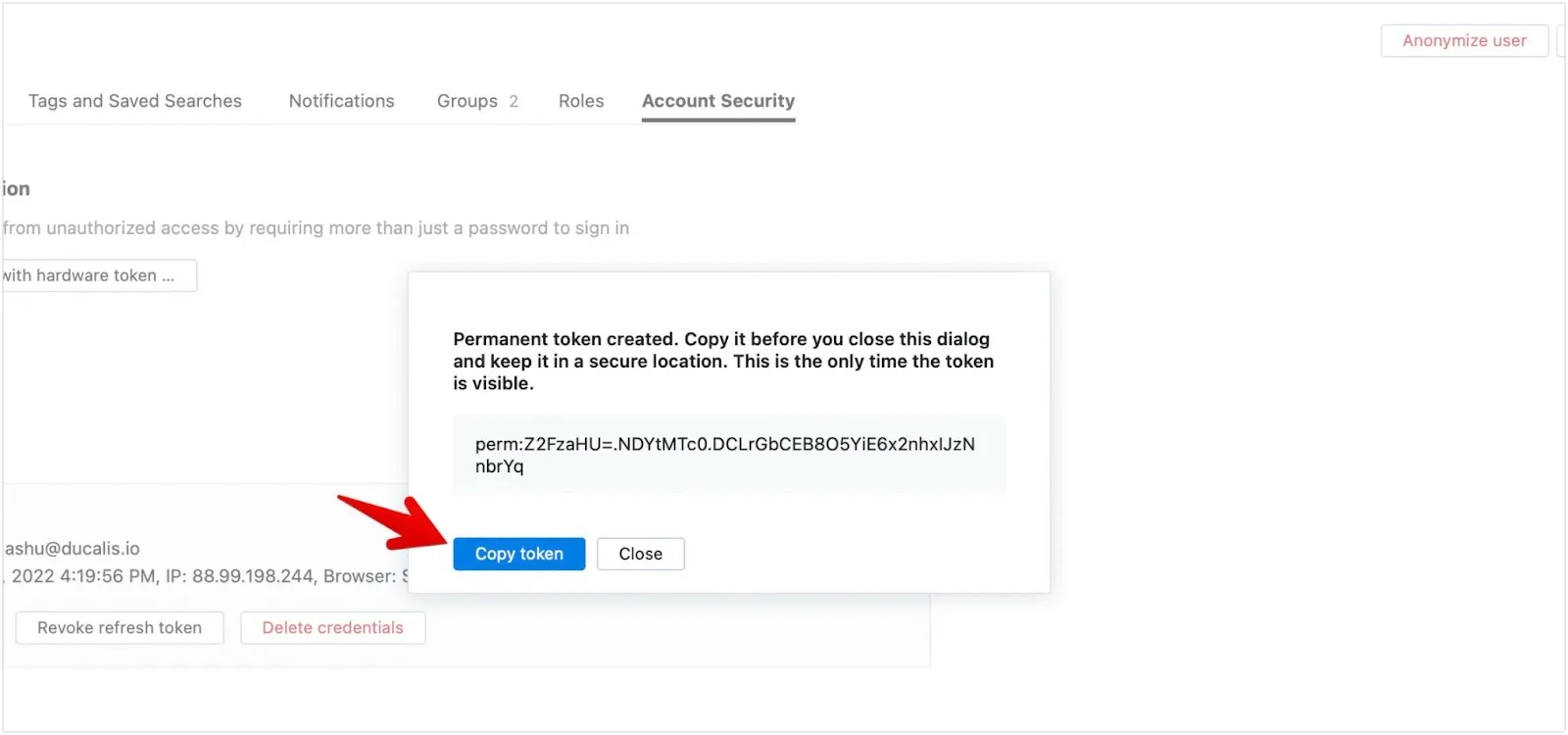
Save the token in a secure location immediately. You won't be able to retrieve it once you close this dialog. Never share or distribute the token.
- In YouTrack, copy your base URL from the browser address bar. The base URL starts with
https://and ends with/youtrack/.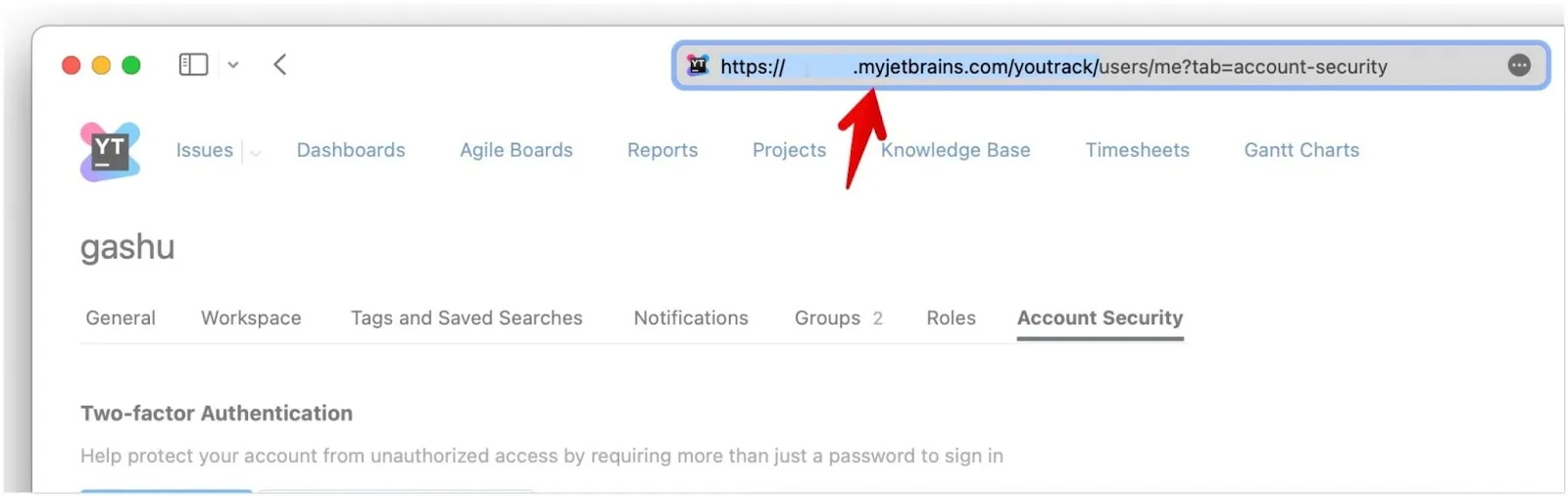
Connect YouTrack to Ducalis
-
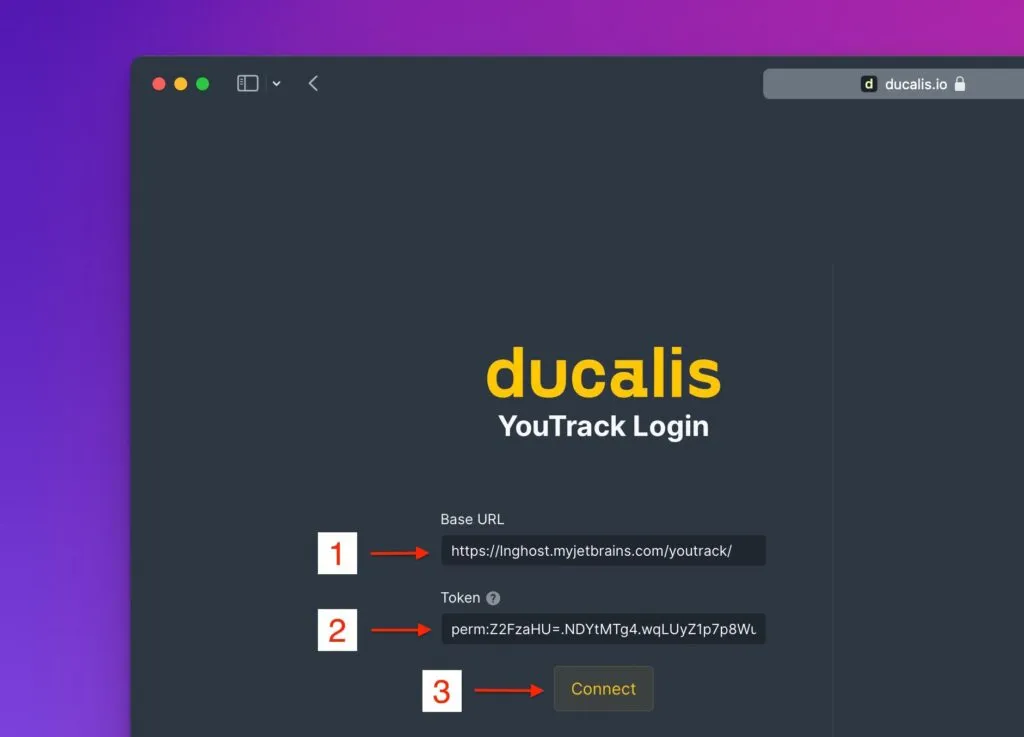
Return to Ducalis and paste the Base URL from YouTrack.
-
Paste the Permanent Token you copied earlier.
-
Click Connect.
-
Map YouTrack fields to Ducalis Board fields.
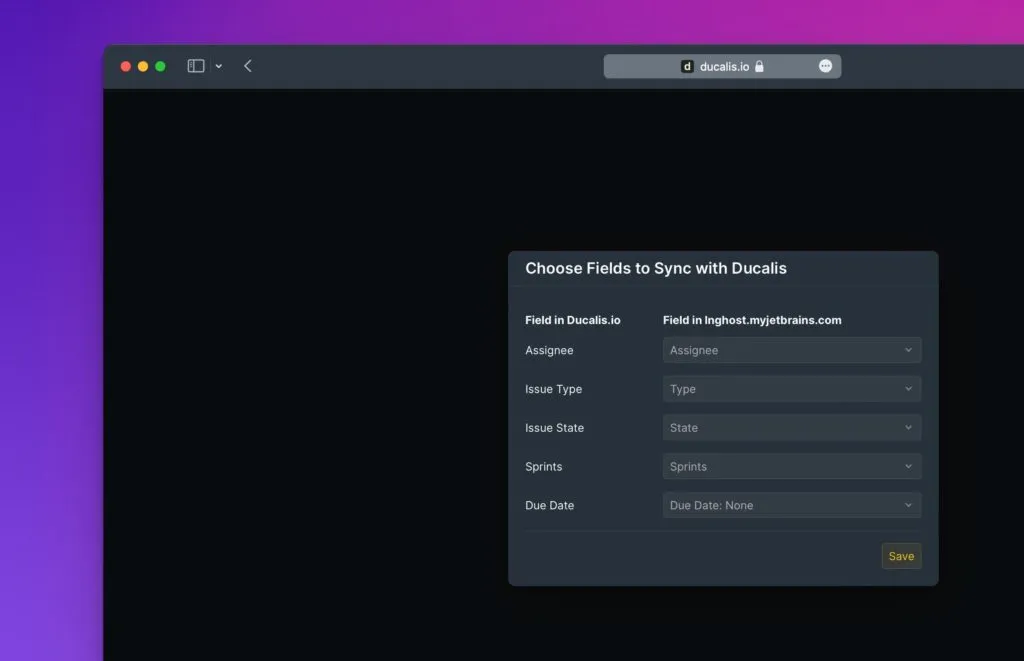
You can change field mappings later by clicking the cogwheel icon next to the YouTrack integration.
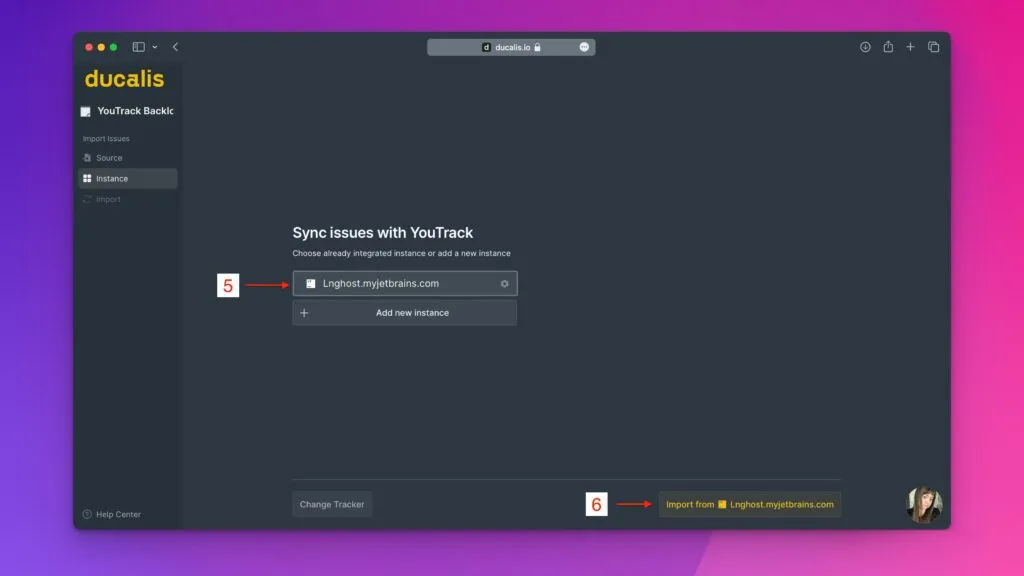
Your YouTrack integration is now connected. The token is created once - your teammates don't need to repeat this setup to access the integration.
What's next
Continue to the issue import article to bring your YouTrack data into Ducalis.